

Many of us may still be waiting for our Hogwarts letter, but there's good news: a bit of the magic from the "Harry Potter" universe is quietly making its way into our muggle world.
One example of this magic at work is the ability to bring a photo to life, just like on the pages of the Daily Prophet or the album Hagrid once gave Harry. Modern AI tools for animating photos make this possible.
Testing AI models: bringing photos to life in action
On GPTunneL you'll find plenty of AI tools that can do exactly this. In this review we'll show you how they work. We tested several models using publicly available generations from Creative Lab. Here are the results.
How to animate a photo with AI in the GPTunneL interface
The process turns out to be pretty simple and works the same way across all the models:
- Upload a photo to the platform;
- Choose a model for the job;
- Write a prompt — a short text description of the emotions and movements you want;
- Hit "Generate" and wait for the result.
Below you'll find not only the models themselves but also examples of animated photos alongside the source images and prompts, so you can try it yourself.
Seedance ("Live Photos" tool in GPTunneL)
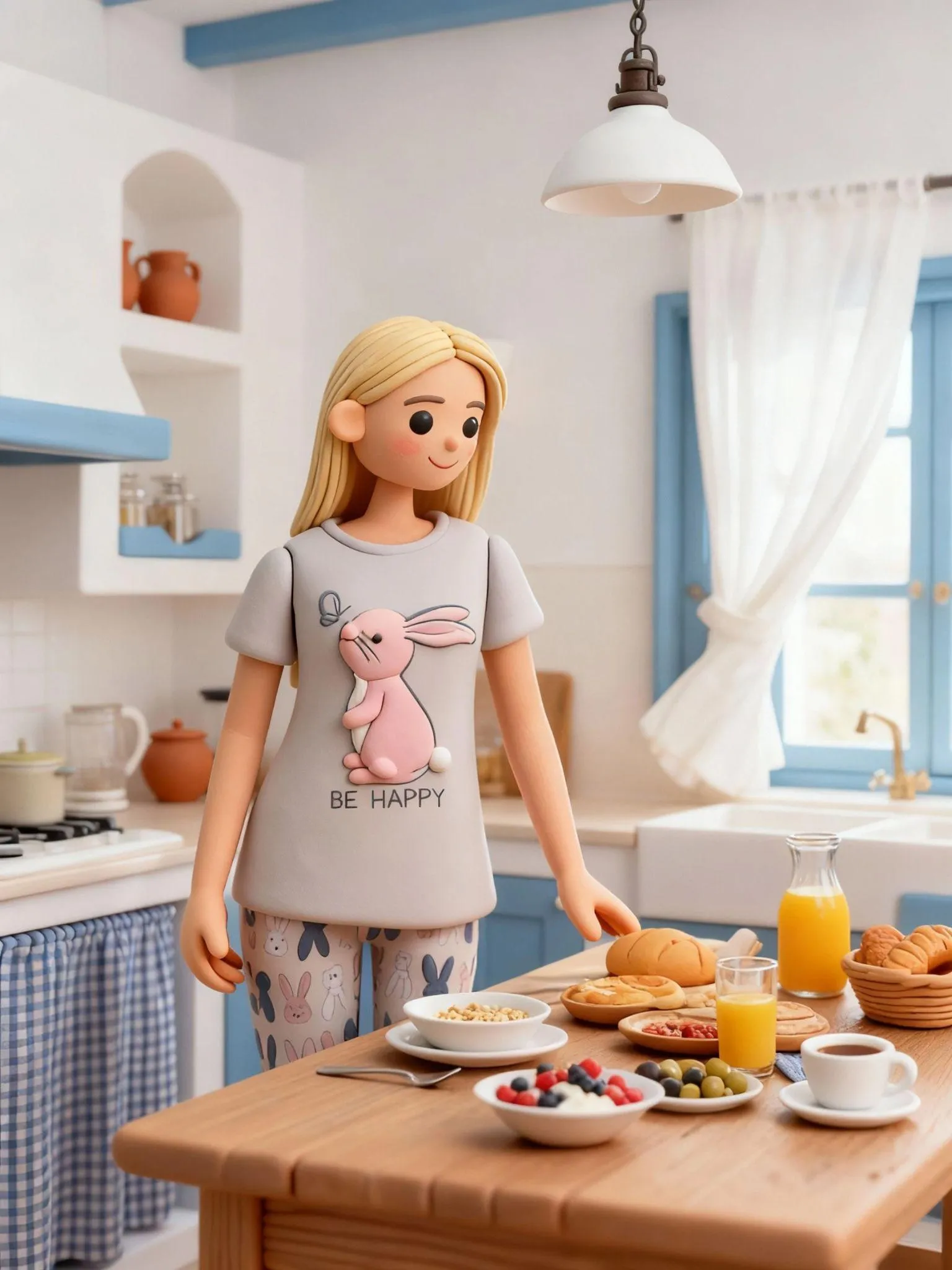
Author: Natalya
Prompt:
"Bring this photo of a girl to life: have her slightly turn her head to the left, take a light breath, blink, and smile with the corners of her mouth. Her eyes gently look into the camera, hair moving slightly in the breeze. Keep the natural light, no filters."
Result
The model worked for over 10 minutes, but the wait paid off. The movements turned out very smooth and natural — light breathing, a soft blink, and a smile you actually believe. The model preserved the facial features without any distortion, with natural plasticity close to a real shot. Skin and lighting look natural too. Watching this animated photo, you get a genuine sense of presence.
You can check out the result via this link.
Seedance Pro
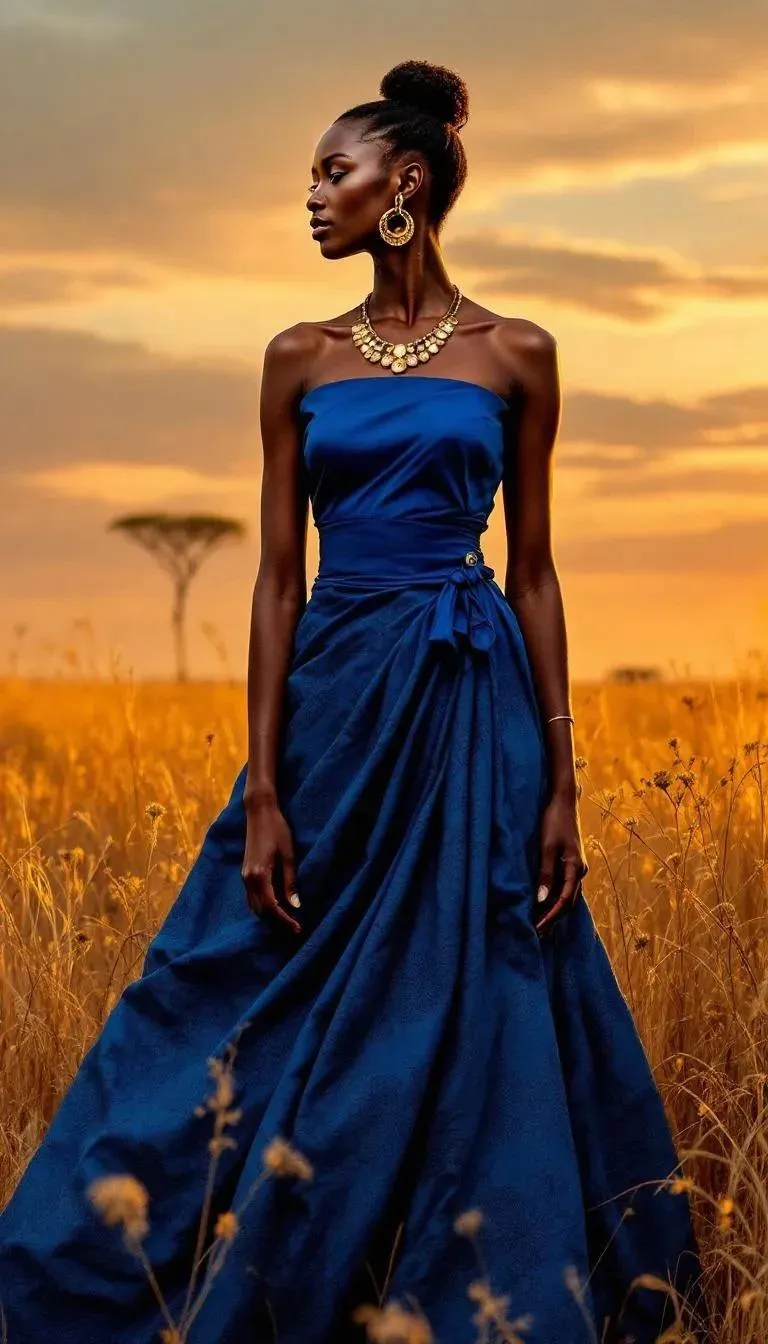
Author: Viktor
Prompt:
"Add a smooth head movement toward the camera, a gentle sideways glance, light breathing. Have the girl laugh slightly, eyes narrowing a bit, cheeks moving naturally. Add a soft highlight in the pupils and gentle diffused lighting."
Result
The model spent about 3 minutes on the task and executed it precisely according to the prompt.
The AI delivered smooth, jerk-free plasticity and an open smile, but ignored the request to show light laughter. The generation looks genuinely alive: eyes narrow slightly, cheeks rise, the corners of the mouth shift naturally. The model didn't distort the facial features either — teeth aren't smeared, skin texture doesn't flicker, and the geometry holds up. If this were footage, you'd say the camera doesn't shake and the hair and scarf aren't grainy. Color and exposure are also preserved.
The end result is a clean, lifelike portrait ready for publication. Want to see it for yourself? Check out the result.
Seedance Pro Fast
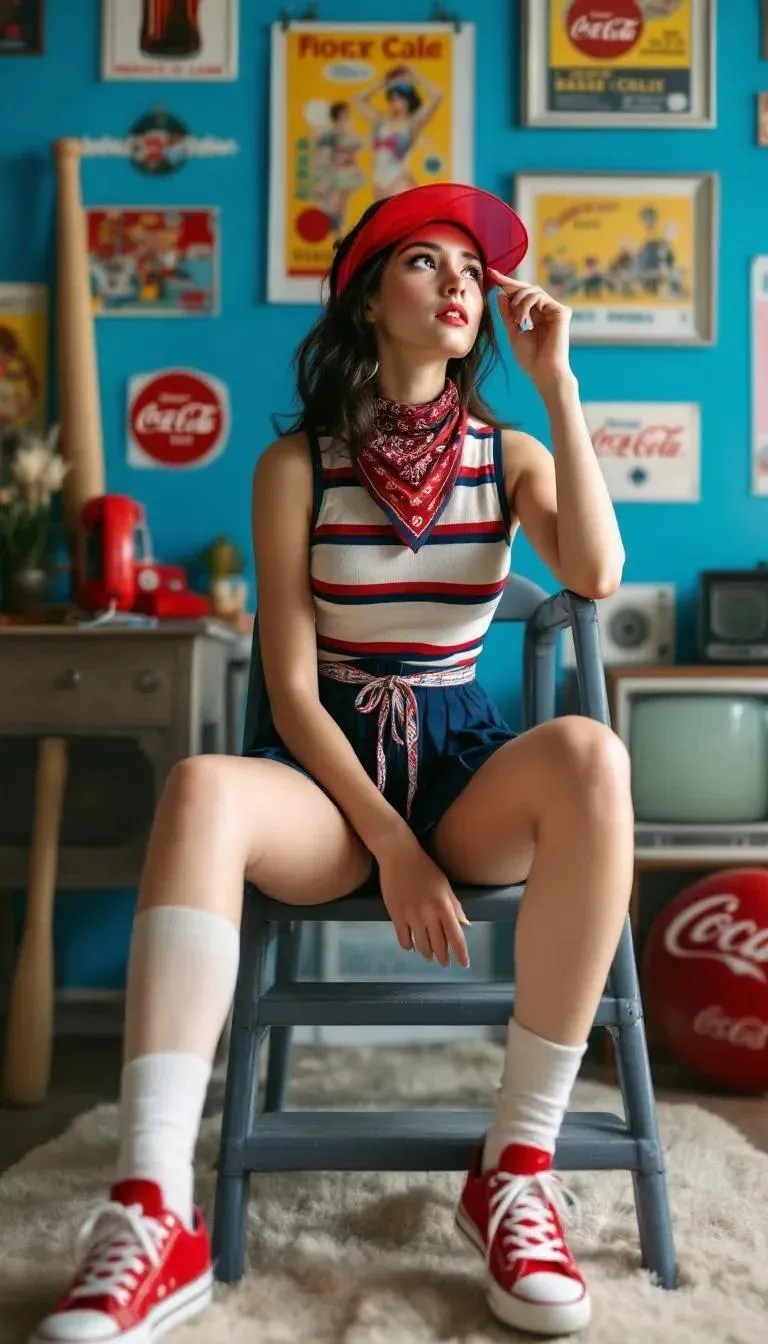
Author: Alexander
Prompt:
"Create a short realistic animation: a light blink, breathing, head turning slightly away from the camera. Let the gaze linger toward the camera, then drop down, as if she's lost in thought. Even light, no harsh shadows."
Result
Seedance Pro Fast processed the request in a minute and a half. The motion turned out natural but a bit abrupt. There's a sense of impulse in the movement, as if the subject suddenly remembered something and quickly shifted her gaze away.
The model only partially conveyed the movements laid out in the prompt. The subject turns her head away from the camera as requested, but doesn't linger on the camera itself. What we got instead is more of a "rehearsing an emotion" moment, as if someone were changing their expression before the next photo. Still, that's exactly what makes the result feel humanly authentic — not a pose, but movement between emotions. You can view the clip via this link.
Veo 3.1
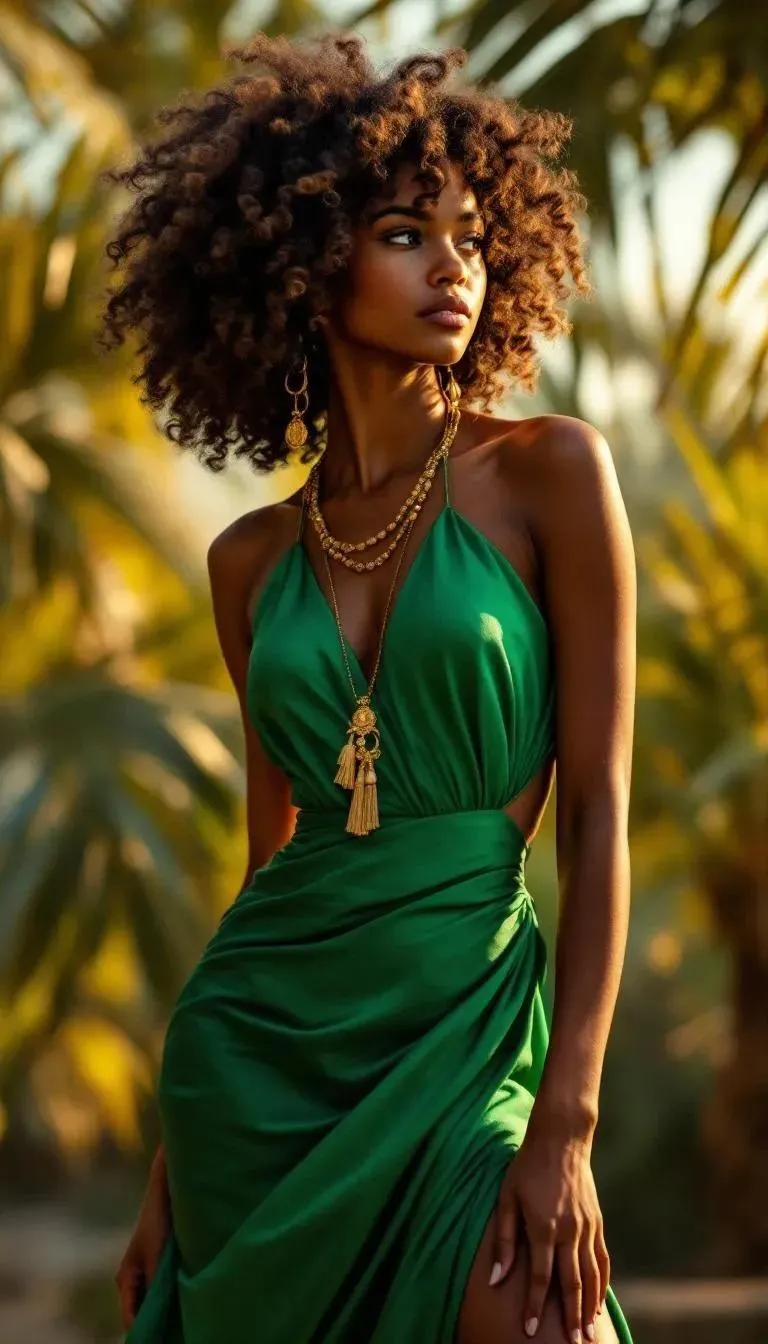
Author: Viktor
Prompt:
"Create a realistic animation: the girl turns her head slightly to the right, lifts her chin, her gaze drifts up and then switches to the camera. Let her breathing be noticeable, her lips part slightly, and a brief soft smile appears."
Result
Veo 3.1 delivered the result in roughly 2.5 minutes.
The model did great on the animation side. The head movements came out smooth and humanly confident, and the breathing and facial expressions feel natural. However, Veo decided to "step outside" the prompt's boundaries. The framing changed: we got a close-up shot, as if the camera changed angle. On top of that, the model added a soundtrack to the clip.
Visually the result looks striking and cinematic. This isn't just an animated photo anymore — it's a reinterpretation of it. The effect is interesting, but not ideal for anyone who wants to keep the original composition. You can view it here.
Veo 3.1 Fast
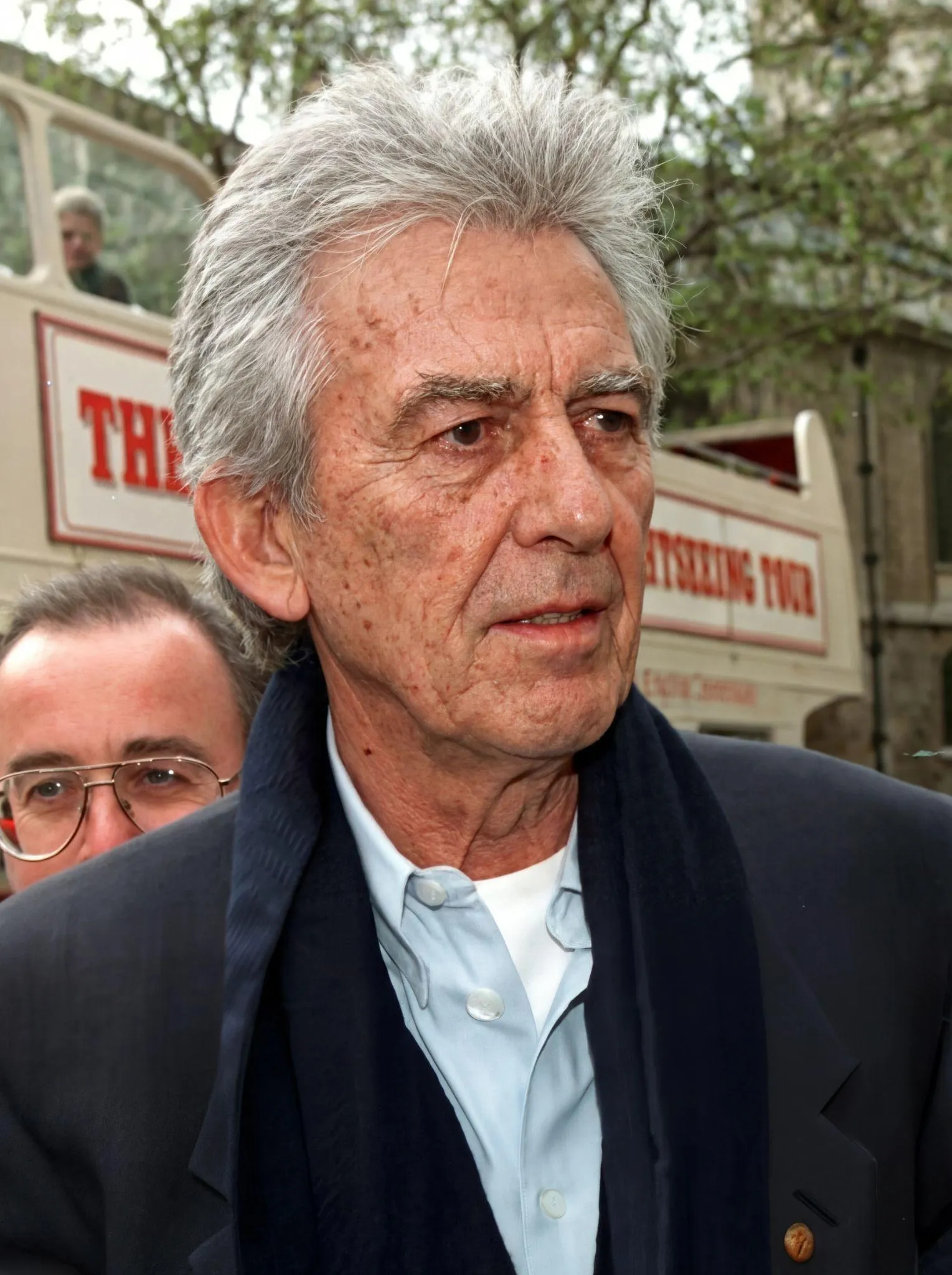
Author: Vladislav
Prompt:
"Bring the photo to life: a slight upward head movement, hands grabbing at the head as if he's deeply upset, then a sudden stop, a moment of thought, and looking into the camera."
Result
Veo 3.1 Fast kept the background and appearance untouched. The subject raises his head, blinks, and sighs. However, the AI added a line we never put in the prompt — "What have I done?" — along with a dramatic background melody and a hoarse, deep sigh at the end of the 8-second clip.
The facial expressions deserve a special mention: purposeful eye movement, raised eyebrows, natural breathing, an anxious expression.
The model completely ignored the instruction to "think it over and look into the camera." Instead, at the end of the clip the character barely smiles, like an actor, then returns to his original expression. What we got in the end is a short clip with emotion and lightness that feels more like a facial-expression rehearsal than an animated photo. You can check out the test image in this window.
Kling 2.5 Turbo
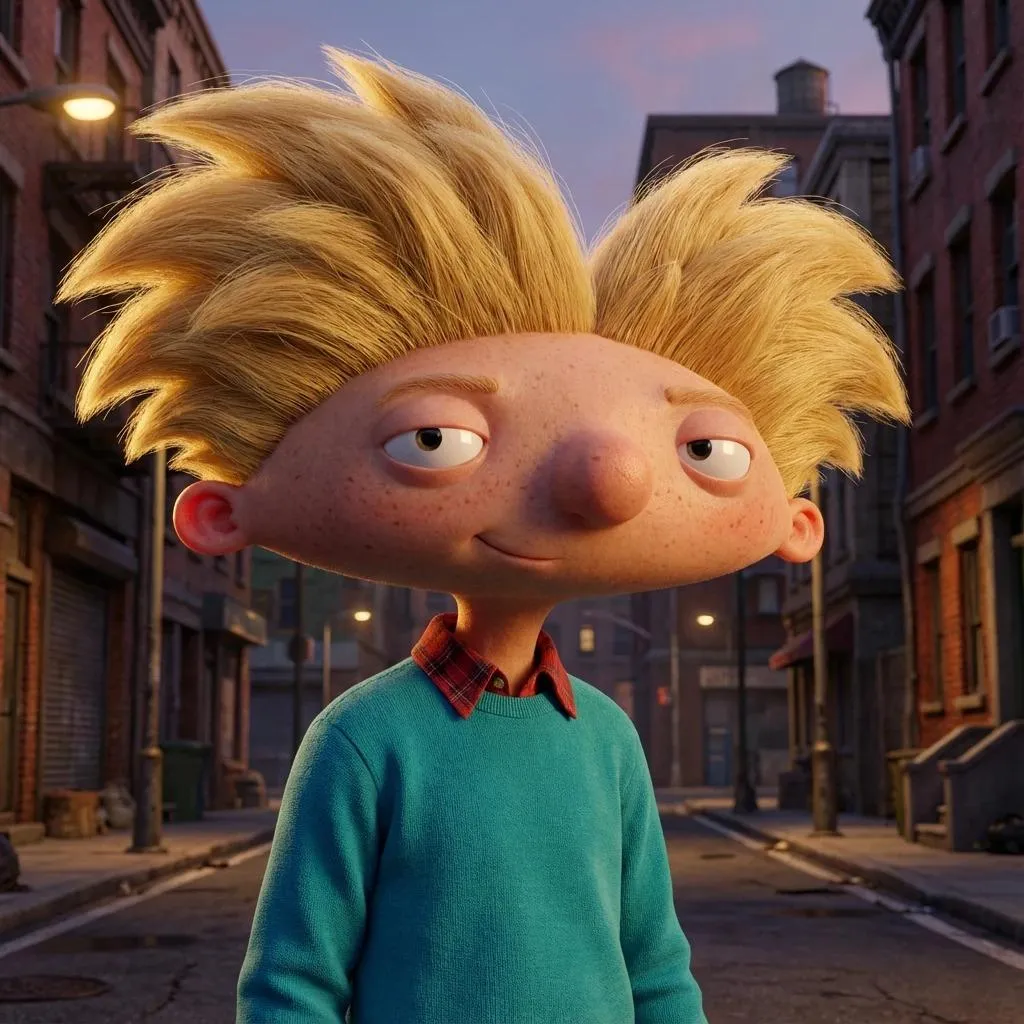
Author: Vladislav
Prompt:
"Have the character tilt his head slightly forward, blink slowly, lower his gaze, then raise it with a light smile. Add a sense of breathing and a gentle shoulder turn, as if he's getting ready to move."
Result
Kling 2.5 Turbo generated the video in two minutes and showed full understanding of the task.
The head plasticity, breathing, and light shoulder turn match the original brief, with no jerky transitions or broken trajectories. Along the way, though, the model added a detail that wasn't in the original description. While tilting his head, the character's expression changes to look tired, then quickly shifts into a light smile, preserving a farewell-like feel. That feeling is reinforced by the melody. It all creates the impression that the shot was crafted by a team of animators rather than generated by AI.
The model even paid close attention to fine textures. For example, you can see the character's hairstyle shake slightly as the head tilts. The fabric of the clothing also kept its original structure during movement — it doesn't smear or flicker. You can check out the results here.
Hailuo 02
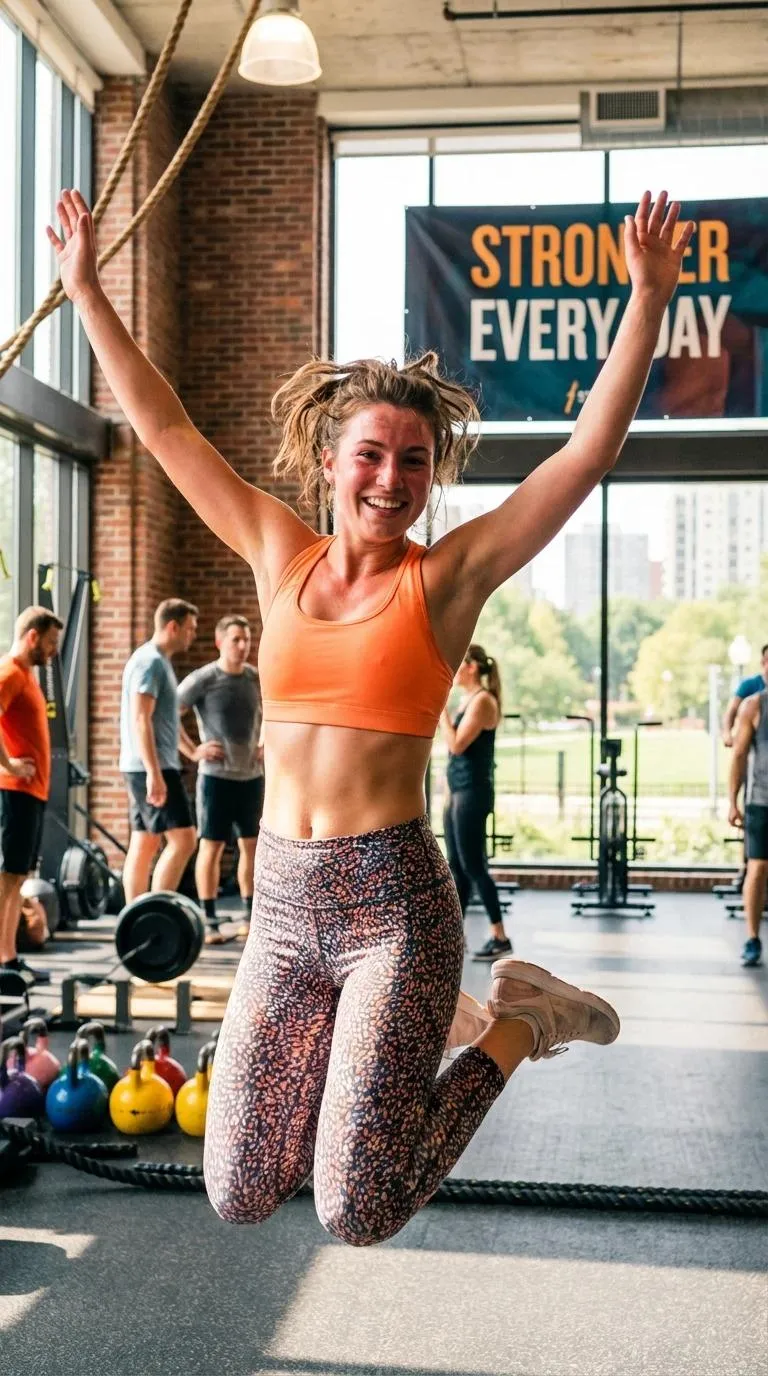
Author: Do not know
Prompt:
"Bring the picture to life: the girl lands on her feet, takes a light breath, turns her head slightly to the right, grabs her waist with both hands, then waves to the camera with her right hand, a warm smile appearing on her lips. Golden light, background lively."
Result
Hailuo 02 solved the task in a couple of minutes and produced a result that looks like a ready-made shot from a gym ad.
The model was extremely "obedient" in following the prompt. No unnecessary movements — just soft, very feminine plasticity. Landing on her feet, the gentle head turn, hair moving, and the gaze into the camera all combine to create an effect of natural grace. At the end of the clip, exactly as requested, the girl waves to the viewer with her right hand, almost inviting people in.
Especially interesting is how the facial expressions came through: a warm, slightly flirtatious smile without overdoing it. Eyes with a light sparkle look genuinely alive.
The lighting really does resemble a golden-hour photoshoot, and other people moving in the background add to the sense of depth. You can view the picture here.
Hailuo 2.3
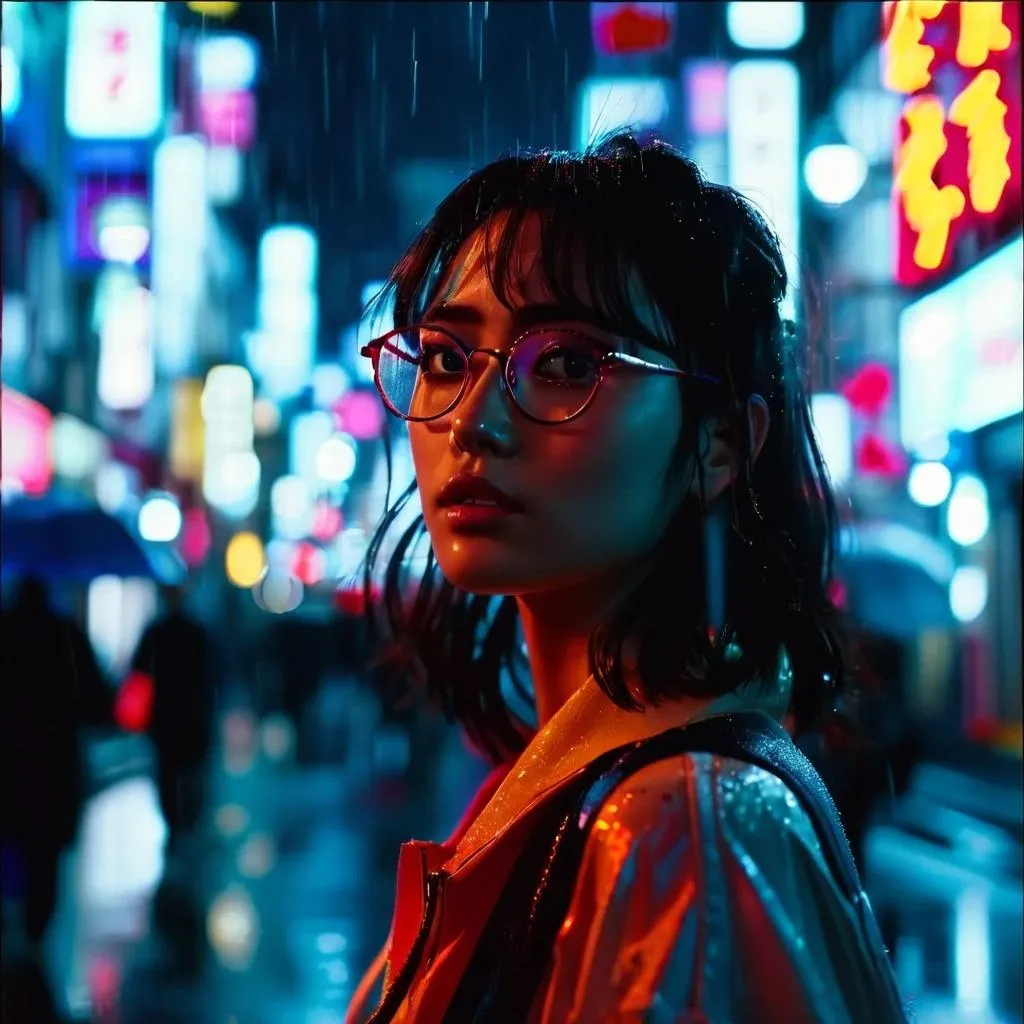
Author: Do not know
Prompt:
"Make a smooth leftward head movement, a light shoulder tilt, a slow blink. Have the eyes look aside and then return to the camera. Add light breathing to the character, a smile, and a barely audible laugh, as if she's reacting to something said off-screen. Keep the style, realistic shadows, and pouring rain."
Result
Hailuo 2.3 spent two minutes processing the request but put its own spin on the prompt.
For example, the model didn't reproduce the laugh. Instead it offered a soft smile that looks natural and expressive. The facial-expression generation is top-notch. The light turn, breathing, and the girl's gaze all feel believable, with smooth, rhythmic movements. She briefly closes her eyes while tilting her head, adding a special sense of sincerity to the video.
Lighting and contrast are handled carefully, with no lost shadow detail, and the animation overall leaves the impression of a natural, almost real 5-second shot. You can see how the AI handled the task in this chat.
Hailuo 2.3 Fast
Author: Do not know
Prompt:
"Create a short animation: the head turns slightly to the left, a hand comes out of a pocket, and a barely noticeable smile appears. Keep the movement smooth but with a sense of rhythm — like the moment before switching poses during a photo shoot."
Result
The animation took about two minutes. On body animation, Hailuo 2.3 Fast performed brilliantly, though it also generated actions nobody asked for. The subject pulls her hand out of her pocket, drops her bag, catches it with her hand, and then appears to set it down off-camera. At the same time, she smiles broadly and turns her head. The head tilt and movements look remarkably natural: dropping the bag, the gentle turn, light breathing, natural blinking.
The main strength of this generation is the emotion. The smile turned out to be one of the most sincere and friendly ones — not staged, alive, a bit cheeky, with naturally raised cheeks and warmth in the eyes. It feels like the girl is about to burst out laughing. You can check out the Hailuo 2.3 Fast generation here.
Conclusion
All the tested models did a solid job, though each one placed the emphasis differently. To pick the model that's actually useful for you, it helps to decide what effect you're going for. For example:
- If you're after emotional depth, go with Veo 3.1;
- For softer, livelier facial movement, choose our "Live Photos" tool built on Seedance, or Seedance Pro;
- If speed matters, use the Fast versions — Veo 3.1 Fast, Seedance Pro Fast, and Hailuo 2.3 Fast. They work nearly instantly and are great for previews;
- Kling 2.5 Turbo handles light portrait animations beautifully;
- For a cinematic effect, try Hailuo 2.3 or Hailuo 02.
The main advantage of GPTunneL is that all these models are available in one place. You can test each one online, without subscriptions, paying only for what you actually use.