
On November 5, Google introduced Gemini Omni 1.2 Flash for creating and editing video. The update that interests me most is more precise editing while preserving scene details. Google says you can change the background, lighting or objects through successive requests while keeping characters and other important elements consistent.
That matters in advertising: if you change a product's surroundings, you want to keep its appearance and a camera movement that already works. We tried a different feature of the new model: generating a coffee ad from a cup reference. Below are our result, prompt and costs; we did not test editing an existing clip.
More precise edits to existing video
Google describes editing as a series of changes to one clip. You can ask to replace the background or change lighting or weather, then make another adjustment while keeping the rest of the scene. Google says this works on clips up to 15 seconds long.
The aim is to change the part you want while preserving what already works. In Google's demonstration, the characters' surroundings change over several requests while their actions and the shot's composition remain recognizable. That is the manufacturer's demonstration, not our editing test.
For a practical task, I would start with one change at a time: “Replace the background with a café interior, keeping the product, hand positions and camera movement.” After each edit, compare the face, product shape, logo and small details with the original. The claimed improvement does not guarantee that every element will stay intact.
Editing is charged separately. We checked the estimate through the GPTunneL API: editing our six-second 720p clip would cost another $1.20, the same as its first generation. A small change does not necessarily mean a small charge: this estimate bills for all six seconds of the output.
What else changed in version 1.2
Google says the model follows references more closely, including character appearance, clothing, colors and product details. A product image can serve as a reference for a new scene - the approach we chose for our clip. The GPTunneL API also accepts short video references up to three seconds long.
The maximum length of a single generation has grown from 10 to 15 seconds. You can choose a duration from 3 to 15 seconds in one-second increments, whether you want a six-second ad or a longer product demonstration.
Google also claims more natural speech, improved lip sync and greater control over camera movement. Our test below covers generation with an image reference, so it cannot establish how accurate editing is or how speech sounds.
Our test: a GOAL CUP coffee ad
We chose a short advertising scene. During a match, a football player runs to the sideline, picks up a cup of hot coffee left on the grass, takes a sip and smiles as he turns back toward the game. There is no table: the cup stands just outside the sideline.
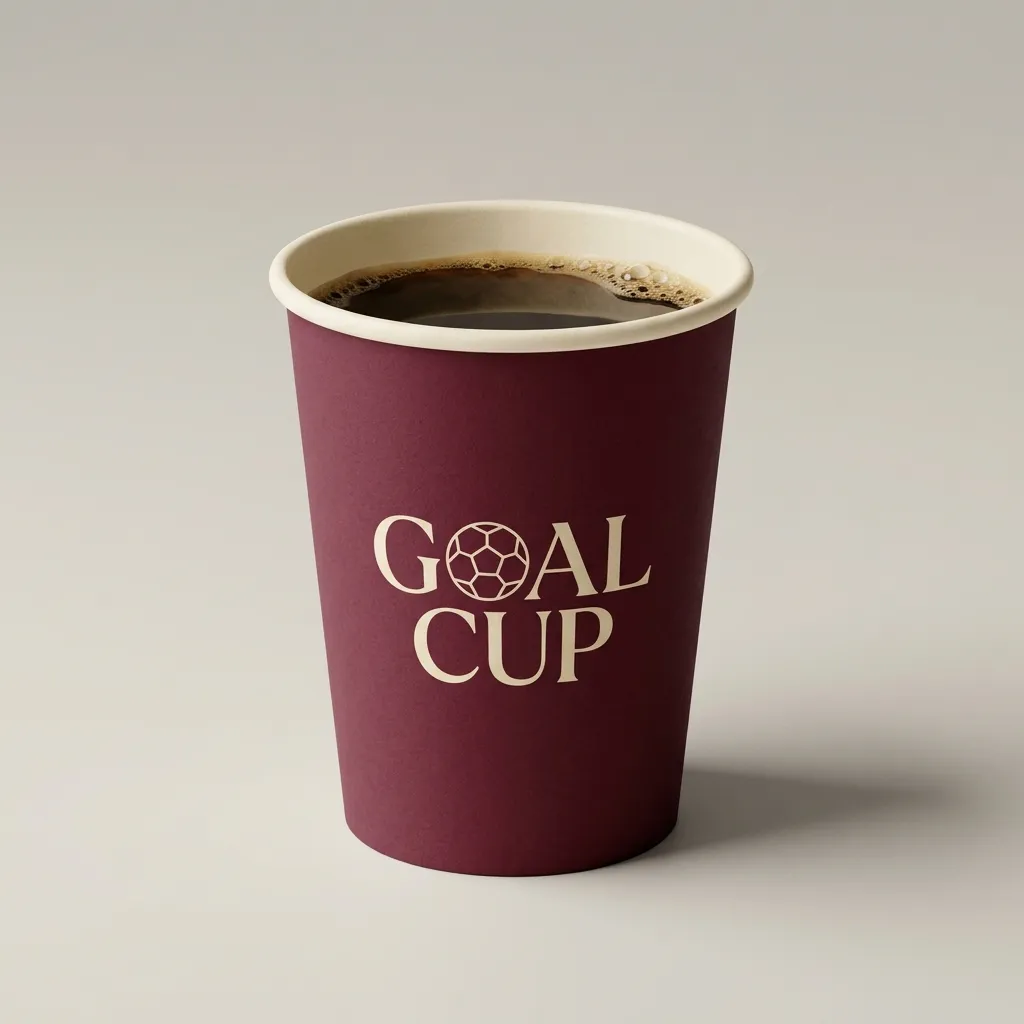
First, we made the cup image with Nano Banana 2.1: a burgundy body, a cream GOAL CUP logo with a football and an open top. The 1K image cost $0.04. We then passed it to Gemini Omni 1.2 Flash as a product-design reference for the stadium scene.
We chose a six-second clip at 720p in landscape 16:9. One generation cost $1.20, bringing the test total, including the reference, to $1.24.
The clip shows steam, the branded cup and the sequence of actions: the player approaches, bends down, picks up the coffee and drinks. The cup may have turned out a little too big - perhaps there is enough coffee for the whole match :D It shows that preserving a product's design does not necessarily mean getting its scale right next to a person.
To try the scene yourself, you could specify an ordinary 250-300 ml cup and ask for a realistic size relative to the player's hand. We kept our first attempt to show the result with that limitation.
The prompt we used
We attached the cup image separately as a reference, and selected 720p, six seconds and 16:9 in the settings. This is the English prompt we sent:
Realistic cinematic coffee commercial, one continuous shot, exactly six seconds, widescreen 16:9. During an active football match, an adult male footballer wearing a fictional unbranded uniform jogs to the touchline. A takeaway coffee cup stands directly on the grass just outside the white sideline, as if someone left it there. Match the cup design in the reference image: burgundy paper cup, cream GOAL CUP branding with football emblem, open top, no lid. The reference is for the cup design only, not the background. The player bends down, picks up the cup, carefully takes one small sip of hot coffee, smiles and turns back toward the pitch, still holding the cup. A brief subtle slow-motion beat occurs during the sip, then movement returns to normal speed. Delicate clearly visible steam continuously rises from the hot coffee, including during slow motion. Keep the logo facing the camera when the cup is raised. Medium-wide tracking shot framed to show the cup on the grass and the player's upper body as he bends and rises, camera smoothly follows the action. Other players and stadium crowd remain visible in the background. Warm evening stadium lighting, natural human movements and anatomy, realistic cup contact and liquid behavior. Stadium crowd ambience and footsteps, no voiceover or music. No tables, no real club crests, no real sponsors, no captions or overlay text.GPTunneL generation prices
GPTunneL prices Gemini Omni 1.2 Flash per second of output, with the rate determined by resolution:
| Resolution | Per second | For 15 seconds |
|---|---|---|
| 360p | $0.06 | $0.90 |
| 720p | $0.20 | $3.00 |
| 1080p | $0.30 | $4.50 |
| 4K | $0.60 | $9.00 |
For example, ten seconds at 720p cost $2.00 at this rate. This is the price for one generation; budget for each attempt if you make several. Check the final price of your selected settings before starting. Editing an existing clip is also charged: the API estimated another $1.20 to edit our six-second 720p video.
For early attempts, consider a short clip at a lower resolution, then choose a higher quality once the idea works. Google also describes creating a draft and upscaling it afterward, although the available operations depend on the interface you use.
Where to try the model
Google announced Gemini Omni 1.2 Flash in the Gemini API and several of its products, including Flow and Google Vids. According to the company, 15-second video generation in the Gemini app is rolling out to Google AI Ultra subscribers; access conditions depend on the product.
In GPTunneL, open Gemini Omni 1.2 Flash and start with a simple task: upload a product photo, ask the camera to move slowly around it and specify a duration. Check the product shape, lettering and movement before spending on a longer clip or higher resolution.
Source: Google's announcement. GPTunneL prices checked on November 6, 2026.