
On November 23, Google started rolling out a connection between Search and Google Wallet, the app that stores payment cards, tickets, and passes. If you choose to connect it, you can ask Search, “What have I been spending more on this month?” and get an answer based on your spending. Google says access to Drive files and chats from the Gemini app will follow in the coming weeks. Google’s announcement
The feature works in AI Mode, a tab in Google Search where you can ask a question in your own words, get an answer with links, and ask follow-up questions. You manage which apps it can use under Personal Intelligence. Gmail, Google Calendar, and Google Photos were already available to connect.
What Search can use from Wallet and Drive
Once you connect Wallet, you can ask Search to group your expenses or explain the rewards available on the cards you’ve added. Google says Wallet access is read-only. Search can read account information. It has no permission to move, manage, or invest your money.
Drive is useful when the details you need are spread across several files. Imagine your budget is in a spreadsheet, your deadlines are in a document, and the contractor’s terms are in a separate PDF. Once the integration is available, you could ask which tasks are still open and get an answer based on those files. Google’s example is preparing for tax season when the relevant paperwork is scattered across multiple documents.
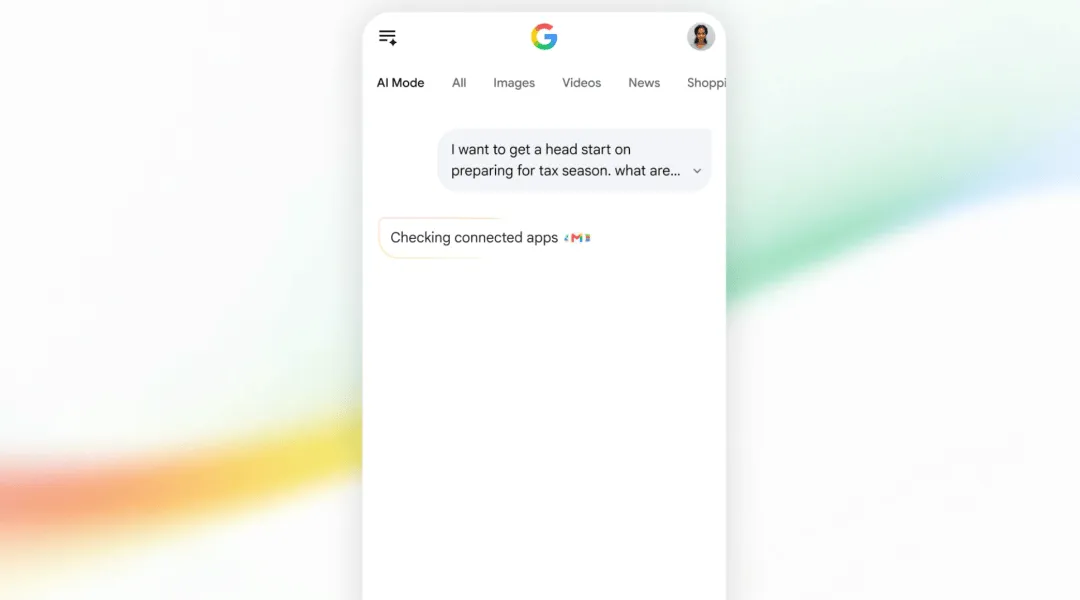
In Google’s demo, Search shows “Checking connected apps” after a question about preparing for tax season. Image source.
Google also plans to let Search and the Gemini app share context in both directions. If you start planning a trip in Gemini, Search will be able to take that conversation into account when you ask your next question. A discussion you start in Search can also continue in Gemini.
How to connect an app and what stays in your history
- Sign in with a personal Google Account and open Google Search personalization settings. Make sure Personalized Recommendations is turned on.
- Under Personal Intelligence, open Connected Content Apps.
- Select Connect next to Google Wallet. To revoke access, return to the same list and disconnect Wallet.
The Wallet connection is rolling out gradually and is limited to supported regions. For Drive, Google’s help page lists English in the US. You must be 18 or older to connect apps. Menu names may vary while Google updates the interface. Google Search Help
Google says it may train models on excerpts and summaries drawn from connected apps when it answers a question. Employees or contractors may review some of the processed data. Disconnecting an app leaves previously saved Search history in your account. You can delete that history separately. How Google handles data from connected apps
Google also plans to add an icon below personalized answers that shows which information Search used. That would help if an answer pulls a deadline from an outdated budget document, for example.
I’d start with one app and a specific question. If checking several documents takes time, I’d connect Drive and compare the answer with the source files. AI Mode can still search the public web without any apps connected. If your list of apps looks different from Google’s instructions, check whether the connection you need is available for your account.
Sources
- Google’s November 23, 2026 announcement on the Wallet rollout and plans for Drive and Gemini.
- Google Search Help on availability, settings, and handling data from connected apps.