
OpenAI shipped ChatGPT Images 2.5 on September 8, 2026. In the API it is two models, gpt-image-2.5-flare and gpt-image-2.5-sunburst, both with a 2026-09-08 snapshot. The conversation around the release is about photorealism: OpenAI promises natural light and richer textures, and testers of the early builds on Arena described skin, fabric and shadows that stopped giving the generation away. Below is what the numbers actually confirm, what is still an impression, and what changes in code if you are calling GPT Image 2 today.
2.5 is already available in GPTunneL: the lab runs gpt-image-2.5-codex, a fixed-resolution version at $0.08 per image with a 60% discount. The full model with resolution selection up to 4K lands in the catalog next. The request examples below use the one that is already there.
What shipped
| Spec | Value |
|---|---|
| Product in ChatGPT | ChatGPT Images 2.5, available on every tier, including Work and Codex |
| API models | gpt-image-2.5-flare, gpt-image-2.5-sunburst |
| Snapshots | gpt-image-2.5-flare-2026-09-08, gpt-image-2.5-sunburst-2026-09-08 |
| Input | text and images |
| Output | images only |
| Endpoints | images/generations, images/edits, responses, chat/completions, Batch |
| Quality levels | low, medium, high, xhigh, max, auto |
| Latency | up to 50% lower than Images 2.0 (OpenAI's figure) |
| Not supported | streaming, function calling, structured outputs, fine-tuning |
The two models are not "large and small" but a split by task. OpenAI calls Flare the default: higher quality than GPT Image 2 at half the latency. Sunburst is for workflows where edit precision matters most: campaign creative, product imagery, a series of images with one recurring character. It pays for that precision with generation time.
| Flare | Sunburst | |
|---|---|---|
| Built for | high-volume generation, content, product cards | precise edits, campaigns, one character across a series |
| Speed | fast, up to −50% vs Images 2.0 | slower than Flare |
| Text-to-Image Arena | 1399 ± 13, second place | 1421 ± 13, first place |
| Price per token | identical | identical |
Manus, which had early access, reports Flare returned images two to four times faster than GPT Image 2 and handled transparent backgrounds better. Adobe confirmed the integration into Firefly, and OpenAI lists Runway among early customers too. Axultan Alimkulov, Head of Product at Higgsfield AI, puts the main point this way: "What impressed us most about GPT-Image-2.5 Flare is how well it understands what not to change. You can make a meaningful edit without losing the character, composition or visual identity of the original image."
Where the "can't tell it from a photo" talk comes from
OpenAI itself is careful: "more natural lighting and richer textures", the model is "better at preserving the subjects in your reference photos". There is no test of indistinguishability from real photos anywhere in the announcement.
A more concrete source is Arena. In August two models were tested there anonymously, with no developer attribution, mona-lisa-1 and luna-lisa-alpha; by timing and behaviour these look like early 2.5 builds, though OpenAI never confirmed the link. Tester observations came down to three things: more natural skin and fabric, correct behaviour under harsh direct light, less grain in the shadows. Those are exactly the places where a generated image usually gives itself away, so the "looks like a photo" feeling is not accidental: the improvements are targeted.
The post-release numbers look like this. On the Text-to-Image Arena, Sunburst holds first place with 1421 points, Flare is second with 1399, the previous GPT Image 2 in medium mode scores 1381, and the closest competitor, Microsoft's MAI-Image-2.6, sits at 1331. Relative to GPT Image 2, Sunburst gained 40 points on generation, 59 on single-image editing and 81 on multi-reference editing. First and second place hold across all three Arena leaderboards: generation, editing, multi-image editing.
Read those numbers correctly. Arena is blind pairwise comparison: people see two images for one prompt and pick the better one. The score measures how much more often a model is preferred, not how indistinguishable its output is from a photograph. There is no independent measurement of "how many people mistook the generation for a photo" as of today. The honest statement: 2.5 wins against the previous generation noticeably more often, and the main gain is in the realism of materials and light.
You can still tell, just not by eye. OpenAI embeds C2PA metadata and an invisible watermark in every image. The metadata is readable by any C2PA validator and disappears with a screenshot or a social-network re-encode; the watermark survives that but is only readable by OpenAI's tooling. If you are building a pipeline where image provenance matters, keep the original file, not the sharp output after a resize: it strips the metadata.
Sample generations
Below are examples from OpenAI's release materials for Images 2.5. Look at what the previous section was about: how light sources behave, reflections on wet surfaces, grain in the shadows and text in frame.
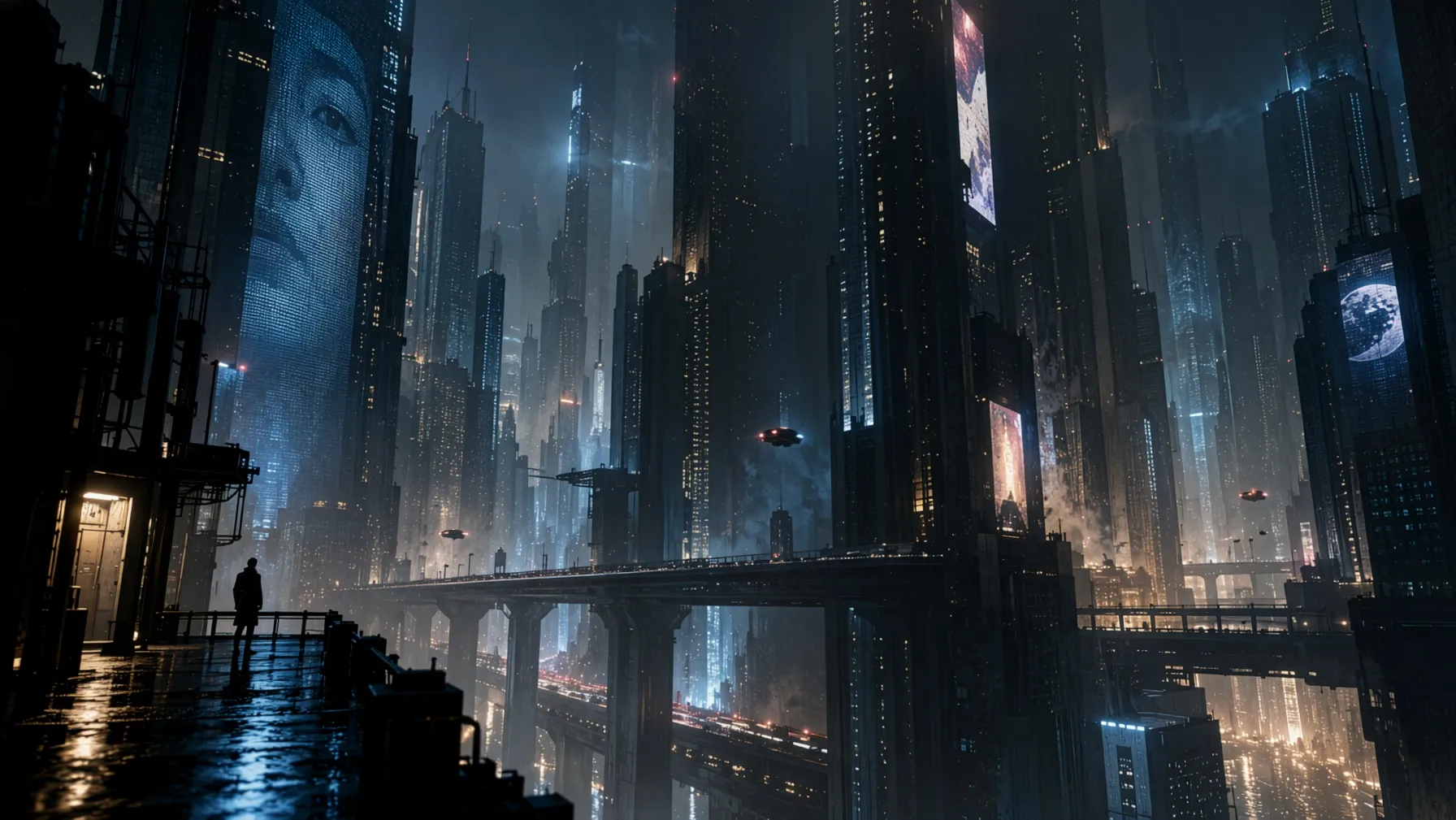
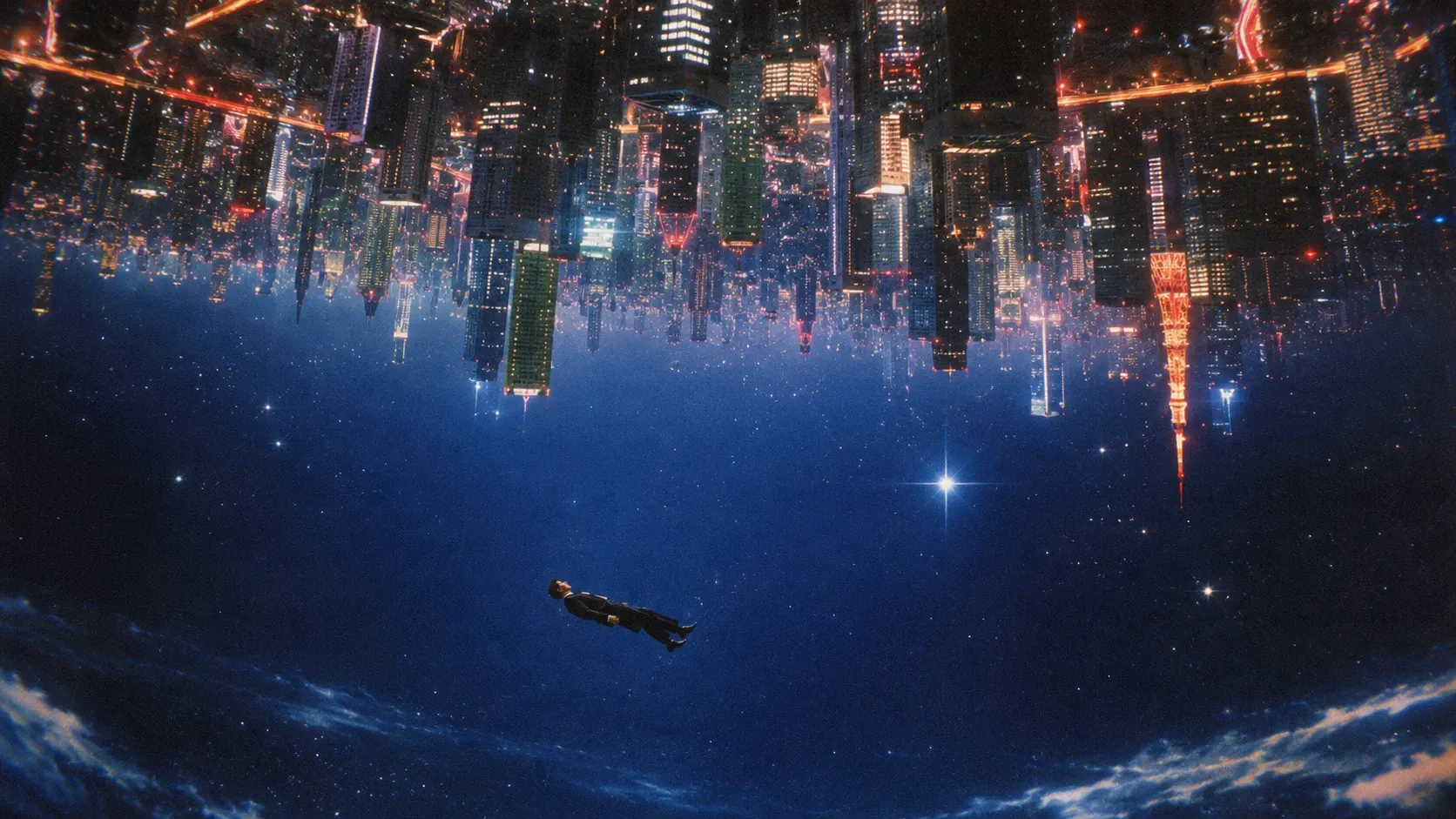
Both scenes are about light: dozens of point sources, wet asphalt, haze between buildings. This is exactly where "floating" highlights and repeating window patterns used to show up.
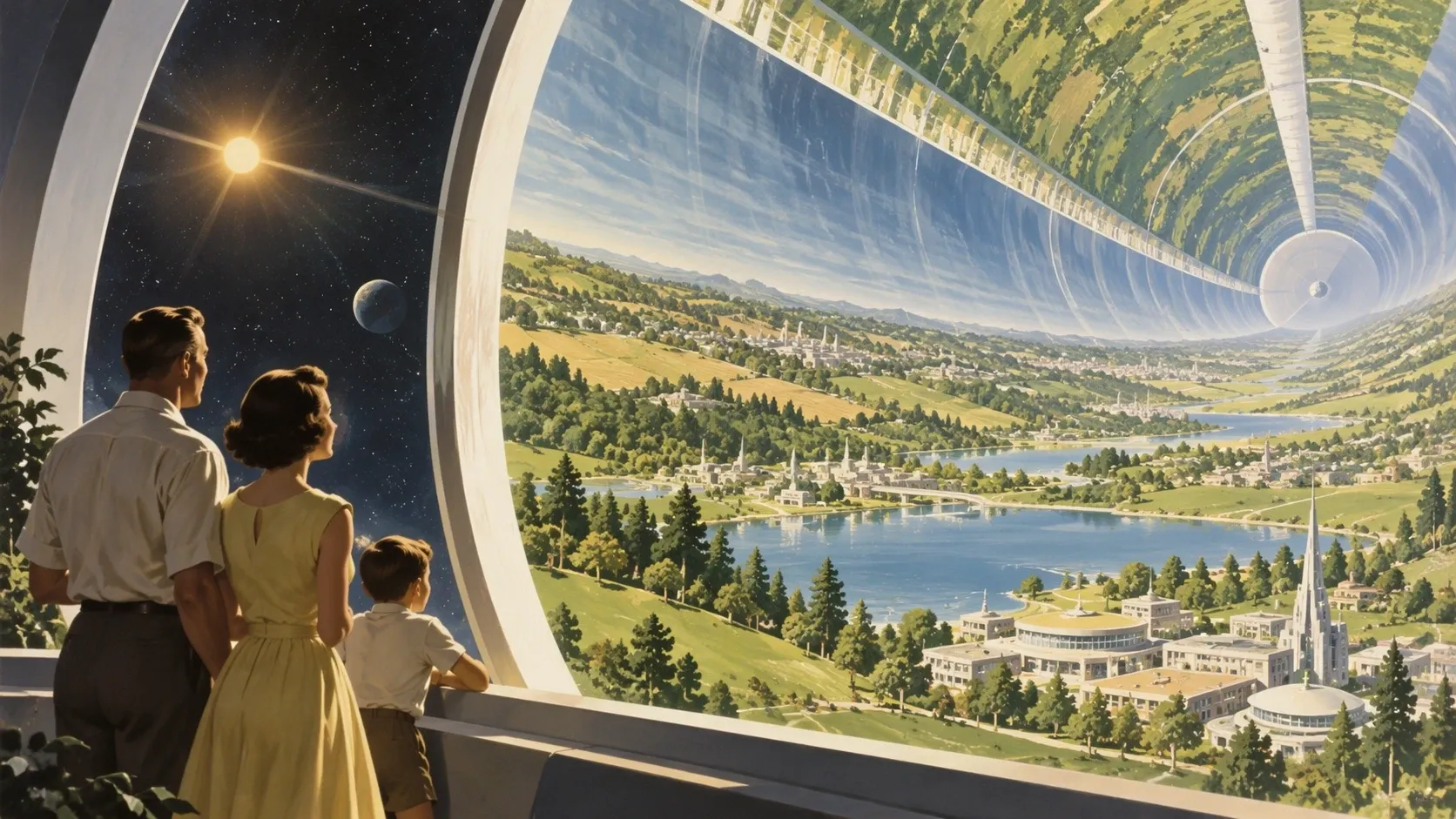
The mid-twentieth-century painting style holds across the whole frame, from clothing to architecture, with no "digital" details breaking it.
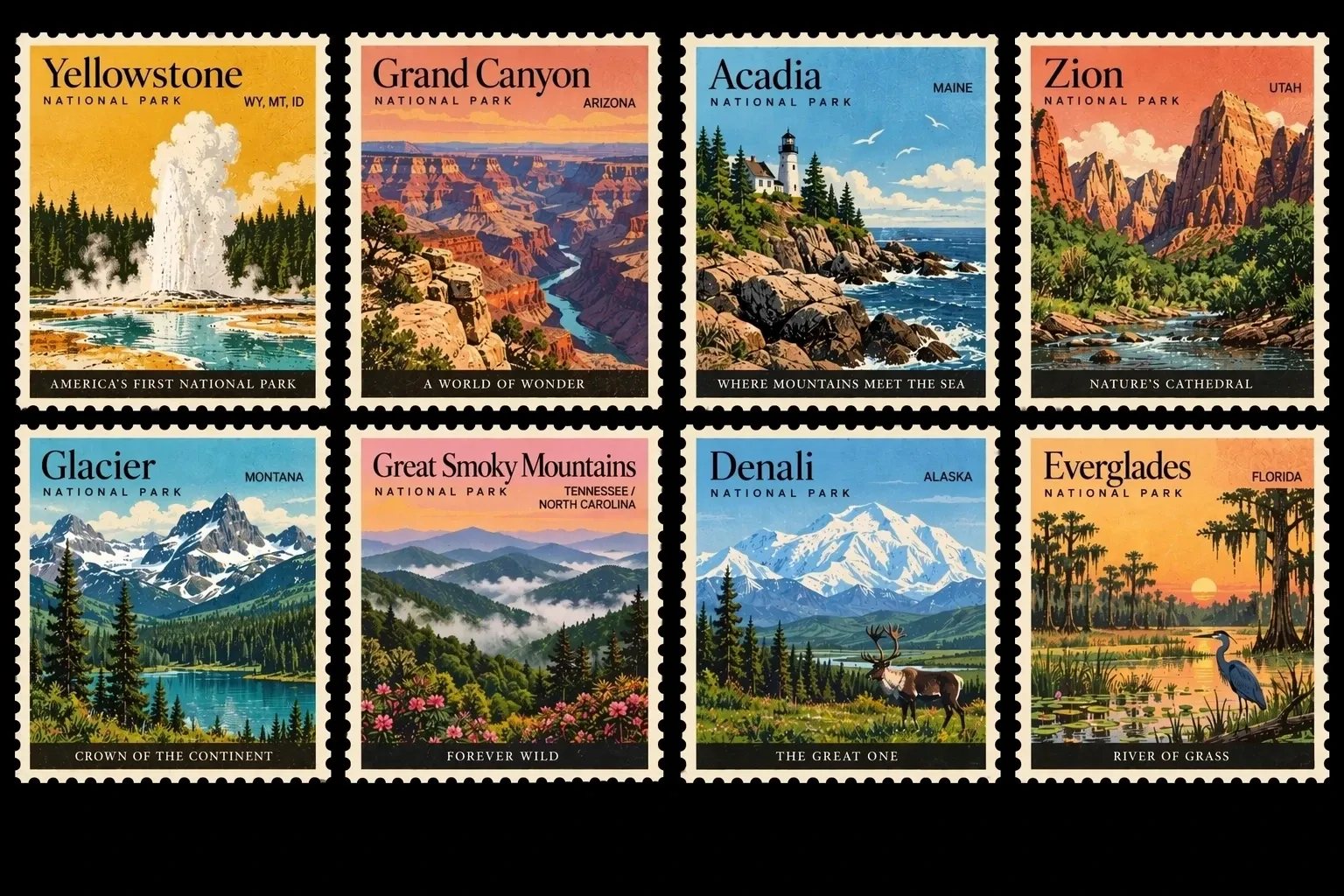
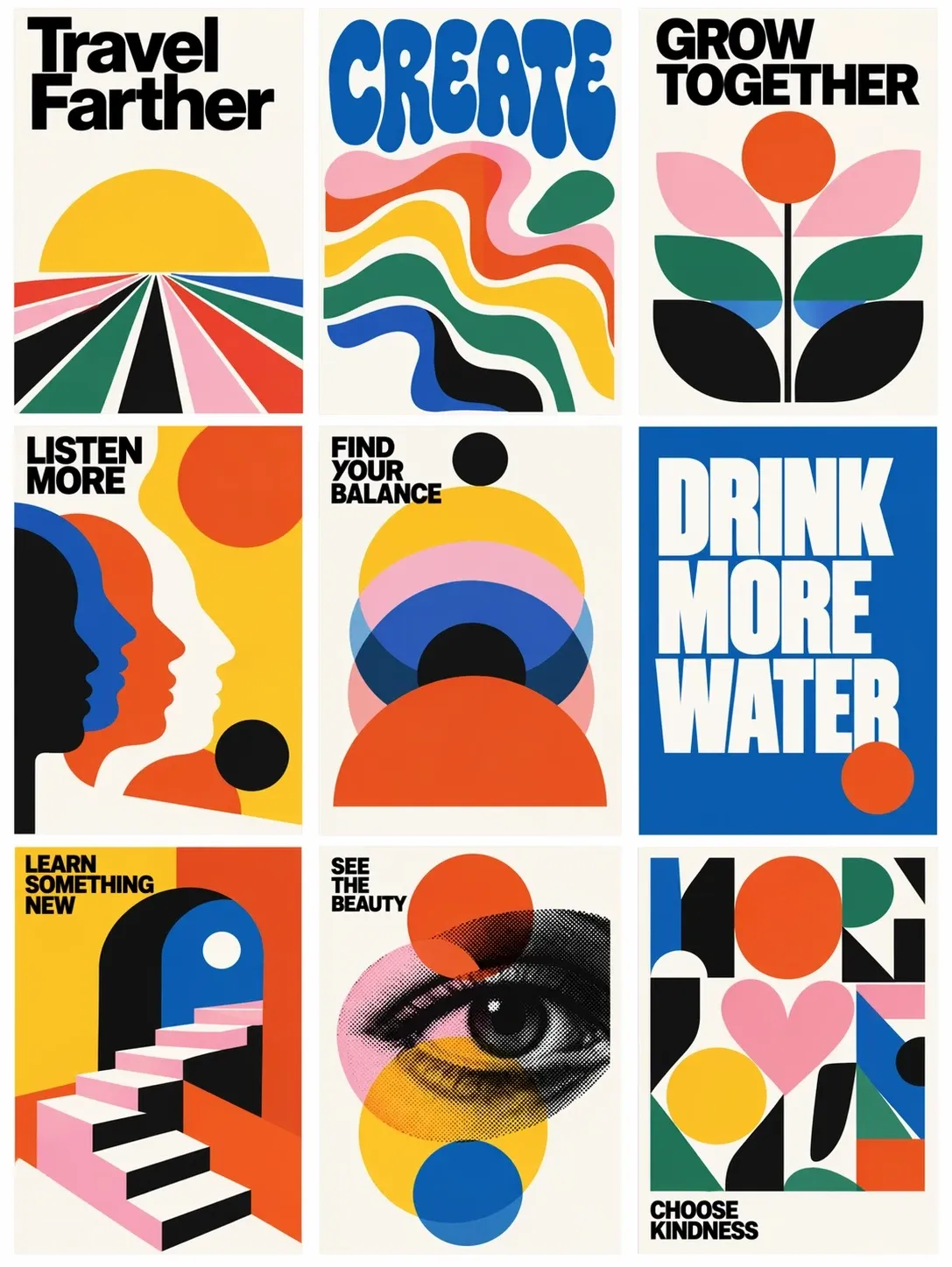
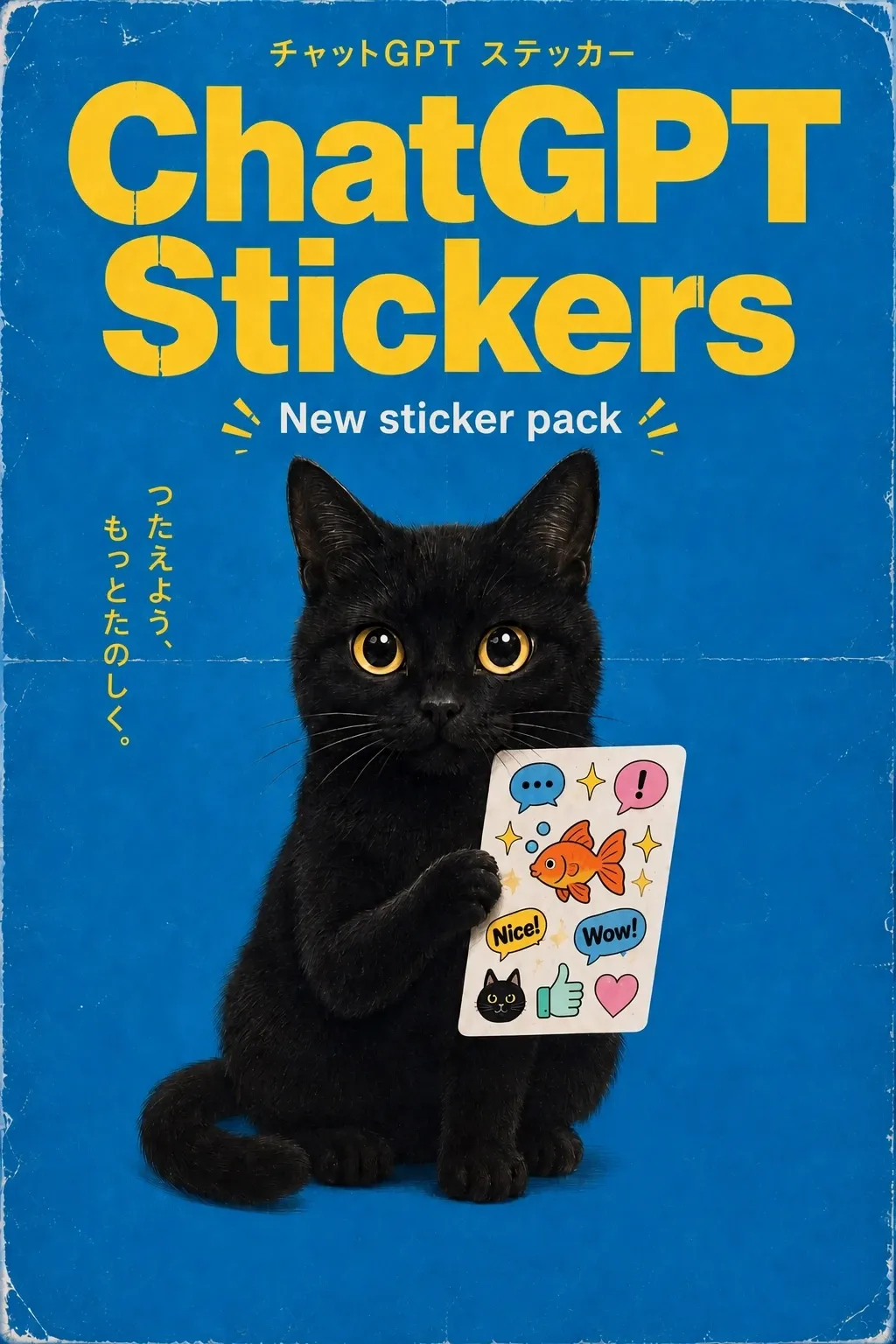
Three examples with text: series of eight and nine independent layouts with different captions in one frame and not a single typo, including small subheadings and Japanese characters next to Latin script.
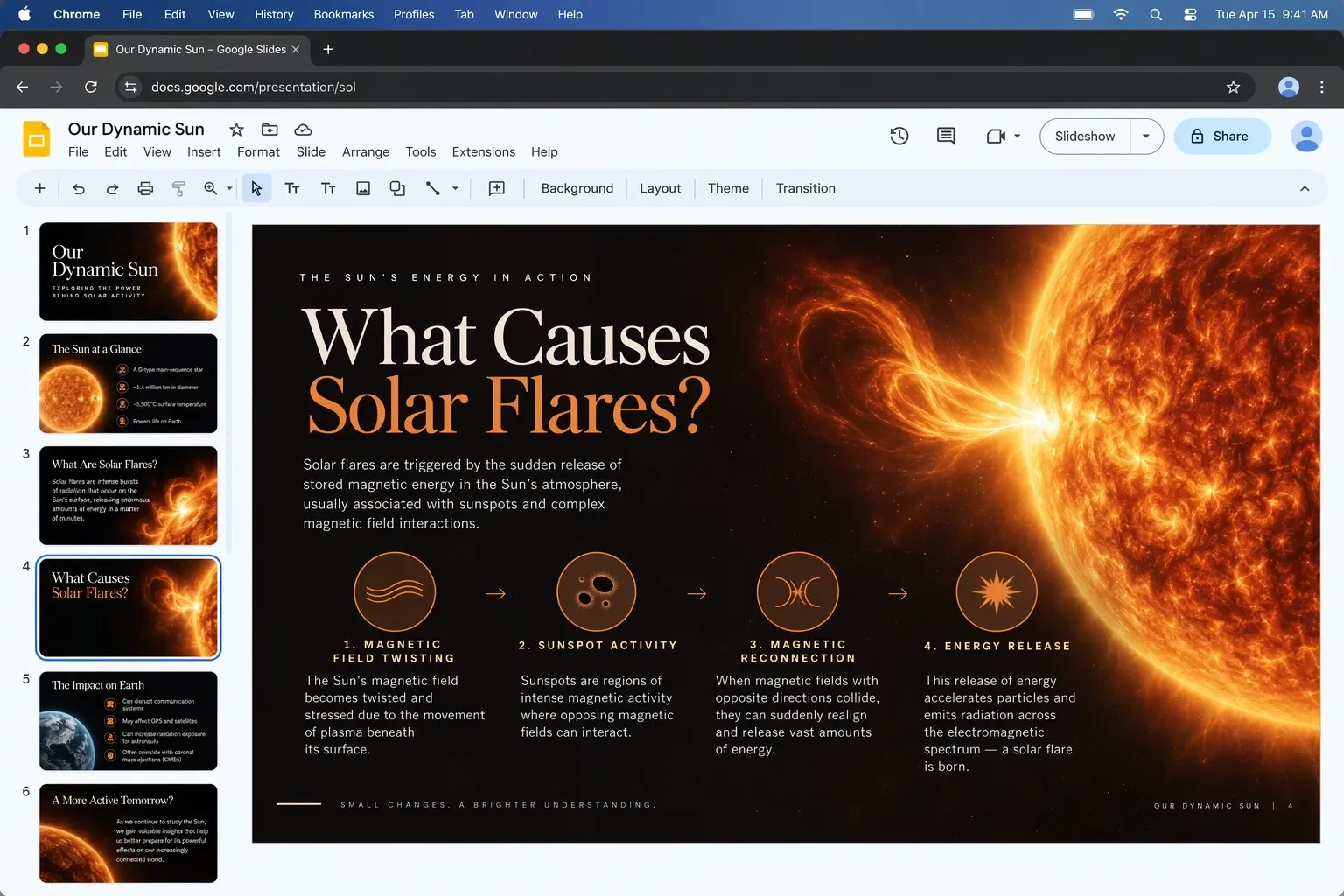
A whole presentation slide: headline, four icons with captions, a photorealistic sun on the right. This is the scenario where image and text used to be assembled separately.
Editing: what actually changed
For real work the point is not generating from scratch but editing, and there are three changes here:
- Locality. The model changes only what you asked for and leaves the rest in place, including a complex background and several objects in frame. This is exactly what Images 2.0 lacked: editing one detail dragged its neighbours along.
- Multi-turn edits. Quality does not degrade step by step: the fifth edit of one image looks no worse than the first.
- References. A person or object from your photo stays recognisable after a change of scene, style and angle. The announcement shows it on everyday cases: a baby portrait in a new style, a dog in costume, a headshot from a photobooth snap, several people composited into one party photo.
OpenAI separately calls out transparent backgrounds, complex layouts with text and more accurate content where the image carries real-world information (maps, diagrams, infographics), which is what the GPT Image line gets picked for on labels, posters and slides.
ChatGPT itself gained four tools: Sketch (@Sketch in the input line: you draw a room layout or the contour of an outfit right in the chat and the doodle goes to the model as a visual guide), templates for posters and merch, comments pinned to an area of the image instead of describing "that corner over there" in words, and publishing the prompt together with the image. None of this matters for the API: Sketch is just a reference image, a template is a pre-written prompt.
OpenAI's pricing
| Tokens | Price per 1M |
|---|---|
| Text input | $5.00 (cached: $1.25) |
| Image input | $8.00 (cached: $2.00) |
| Image output | $30.00 |
Per-token rates are identical for Flare and Sunburst and match GPT Image 2. But the price of an image is the rate multiplied by the number of output tokens, and that depends on quality level and resolution. For the new xhigh and max levels the token consumption is not published, and the GPT Image 2 calculator does not know them. On the OpenAI developer forum this is one of the first complaints about the release: the rate is the same, but what an image at max costs is unknown until you generate one.
OpenAI's rate limits by tier: tier one gets 5 images per minute and 100K tokens, tier five gets 250 images and 8M tokens.
Through GPTunneL: the price before generation
In our media API the price is computed before the task runs, so "how much does this combination cost" is a single request:
curl https://gptunnel.ru/api/v2/media/price \
  -H "Authorization: <YOUR_API_KEY>" \
  -H "Content-Type: application/json" \
  -d '{ "model": "gpt-image-2.5-codex", "prompt": "test", "params": { "aspect_ratio": "3:2" } }'
The response returns code: 0, the final price in your balance currency, price_before_discount with discount_percent, and a breakdown showing how the number was derived. The prompt field is required even for the price check; without it you get ERR_EMPTY_PROMPT. The same triple model + prompt + params goes into task creation:
curl https://gptunnel.ru/api/v2/media/tasks \
  -H "Authorization: <YOUR_API_KEY>" \
  -H "Content-Type: application/json" \
  -d '{
    "model": "gpt-image-2.5-codex",
    "prompt": "Product photo of a ceramic mug on an oak table, soft side light from a window, 50 mm, shallow depth of field",
    "params": { "aspect_ratio": "3:2" },
    "inputs": { "reference": ["<PRODUCT_PHOTO_URL>"] },
    "idempotency_key": "mug-2k-001"
  }'
What gpt-image-2.5-codex accepts: aspect_ratio runs from 9:21 to 21:9, twelve values plus auto; references are up to four images in the reference role, jpeg/png/webp up to 30 MB each. Resolution is fixed in this version: it does not know the resolution parameter, and /price returns it in ignored_params rather than as an error, so check that field if you are porting code from GPT Image 2, where 1K/2K/4K are selectable. The full 2.5 that lands next will have resolution selection. The result comes back via GET /api/v2/media/tasks/:id or to your webhook_url. The full parameter and role schema is in the GET /api/v2/media/models catalog and the CreativeLab documentation.
What breaks in production
- The bill for
xhighandmax. OpenAI has not documented token consumption at these levels. Through GPTunneL, call/pricebefore the task and log thepricefrom the response; otherwise you learn the budget for a batch of a thousand product cards after the fact. - Sunburst is slower. The
wait: trueflag holds the connection for about 30 seconds, which may not be enough for Sunburst at4K. Set awebhook_urlor poll the task, and keep the client timeout on the request itself at 60 seconds or more. - Moderation is strict. 2.5 runs in
strictmode in the catalog; for 2.5 OpenAI reports the share of unsafe generations in adversarial tests dropped to 1.09% for Sunburst and 1.41% for Flare against 1.64% for Images 2.0, so the filter got tighter. A moderation refusal is not a network error: retrying it with exponential backoff is pointless, send the prompt back for rewording. - Retries without duplicates. A reference generation at
4Kis an expensive task; after a timeout a repeat request without anidempotency_keycreates a second one. The key is mandatory. - C2PA metadata is stripped by any resize or conversion. If you need to prove where an image came from, keep the original.
- Do not confuse it with MAI-Image-2.5. Microsoft has its own line with the same number: MAI-Image-2.5 came out in June, and MAI-Image-2.6 is currently fourth on Arena. Searches for "image 2.5" and articles mix them up; there are no Microsoft models in the OpenAI API.
What it costs in GPTunneL
GPT Image 2.5 Codex is $0.08 per image with a 60% discount ($0.20 undiscounted), billed per generation, no subscription. GPT Image 2 with resolution selection is $0.32 at 1K, $0.48 at 2K and $0.64 at 4K. The price of the full 2.5 with 4K will appear in the catalog together with the model; current figures for every model are on the pricing page.
FAQ
Are GPT Image 2.5 and ChatGPT Images 2.5 the same thing? Yes. Images 2.5 is the name in the ChatGPT interface; GPT-Image-2.5 Flare and Sunburst are the same models in the API.
Flare or Sunburst? Flare by default: faster, cheaper in time, above GPT Image 2 in quality. Sunburst when a series of edits must not move anything it should not, and you are willing to wait longer.
Is it true the images cannot be told from photos? In blind comparisons Sunburst beats the previous generation and every competitor, with the gain in skin, fabric, harsh light and shadows. There is no "mistaken for a photograph" measurement from OpenAI or from independent tests. Technically they can be told apart by C2PA metadata and the watermark.
Is 2.5 more expensive than GPT Image 2? The per-token rate is the same. The new xhigh and max levels may cost more, through a larger number of tokens per image.
Can I try 2.5 in GPTunneL? Yes: gpt-image-2.5-codex is already in the lab and the API at $0.08 per image. The full version with resolution selection up to 4K lands in the catalog next.
Do I need a subscription? Not in GPTunneL: one key covers the whole GPT Image line, there is no subscription, and you pay per generation.
Try it yourself
Take your working prompt for product photography or a portrait, the one where GPT Image 2 gave you "plastic" skin or flat light, and save the result. Open GPT Image 2.5 in GPTunneL, run the same prompt with the same reference and put the two images side by side. The difference in material realism shows without benchmarks.