

Neural networks can generate huge volumes of relevant information on almost any topic. But how do you avoid drowning in this sea of data and get the most value out of it? In this article, we'll look at eight formats for organizing data that will help you bring order to your conversations with AI.
1. Plans and programs
Plans and programs are great for planning and setting goals. They help break large tasks into manageable stages, which makes them ideal for long-term projects. Using this format lets you work through the steps needed to reach your final goal in detail.
Example prompt:
"Create a healthy eating plan for the week with a list of the necessary products and a calculation of calories, protein, fat, and carbs." The AI will suggest a meal schedule, product recommendations, and a calculation of the calories, protein, fat, and carbs needed to reach your healthy eating goals. You can see an example of an AI response with a weekly healthy eating plan via this link
2. Lists
Lists are a quick way to organize information. They work well when you need several options or a list of items on a specific topic. Lists are easy to read and let you quickly find the information you need.
Example prompt:
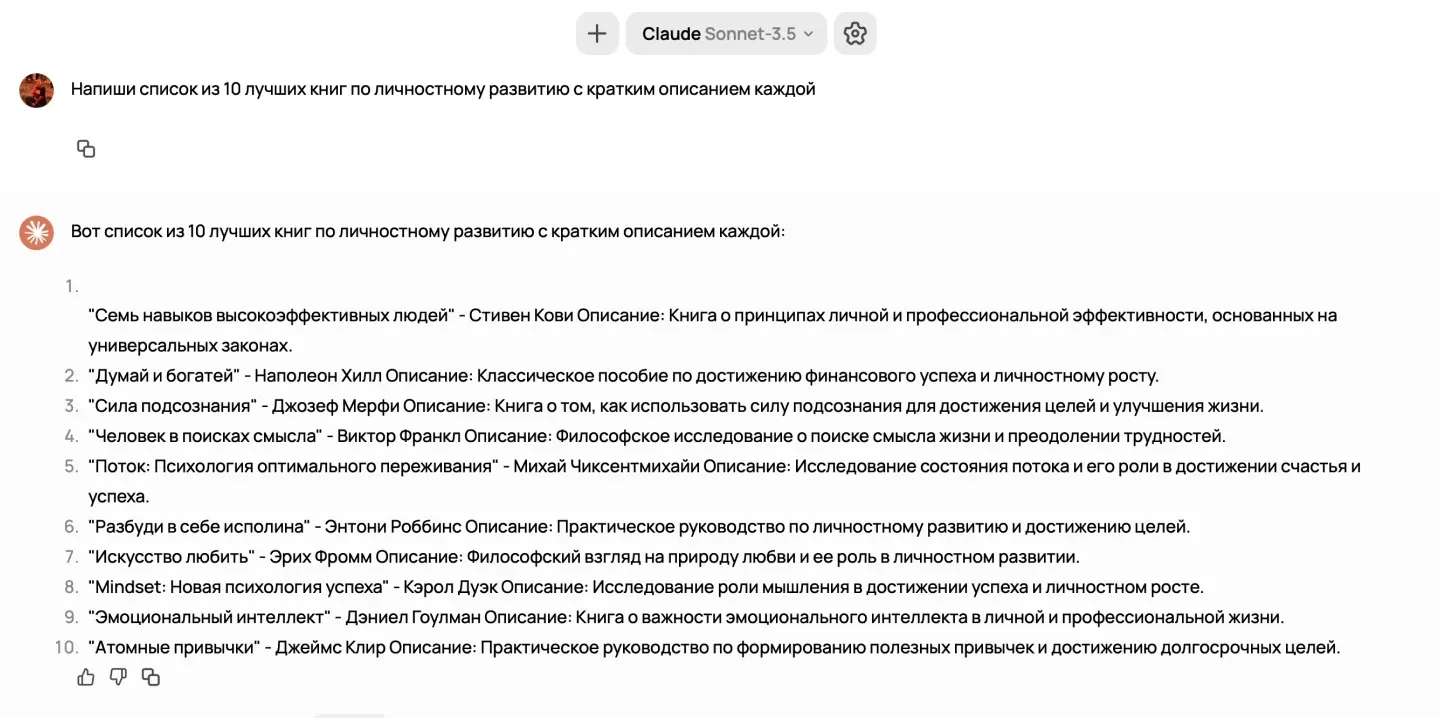
"Write a list of the 10 best personal development books with a short description of each." In response, you'll get a list of books with brief summaries, helping you quickly get your bearings and pick the right reading material.
3. Checklists
Checklists are useful for systematizing and tracking task completion. They help you avoid forgetting important details and steps when preparing for an event or working on a project.
Example prompt:
"Create a checklist for packing a suitcase for a week-long summer trip, covering necessary documents, clothing, toiletries, and gadgets." Such a checklist lets you pack everything you need and be confident nothing was forgotten.
4. FAQ
Frequently asked questions (FAQ) help you quickly get up to speed. It's a great way to structure information when you need to understand the key points on a specific topic.
Example prompt:
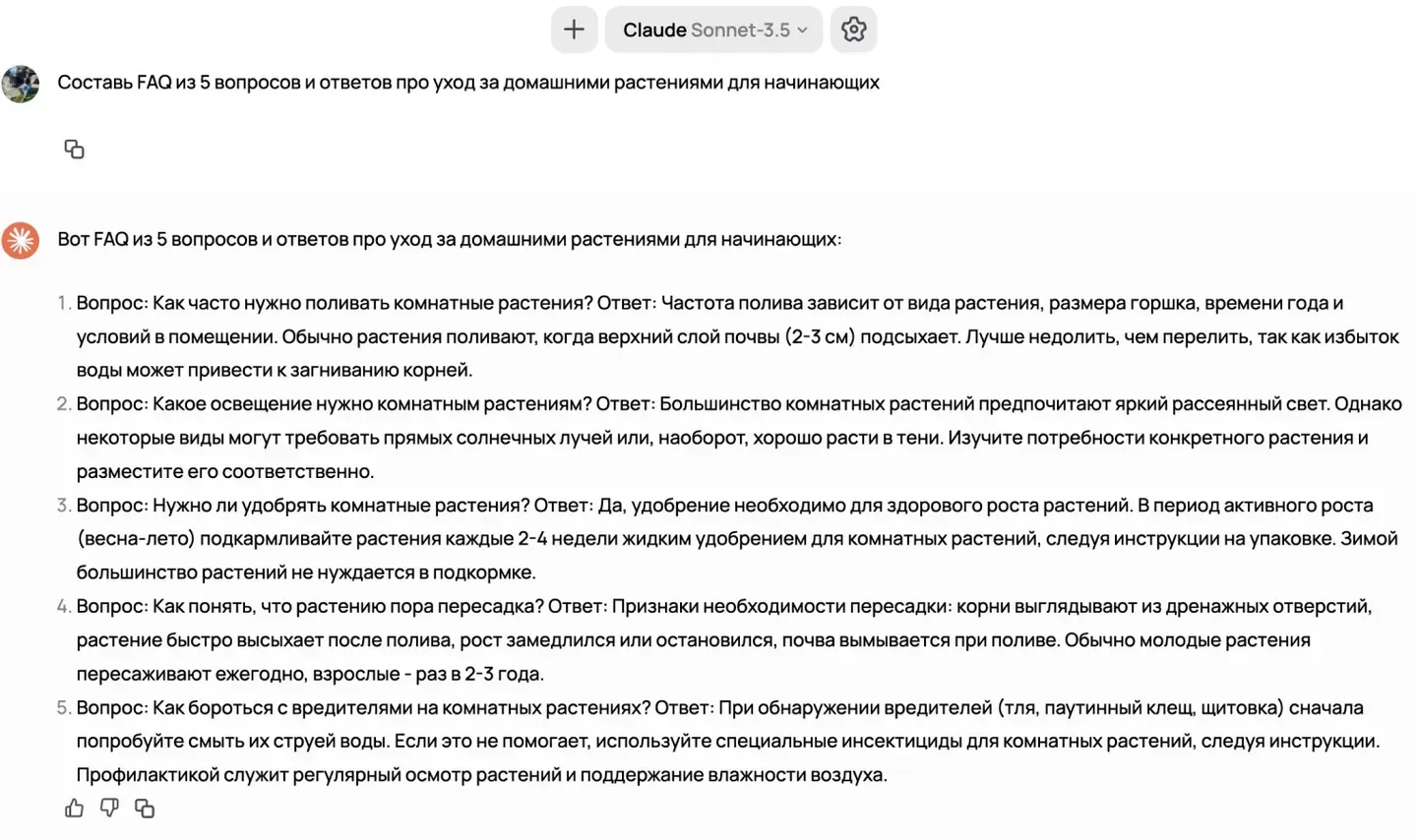
"Create an FAQ with 5 questions and answers about caring for houseplants for beginners." As a result, you'll get a set of questions and answers that beginners in plant care often have, saving you time searching for information.
5. Tables
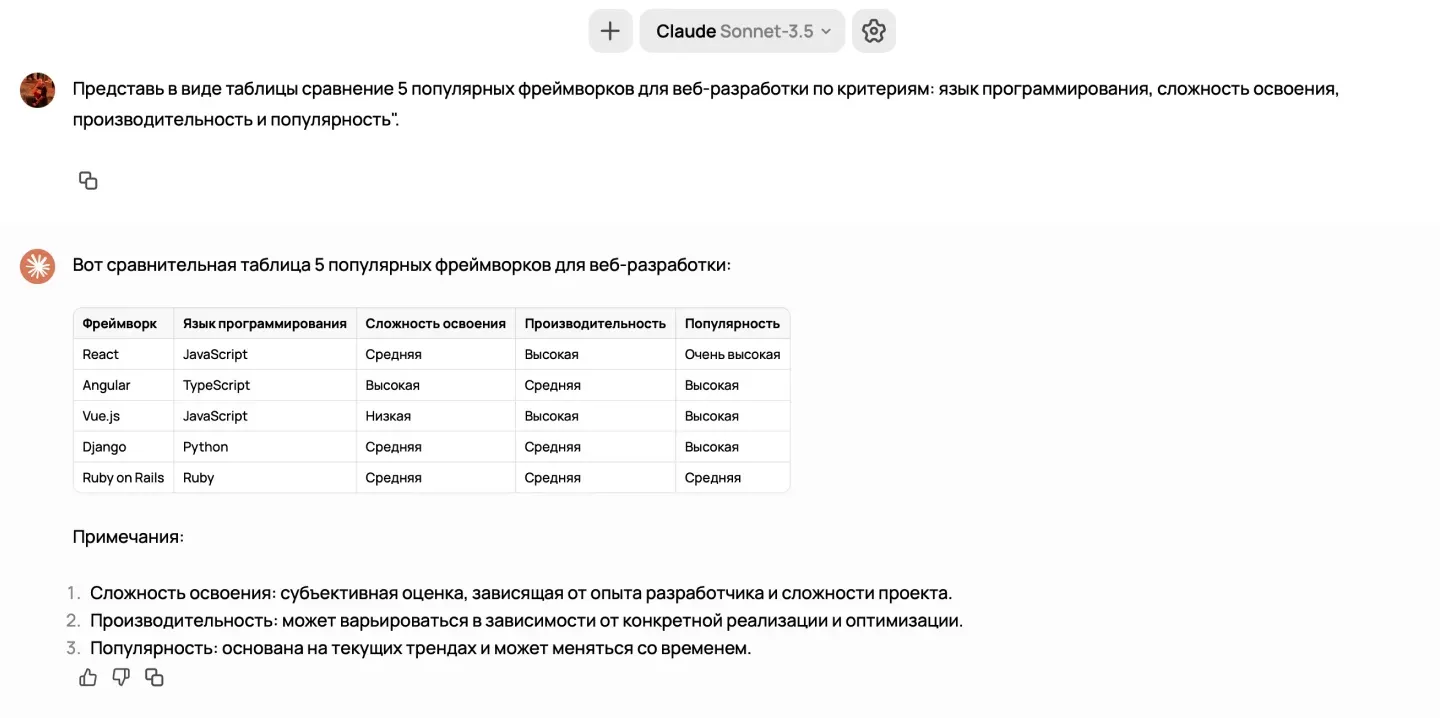
Tables are convenient for analyzing and comparing data. They let you present information visually, which makes it easier to grasp. You can generate tables directly or ask the AI to reformat existing text into one.
Example prompt:
"Present a comparison of 5 popular web development frameworks in a table, using the criteria: programming language, learning curve, performance, and popularity." The table will help you clearly see the differences between the frameworks and choose the one that best fits your needs.
6. Summaries and notes
Summaries and notes let you condense large volumes of information down to the key points. They're convenient for getting a quick overview of a topic and wrapping up the main takeaways.
Example prompt:
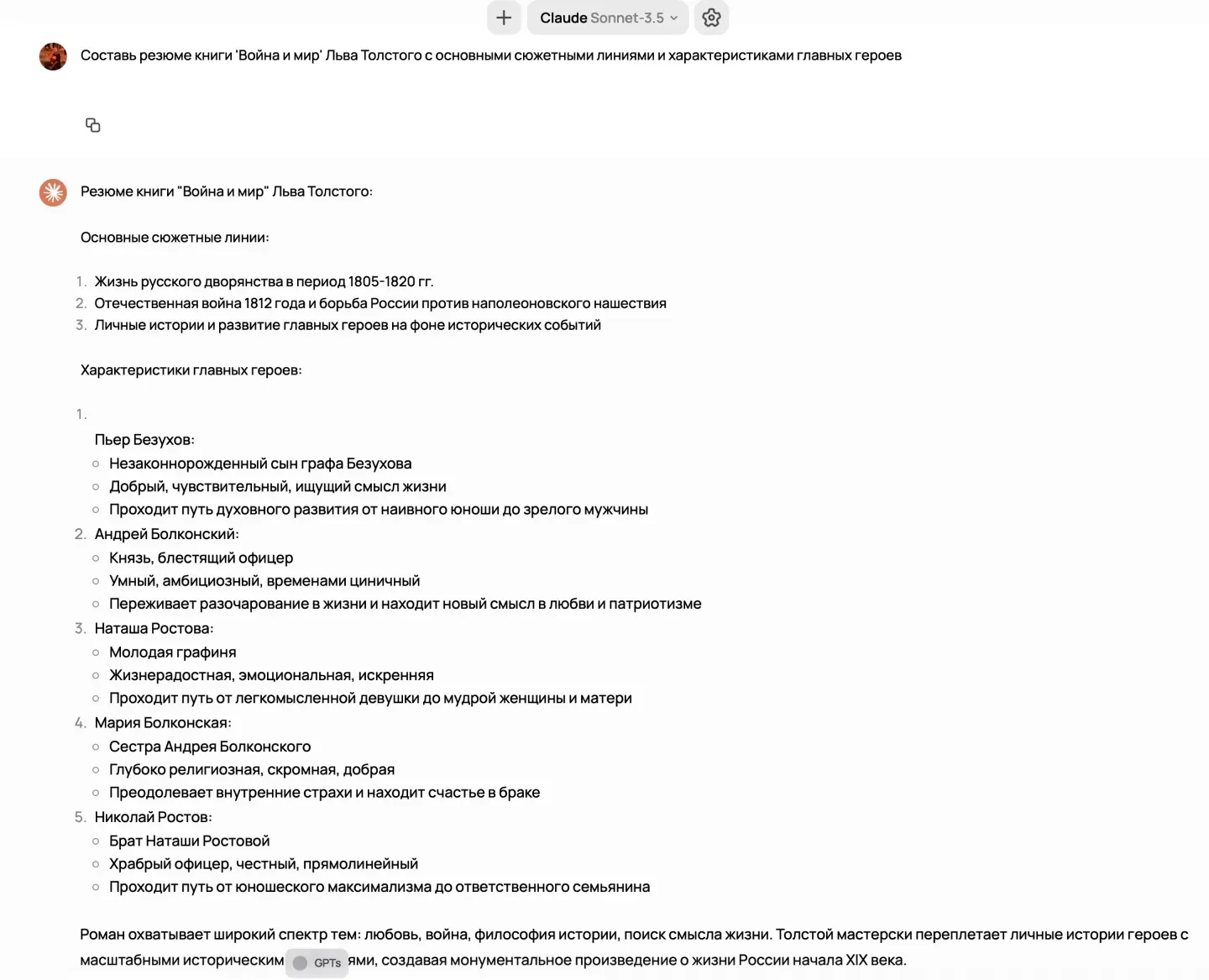
"Write a summary of Leo Tolstoy's 'War and Peace' with the main plotlines and characteristics of the key characters." With the summary in hand, you can quickly grasp the main events and ideas of the work.
7. Templates
Templates are predefined structures for completing specific tasks. They simplify the process of creating documents, letters, or projects.
Example prompt:
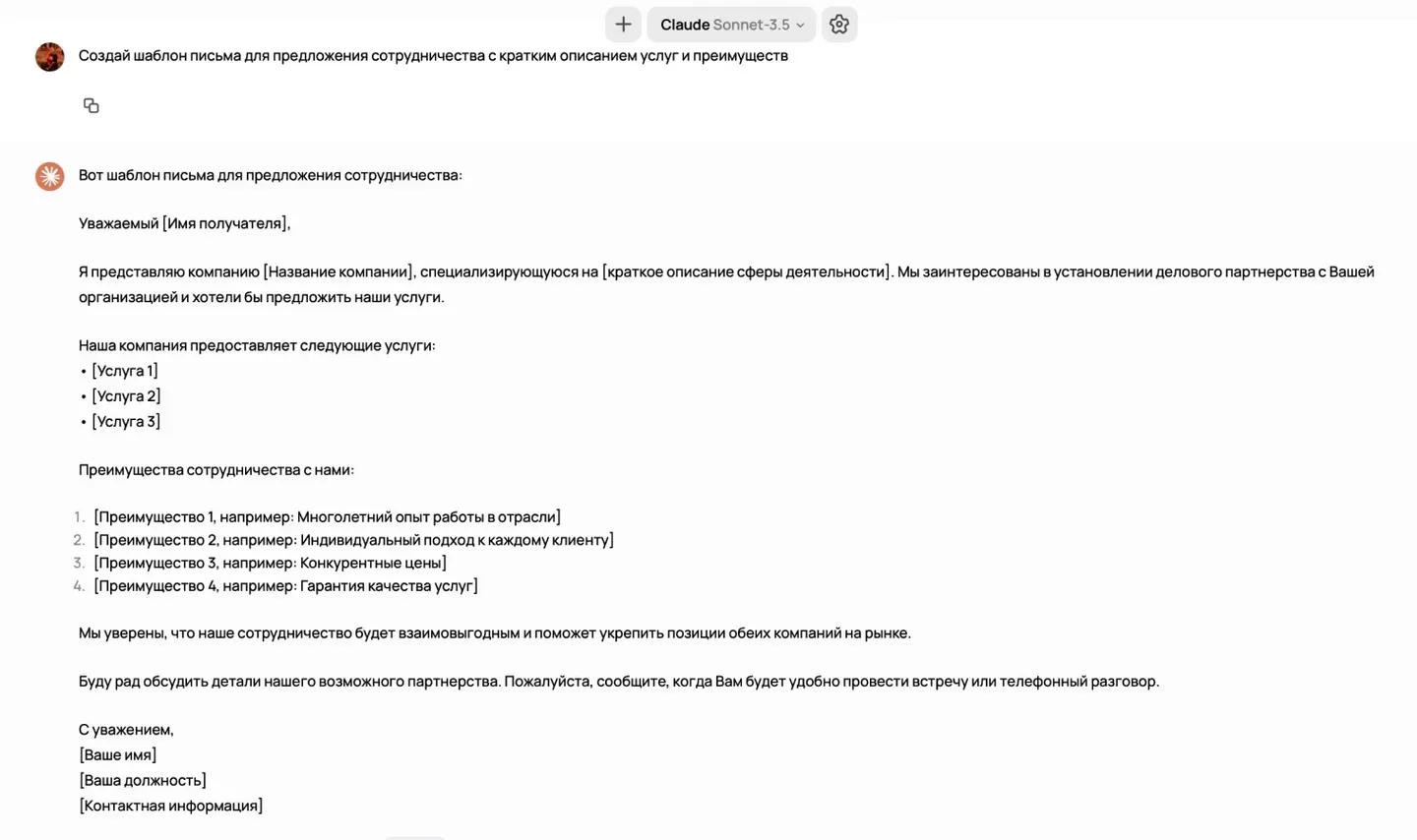
"Create an email template for a partnership proposal with a brief description of services and benefits." The template will help you write a professional email quickly and effectively.
8. Infographics and data maps
Infographics and data maps let you present complex information visually. They're useful for analyzing data and presenting it in a clear, easy-to-grasp form.
Example prompt:
"Create an infographic showing the dynamics of the world's population over time." An infographic makes statistical data easier to absorb and helps you quickly form a general picture of a demographic situation.
Putting these formats to work
Start using these formats in your workflow, and you'll be surprised how much easier information becomes to absorb and how much more effectively you can act. Each format fits its own use cases, making working with a neural network more productive and organized.