

We haven't posted about new features and updates in a while, since our team was focused on optimizing and improving product quality. Let's break the silence!
What's new?
The first thing that changed is how code is rendered in chat. We replaced the syntax highlighting logic with a more powerful engine - the same one used in the famous VSCode from Microsoft.
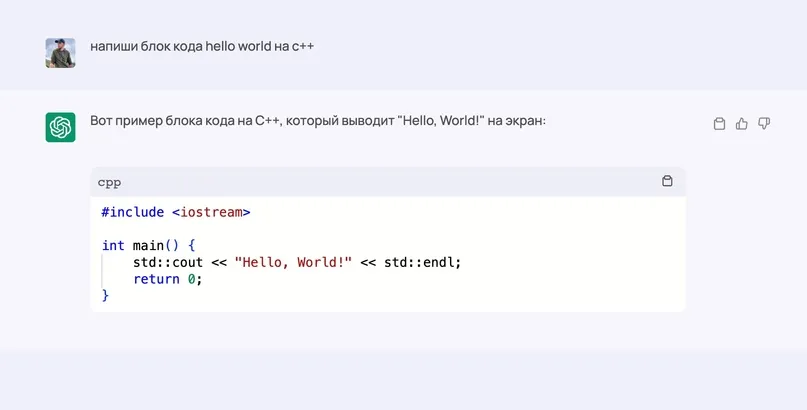
This significantly improved the performance of code rendering in chat responses, especially in Safari. Chrome and other browsers got a nice boost too. Even with large blocks of code, everything now works much more smoothly! On top of that, this opens up new possibilities for us to improve and add different syntaxes. We might even be able to run apps created in chat right from the interface! That's for the future, though. :)
Model settings
The settings button now has a label, since some users couldn't find it in the interface. But that's not all - the settings also got new features!

A new "Model instruction" feature appeared in the settings, letting you set a system prompt. This lets you train the chat for a specific role or set the context of the conversation so the assistant better understands what you're discussing.
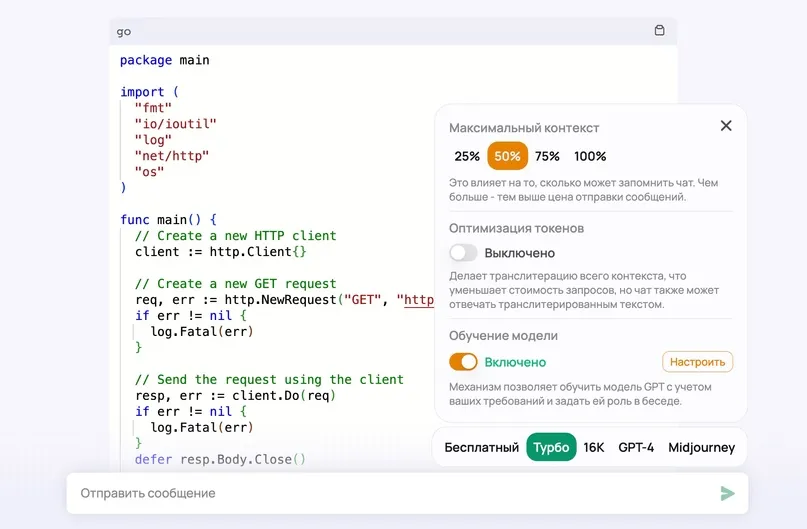
We also added a "Token optimization" feature in test mode. This feature helps you save money by transliterating text into Latin characters. This reduces the number of tokens the model processes, leading to lower request costs. This feature is still in testing, so the chat may occasionally reply in transliterated text and so on. Testing is ongoing!

By the way, for those who haven't checked out the settings yet, I want to say a few words about the "Maximum context" feature. Not every user understands what it's for or why that triangle appears under the chat input. Often people don't notice it and come to us asking, "Why does ChatGPT stop before finishing its answer?" We actually made the triangle a bit more noticeable so you'd pay attention to it.
So, on the settings screenshot you can see the context is set to 50%. This lets us optimize how many messages ChatGPT processes on each generation. The thing is, chat can only process a limited number of characters, and the more there are, the more expensive it gets. So you decide how much to pass to the model for processing. For example, you might not care whether the model remembers the entire history, and you're only interested in the last few questions/answers. In that case 25% might work well for you - why spend money for nothing, right? But if you have a complex conversation and want ChatGPT to take into account as many messages as possible, set it to 100%. In some cases you might need the GPT 16K model. Right now it can remember up to 16,000 tokens, which is roughly 12,000 English words.
The best part - for MidJourney
Friends! We're happy to announce that we've added a refined mask-based regeneration feature. Now you can pass your own extra prompt along with the mask - and this is an exclusive feature only we offer. The official client still can't accept prompts with masks, which opens up entirely new possibilities - for example, you can swap a girl's head for a DRAGON's head!
So
Upscale any image with the U1, U2, U3, or U4 button - and it's free! Then find the "Vary (Region)" button.
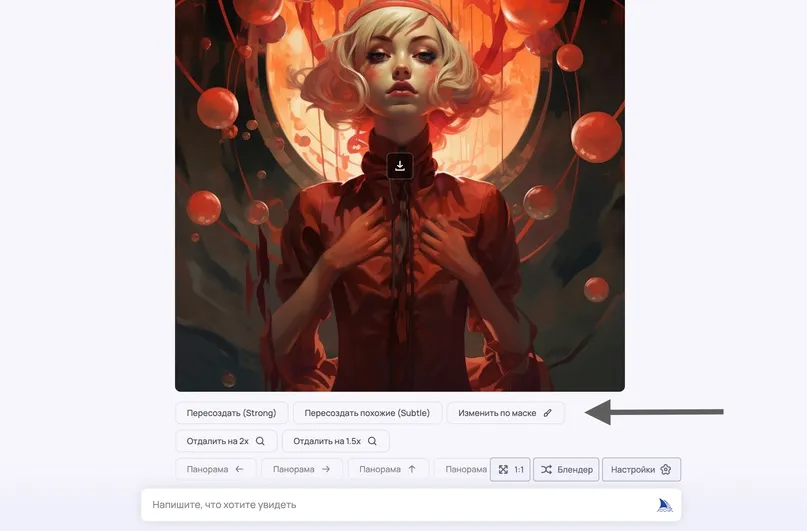
This opens a window with the new functionality. You can select a fragment of the image, and if you accidentally select the wrong one, there's an undo button below. On top of that, we've exclusively added the ability to pass a prompt into the Vary Region feature, letting us more flexibly regenerate different areas of the image!
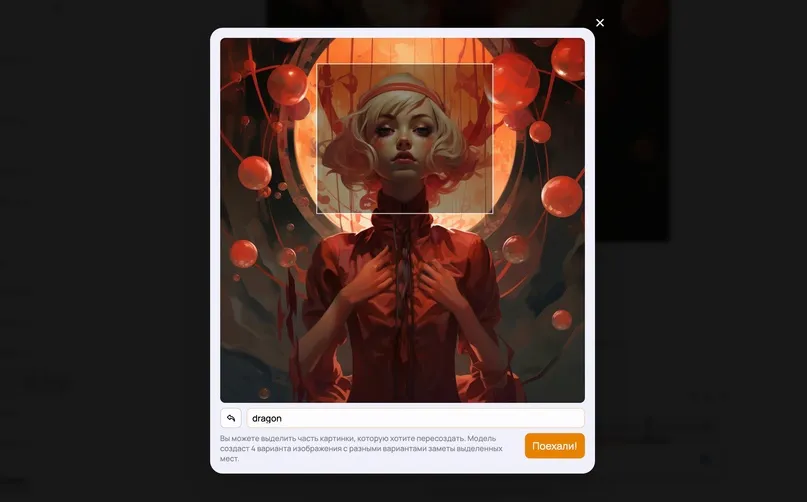
And here's the little marvel we got:
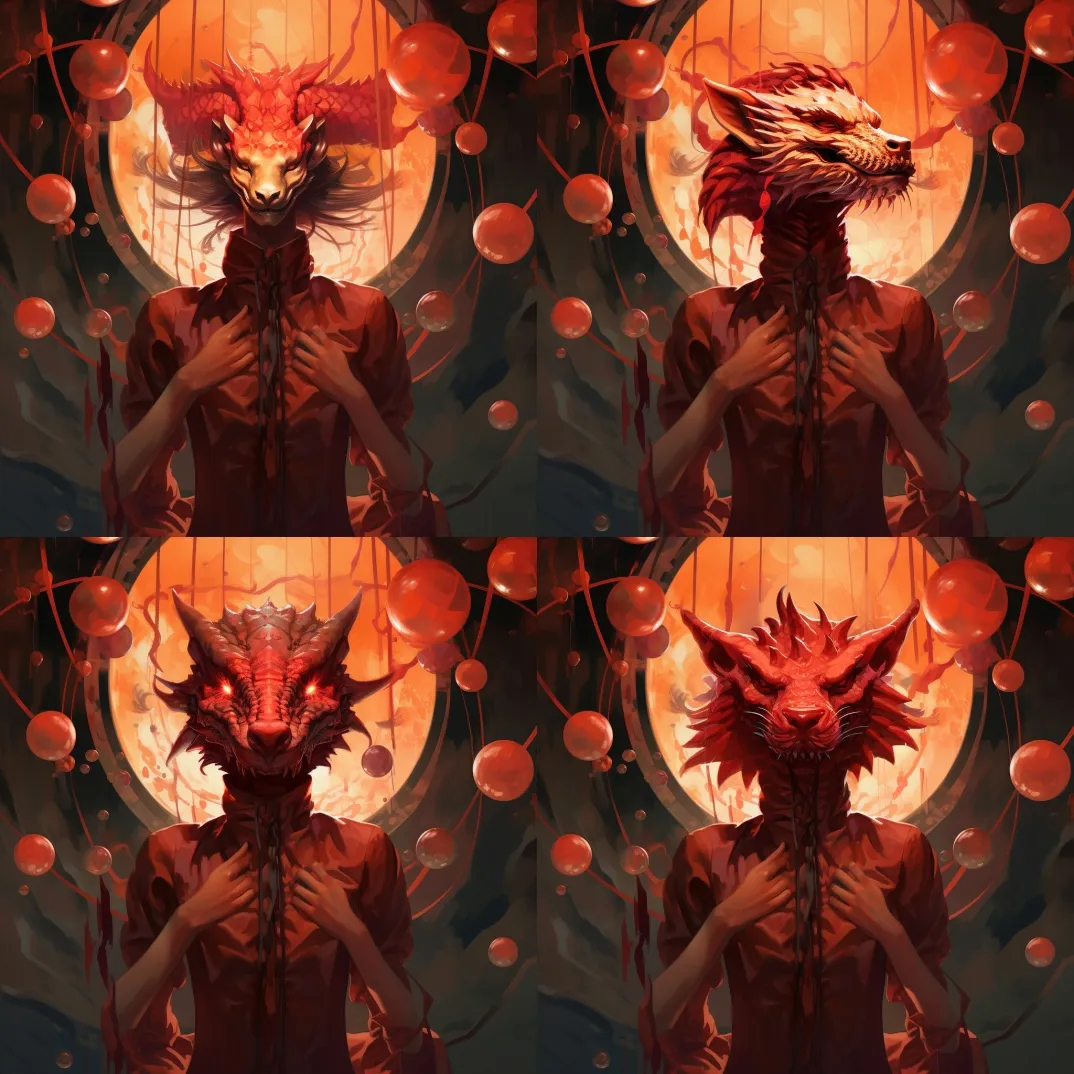
We believe these updates significantly improve the GPTunneL experience, making it a more efficient and powerful toolset for our users. The future promises even more exciting features and improvements!
You can use ChatGPT and MidJourney from anywhere right here