
Hey everyone. Our team is constantly building websites and mobile apps, and naturally we need images all the time. We used to buy stock photos for $5-20 a piece. But then 2023 hit, AI took off, and stock images became a thing of the past for us.
Now you can create high-quality images with AI image-generation models that match stock photos in quality. And once you learn how to use these models well, generating an image is much faster than digging through paid stock libraries for the right shot.
So our team decided to level up and study the top image-generation AI models in detail. We've integrated some of them into our service, GPTunneL, and we're linking directly to the rest. We figured this kind of research shouldn't go to waste, so we're sharing it on the blog. Keep up with the progress!
MidJourney
Right now this is the most famous and powerful AI model for creating images. Most people use it the classic way — type a text prompt, get an image.
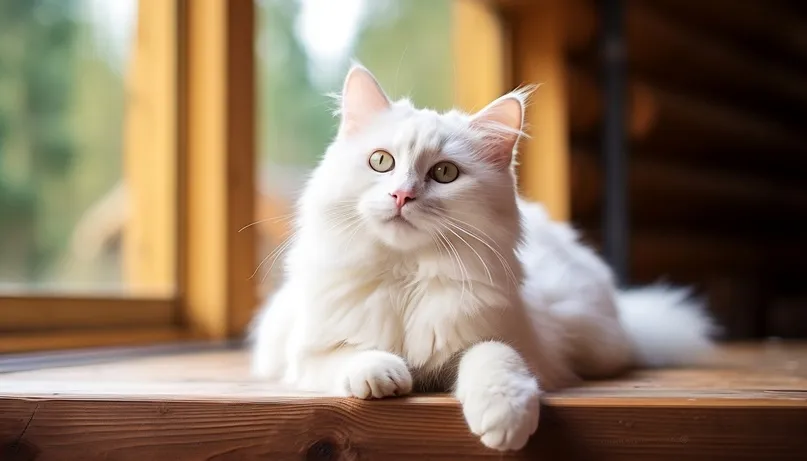
Here's the prompt.
Prompt: "A white cat sits on a wooden table in daylight."
Look how good this turned out!
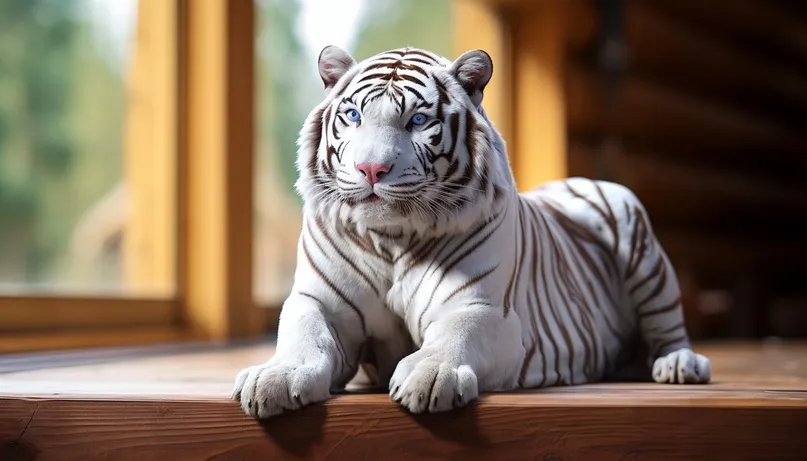
But what if we use InPaint (mask-based editing) with the prompt "tiger"?
Here's what we got:
Pros:
- incredibly broad feature set: from image-to-image generation to stylization and "blending" several images into one
- very high detail, with the option to create "ultra-realistic images"
- deep customization: to the question "can this AI create an image that fits my needs?" the answer here is a clear yes
- familiar MidJourney toolset: 4 variants are generated, then you can "tune" the image, zoom into a generated image, or edit individual elements
We wrote more on getting the most out of MidJourney here — /blog/cheat-codes-part-2/
Cons:
- high barrier to entry (it takes a lot of steps to get started):
- you need to download Discord, sign up, follow an invite link to the MidJourney server, and then figure out where to click and how to write your first prompt;
- pricey monthly subscription ($10-120), and access can be tricky depending on where you're located.
MidJourney is currently the top image-generation tool, and a lot of people want to use it. That's why in our service we removed the registration hassle and simplified the whole process with a convenient single-window UI and unified billing.
ESRGAN
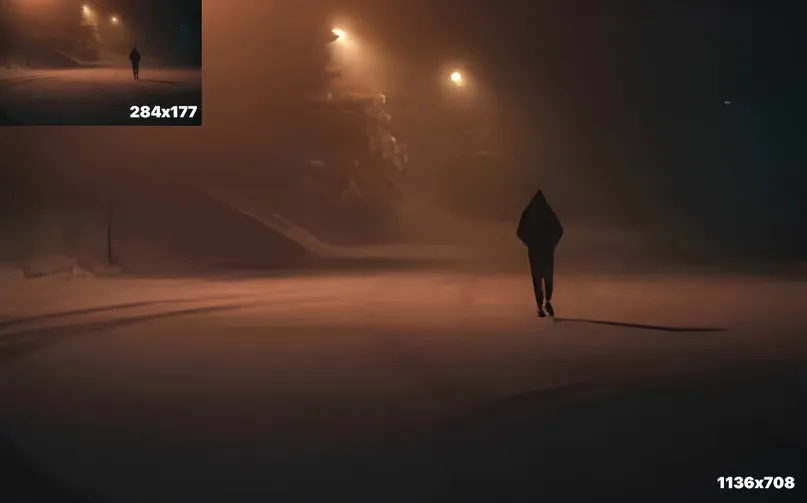
Need to upscale a photo's quality? Here you go.
The ESRGAN model improves the quality of a source photo or image using super-resolution.
It uses convolutional neural networks that scale the image up. The tool reconstructs and fills in your image using a massive database of high-resolution, photorealistic reference material.
Here's the prompt: starting resolution was 284x177, after enhancement — 1136x708.
Pros:
- excellent output quality and detail. Resolution increases 4x!
- fast processing — just a couple of seconds;
- simple and clear, works on a "upload — get result — save" basis
- no file size limit on uploads
- very affordable pricing per image, much cheaper than alternatives. Perfect for anyone who just needs good-quality images from time to time.
Cons:
- no built-in post-editing tools for the resulting image (though honestly, you don't really need them);
Dream by Wombo
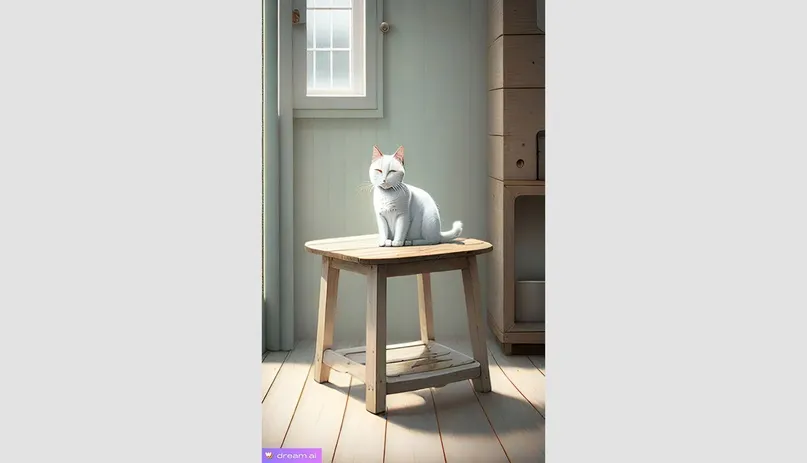
Also known as the Dreaming AI. A decent option for generating not-too-complex art online. Its key strengths are simplicity and accessibility, plus a wide range of themes — from realistic to abstract and fantasy styles.
Here's the prompt.
Same request as with MidJourney: "White cat sits on a wooden table in daylight"
Style filter: Simple Design v2
Pros:
- free text-to-image generation is available;
- plenty of style filters to choose from;
- no VPN required, works from anywhere;
- simple, clear interface;
- images generate fairly fast, in about 10 seconds
- decent resolution — 960×1568
Cons:
- the free tier only generates one image per prompt;
- generated images carry a watermark by default;
- prompts need to be written in English;
- the $10/month paid plan requires a card that works internationally;
Vance AI
This model is great for detailed image work — plenty of tools for removing artifacts from photos, adjusting resolution and sharpness, removing backgrounds, and more. There's also an option for creative stylized images.
Here's the prompt.
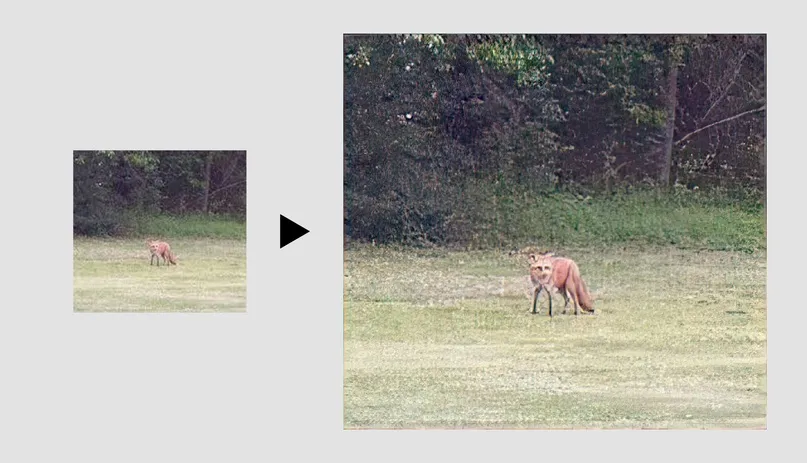
The result was mediocre, honestly — our scrawny little fox stayed scrawny, though it did jump from 168x157 to a much bigger 1156x1080. Maybe we were just too lazy to dig into the settings.
Pros:
- available not just on PC but on mobile too, both iOS and Android;
- several handy features:
AI photo enhancer — boosts resolution and significantly improves photo quality;
AI Image Sharpener — sharpens the photo for a cleaner, crisper look;
Toongineer Cartoonizer — turns a photo into cartoon-style art
Cons:
- everything runs in English (also available in Japanese, French, and German if you happen to know one of those);
- free tier gives you only 3 watermark-free saves (and 5 uploads per day);
- max upload file size is 5 MB
- takes some time to learn the editing modes and experiment with them;
- fairly slow processing — several minutes
Bing Image Creator
Built by Microsoft, so you'll need a Microsoft account to use it (finally, somewhere it comes in handy!). This model does free text-to-image generation and works great for content creators leaning into abstract and fantasy visuals.
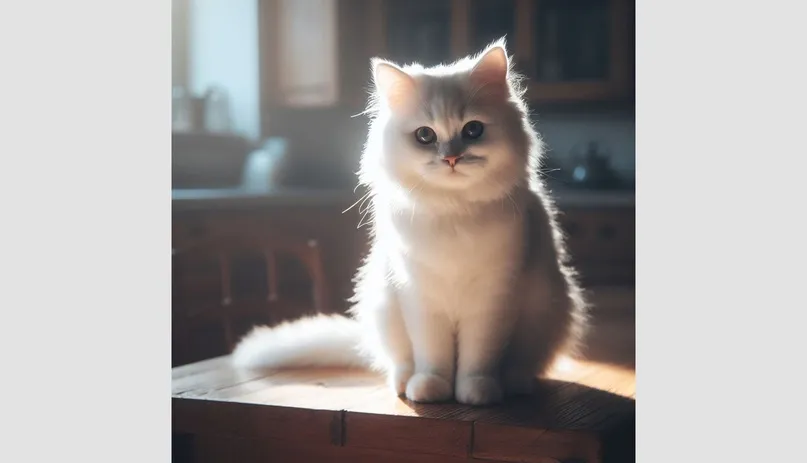
Prompt below.
Same request as usual: "A white cat sits on a wooden table in daylight." The result turned out great — it's giving you a look like you owe it money!
Pros:
- simple workflow: write a text prompt, pick an image style, and you're done;
- solid output quality;
- decent resolution — 1024x1024;
- generates in about 20-30 seconds;
- works from mobile (via the Bing app);
- prompts can be written in multiple languages.
Cons:
- requires a VPN in some regions;
- free-tier generation can take a while;
- realistic images aren't this AI's strong suit (anatomy issues show up sometimes);
- sometimes ignores parts of the prompt.
FaceSwap
A really cool tool that lets you swap a face in any photo. A must-have for marketers and SMM managers working with influencers!
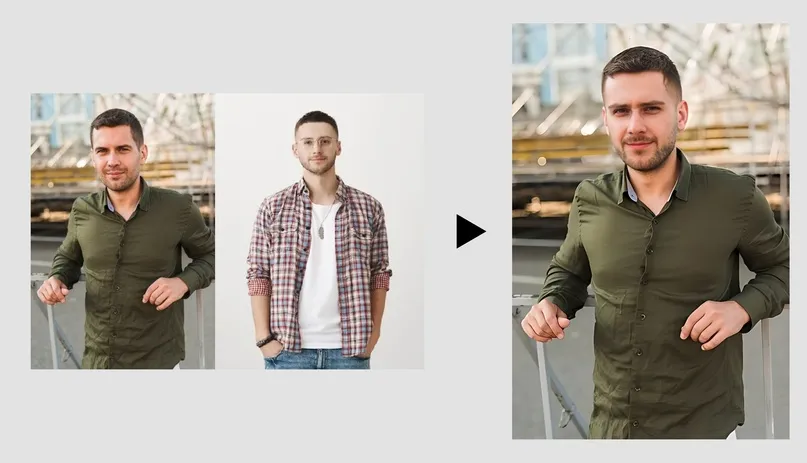
Here's the prompt: swapping the face of the guy in the green shirt
Pros:
- easy to use, clean interface;
- simple workflow: upload the photo where you want to swap a face, upload a photo with the face you want to use — done!
- fast — the swap takes under 10 seconds;
- fairly convincing final result.
Cons:
- doesn't handle glasses on the original face well — parts of the frame can "stick around" in the result, so a bit of manual touch-up is needed;
- no built-in editing tools for the resulting image.
Fotor
Need an AI that generates images from a prompt or upscales image quality? This tool mainly specializes in photo editing, but it does have a text-to-image feature too (though you'll have to dig a bit to find it).
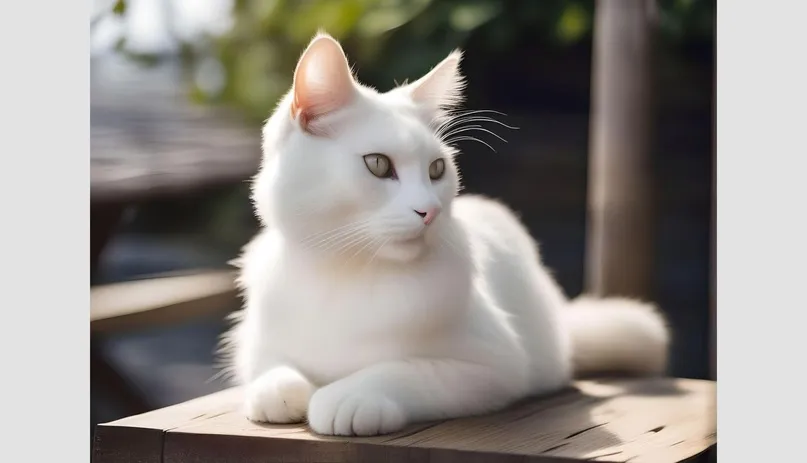
Prompt below. Standard request: "A white cat sits on a wooden table in daylight"
Aspect ratio: 4:3 Style: none
Came out a bit soft, especially the background, but overall not bad.
Pros:
- free text-to-image generation, no VPN needed;
- fast generation, about 15 seconds;
- solid image resolution (ours came out at a whopping 2352x1760);
- the resulting image is editable — upscale quality, change the background, apply filters, and more;
- a paid subscription is available with standard online payment methods.
Cons
- sign-up is required, and after that you'll still need to figure out where to click ("AI Tools," then "Text to Image");
- free plan is limited to 5 generated images;
- occasional anatomy issues, so it's better suited for abstract images than people;
- prompts need to be written in English.
Shedevrum
Which AI is best at generating characters from folk tales for free? We tried a different well-known text-to-image tool for comparison. It generates images from both text and photos.
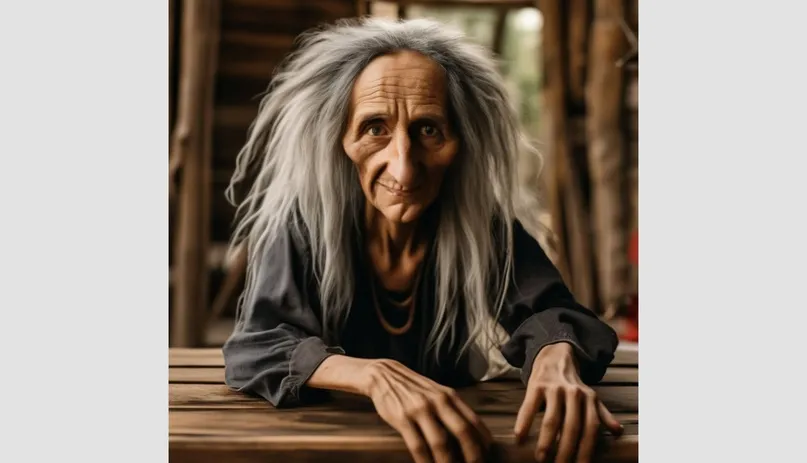
We tweaked the prompt a bit to test its range with more unusual requests. Prompt: "A witch sits on a wooden table in daylight."
The tool interpreted "on" a bit loosely, going with "at" the table instead. But it still turned out well.
Pros:
- completely free, no "5 free images and then pay up" catch;
- works online, free, no sign-up required;
- understands well-known folk-tale characters and creatures;
- decent resolution — 1024×1024;
- good level of detail.
Cons:
- mobile app only (on desktop you can mostly just browse other people's prompts);
- slow generation — usually 2+ minutes;
- to save an image you have to save it to the shared feed;
- generated images can't be edited.
As you can see, there are plenty of options, and this isn't even close to a full list of the AI models out there for generating art. Everyone can find the algorithm that fits their own needs — don't be afraid to explore and experiment!