
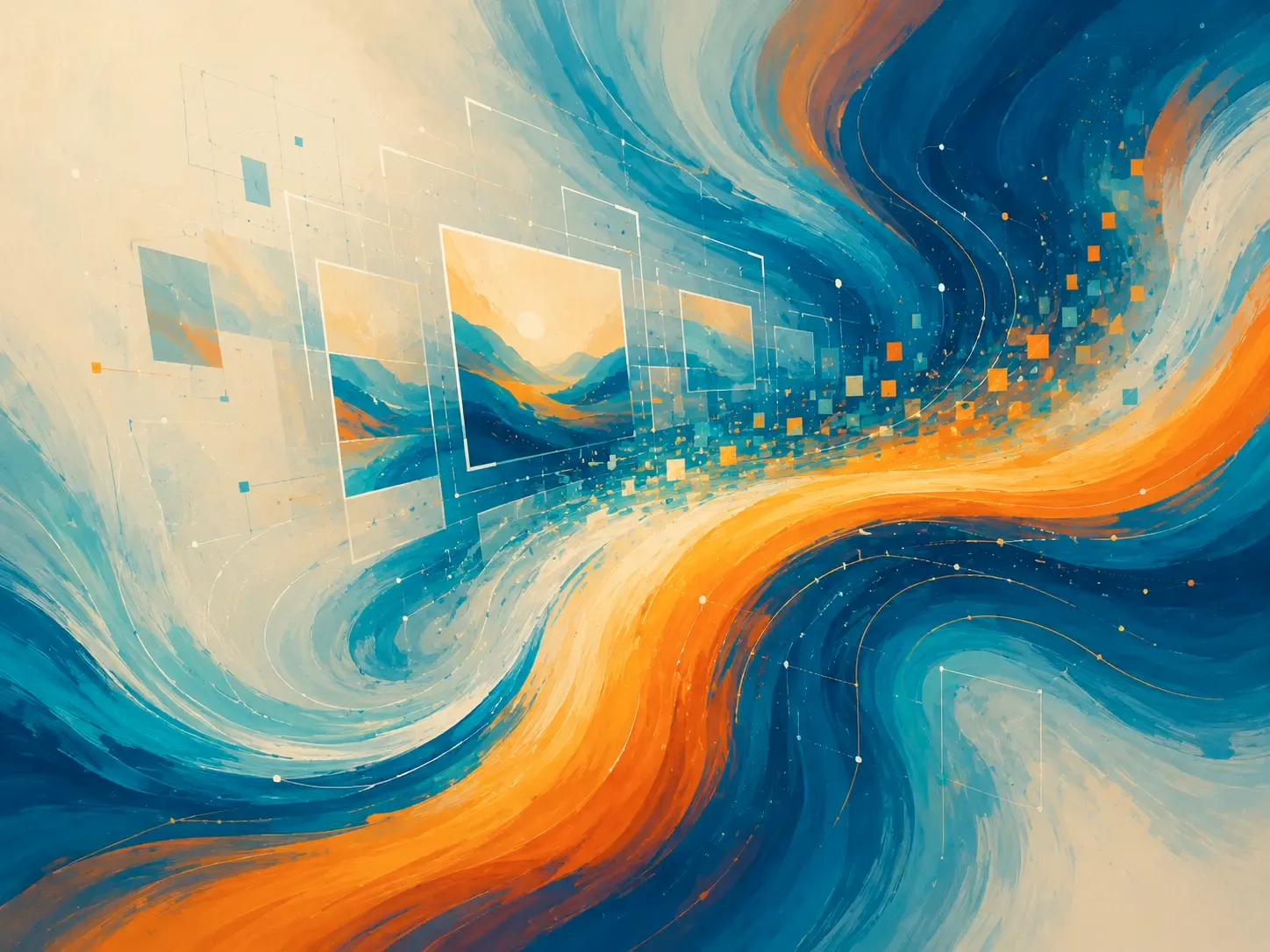
Just a few years ago, producing a high-quality image required several hours of work from a designer who knew specialized software and understood color compatibility and composition. Today the barrier to entry for design and illustration has dropped dramatically: to bring your wildest idea to life, all you need is a well-formed request to a neural network. AI image tools are used by marketers, bloggers, writers, concept artists, and anyone who wants to diversify their content.
How image-generating neural networks work
Before you ask for a simple picture of a cat drinking coffee at a table, let's look at how these platforms actually work under the hood.
- Training on massive datasets. Before it can produce a meaningful image, a neural network analyzes an enormous number of "image + text description" pairs. It doesn't copy other people's work in the usual sense — it identifies mathematical patterns and connections between words and visual concepts. For example, after studying millions of cat photos, the algorithm builds an abstract mathematical representation of what "cat ears," "fur texture," or "eyes" are. You can compare this to how the human brain accumulates visual experience over a lifetime, building up an eye for detail.
- The diffusion process. The core idea behind diffusion models is progressively removing random noise from an image. The network starts with a completely chaotic set of colored pixels. Then, guided by your prompt, it removes that noise step by step, over dozens of iterations, gradually revealing clear contours, volumes, and details. It's similar to how a sculptor gradually chisels away everything unnecessary from a large block of marble.
- The text encoder. When you type a phrase, the network doesn't understand it the way a human does. A dedicated submodule, often built on architectures like CLIP, translates human language into a vector space of numbers. Every word has its own coordinates, and concepts that are close in meaning (say, "sun," "heat," "beach") end up near each other. If your prompt is contradictory or overloaded, those coordinates start to conflict, which distorts the final image.
- Latent space. Most modern advanced networks don't run their core computations on huge high-resolution images — they work in what's called latent space, a compressed code-like representation of the image. This saves computing power and lets the model generate complex, detailed scenes quickly. Only at the very last step does a decoder turn that matrix into a familiar JPEG or PNG file.
Overview of the leading image-generation networks
ChatGPT Images. A great option for users who want to describe the task in plain language, refine the result, and ask for changes to the background, composition, facial expression, lighting, or proportions. This approach suits people who don't want to dig into technical settings and parameters. The tool works well for articles, presentations, covers, simple ad concepts, and illustrations where you need to gradually steer the image toward a clear result. For example, you can start by asking for "a cover for an article about family budgeting," then refine it: "make the scene less office-like, add warm evening home lighting, and leave space on the right for a headline."
Midjourney. This tool stands out for its expressive visual style. It works well for atmospheric illustrations, concept art, posters, fashion imagery, interior ideas, fantasy scenes, and visual references. Midjourney is especially strong when the result needs to look striking, almost like a frame from an expensive photoshoot or art project. But be prepared for the service to add its own aesthetic flourishes and sometimes over-decorate an image.
Adobe Firefly. Suited to people working in design, advertising, presentations, social media, and business visuals. Firefly's strength is its integration with the Adobe ecosystem and its focus on practical use in creative work. It's convenient when you need to fold AI into an existing workflow: generate a background, remove an object, change a style, extend an image, or prepare a base for a layout. For companies, rights matter too — Adobe places particular emphasis on commercial usage rights and Content Credentials, which help mark the origin of AI-generated content.
Google Gemini / Nano Banana. This option is interesting because image generation is built into a broader multimodal assistant. You can discuss an idea, upload images, ask for edits, and work with visuals as part of an ongoing conversation. That format suits everyday tasks, quick ideas, educational materials, infographics, simple layouts, and situations where the image is tied to an explanation.
Stable Diffusion and Stability AI models. This direction suits people who want flexibility and are willing to dig deeper into the tool's settings. Stable Diffusion is used by designers, enthusiasts, developers, and teams who care about parameter control, additional models, styles, and extensions. For a casual user it can be more complex than ChatGPT or Firefly, but the potential is huge: you can control generation more precisely, fine-tune a style, work through different interfaces, and connect additional tools for retouching, inpainting, and pose or composition control.
FLUX. It's often used through third-party platforms, APIs, and creative services. For a regular user, FLUX may not be a standalone app but rather a component running inside another tool. Its strengths are image quality, strong prompt understanding, and quick creative experimentation. Consider it if you're already working with a platform that has FLUX built in and want modern-quality generation without complex manual setup.
Recraft. Suited to design tasks: icons, vector graphics, mockups, ad materials, characters, product images, and visuals in a consistent style. Think of it as a tool for creating more applied design objects. If you need a set of icons, a clean website illustration, a simple branded visual, or an image that will later be refined in a layout, Recraft can be more convenient than networks focused purely on striking imagery.
How to write a good prompt
A text prompt is the main tool for controlling a neural network — it's how you give the service a detailed technical brief. Learning to phrase your ideas correctly gets you to the result you want faster, with less rework. A weak prompt sounds like: "make a nice picture about learning." The model could show you anything: a chalkboard, a laptop, students, or abstract icons. A good prompt is more specific:
"A vertical illustration for an article about online learning for adults: a person sitting at a laptop in the evening, a cup of tea and a notebook nearby, soft city light through the window, a calm, focused atmosphere, no text or logos."
What makes a strong prompt
- The main subject. Specify what should be at the center: a person, object, room, process, diagram, landscape, product, or character. If there are several elements, clarify their hierarchy: "in the foreground," "in the background," "a small detail on the right."
- Action or situation. A static subject often looks dull. Add an action: a person comparing options, a craftsman assembling a part, a designer holding up fabric swatches, a courier handing over a package, a doctor explaining a treatment plan. Action makes the image easier to read.
- Style and technique. Say whether you want a retro-photo look, flat illustration, line art, watercolor, editorial photography, a minimalist poster, or isometric style. It helps to describe traits: soft shapes, thin lines, grainy texture, muted palette.
- Light and mood. Light changes meaning: morning light feels fresh, diffuse daylight feels neutral, warm lamp light feels cozy, cold office light feels technical. Name the mood too: trustworthy, energetic, or calm.
- Composition and format. Specify the size and aspect ratio: portrait orientation for a cover, horizontal for a banner, square for social media, and leave empty space for a headline.
- Negative conditions. State what to avoid: "no text," "no logos," "no extra fingers," "no medical shock imagery," "not cartoonish," "not overloaded with detail." These conditions don't guarantee perfection, but they narrow the direction.
Common beginner mistakes
A prompt that's too generic. Phrases like "make it beautiful," "draw business," or "create a modern picture" produce random results. Replace abstraction with a concrete scene: who, where, doing what, in what setting, with what mood.
An overloaded prompt. The opposite mistake is asking for twenty objects, five styles, a complex metaphor, and a long list of emotions all at once. The model may blend the details, lose the main subject, or produce visual noise. The rule that works: one central idea, a few important details, clear constraints.
Trying to get a finished ad layout in one shot. Generators have gotten better at handling letters, but text inside an image still needs checking. For banners, it's more reliable to generate the background or illustration without any lettering and add headlines, prices, and buttons in an editor afterward.
The full process, from idea to finished image
Let's say you need an illustration for an article titled "How to choose an English course." The goal is to show an adult learning without stress and seeing progress.
Draft prompt:
"Horizontal illustration: an adult sitting at a laptop, a notebook on the table, a video lesson on the screen, an atmosphere of calm confidence, soft evening light, no text or logos."
Result:
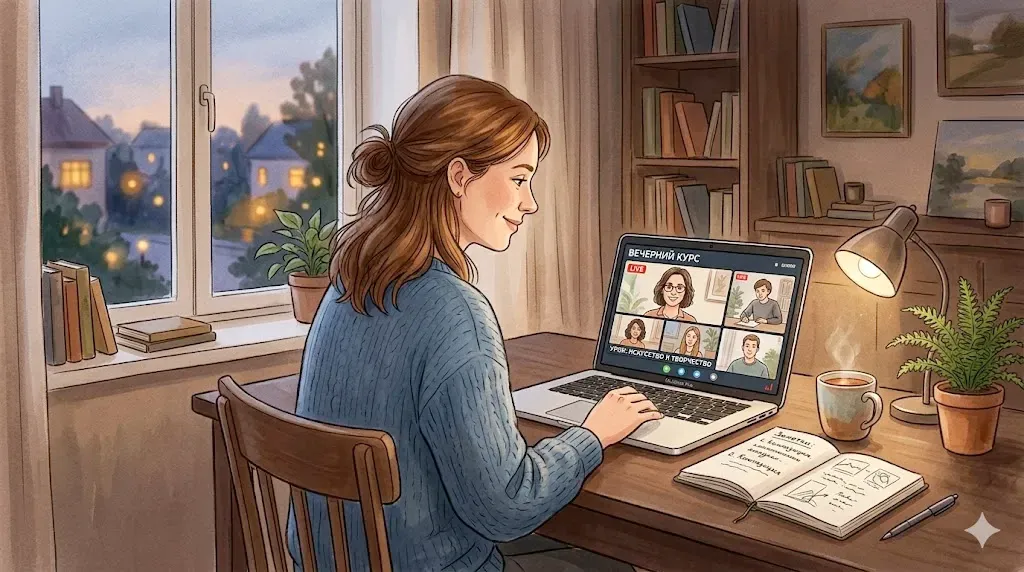
After generating, we pick the version where the person looks natural, the workspace isn't cluttered, and the screen isn't a chaotic mess.
Then we ask: "make the background a bit lighter, leave more empty space on the left, remove the extra objects on the table."
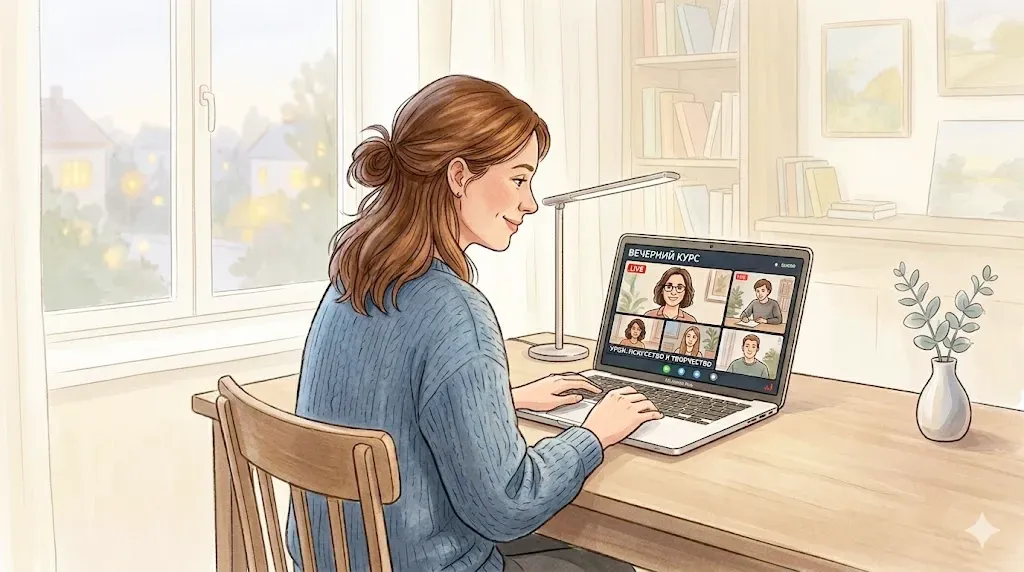
Check the final file at the size it will actually appear on the site. If the meaning gets lost when shrunk, simplify the composition. An image should serve a purpose, not just look nice on its own — it should help the reader understand the topic, support a commercial message, or set the right mood. Check fingers, eyes, small objects, shadows, text on signs, room geometry, and packaging symmetry. In medical, legal, financial, and educational topics, one odd detail can quickly undermine trust.
What to do about text in an image
If you need an image with lettering, think about whether the text really needs to be generated inside the picture. For posters, infographics, presentations, and ad banners, it's more reliable to split the work: AI creates the background, character, scene, or visual metaphor, and the text gets added in Figma, Canva, Photoshop, PowerPoint, or another editor. That way you control the font, line breaks, spelling, and brand guidelines. If you still want to test the model's capabilities, use short lines and specify the language directly. For example:
"on the poster, a large, neat headline that reads 'New Course,' no other words."
After generating, zoom in and check every letter. A single wrong character can ruin the whole layout.
Safety and common sense
AI can create convincing images of things that don't actually exist. That's great for fiction illustrations, but risky for news, reviews, medical stories, legal topics, and social conflicts. Don't pass off a synthetic image as a real photo of an event, and don't create "evidence" of something that never happened. Don't use real people's faces in questionable commercial, intimate, or politically sensitive contexts without a clear basis and permission. If a viewer might mistake the image for a documentary fact, it's better to label it as an illustration. For business use, add an internal review step: who approved the concept, are there any accidental logos, does the character resemble a real, recognizable person, and does the result comply with the platform's requirements.
Legal and ethical aspects of AI art
The first and most important question is: who owns the copyright to a generated image?
- Today, the legal systems of most countries worldwide, including the United States and the EU, largely agree that only a human can be recognized as the author of a work. That means you cannot register full copyright for an image produced by a neural network, since there was no so-called creative human contribution in the traditional legal sense during its creation. Such an image effectively falls into the public domain, and in theory anyone can copy and use it.
- The situation changes significantly, however, if you've substantially reworked the image. If you combined several generations into a complex collage, changed the color palette, added details in Photoshop, incorporated custom typography, and built a unique composition, that final product can be considered a copyrighted work, with the neural network serving merely as a tool — much like a camera or a graphics tablet.
The ethical side concerns the artists whose work these networks were trained on. Many artists have voiced legitimate frustration that algorithms copy their unique, recognizable visual style without explicit consent or compensation. In response, services have appeared that let artists remove their work from future training datasets, and platforms like Adobe have shifted entirely to licensed content. So try not to overuse the names of living artists in your prompts — instead, combine general style descriptions to build your own visual signature.
Experiment, don't be afraid to make mistakes, mix the most unlikely styles and concepts, keep sharpening your eye, and remember that the only real limit when working with AI is the scale of your own imagination.