
GPTunneL has added three image generation models from Google: Imagen 3, Imagen 3 Fast, and Imagen 4. Now, depending on what matters most to you — speed, quality, or image detail — you can choose among the most advanced tools offered by Google.
Google's Imagen models are known for their ability to interpret text prompts to create photorealistic and stylized images, as well as render text correctly.
What the Imagen models can do in GPTunneL
Each model has its own strengths:
Imagen 3 – A quality, balanced model
This model offers a good balance between image quality and performance.
- Realism and stylization: Imagen 3 handles photorealistic images and images in various artistic styles well. The model better processes details in prompts written in natural language.
- Fewer artifacts: Compared to previous versions, Imagen 3 produces images with fewer unwanted visual distortions.
- Good for core visual content: Can be used to create images for social media, promotional materials, article illustrations, and presentations.
Example generation:
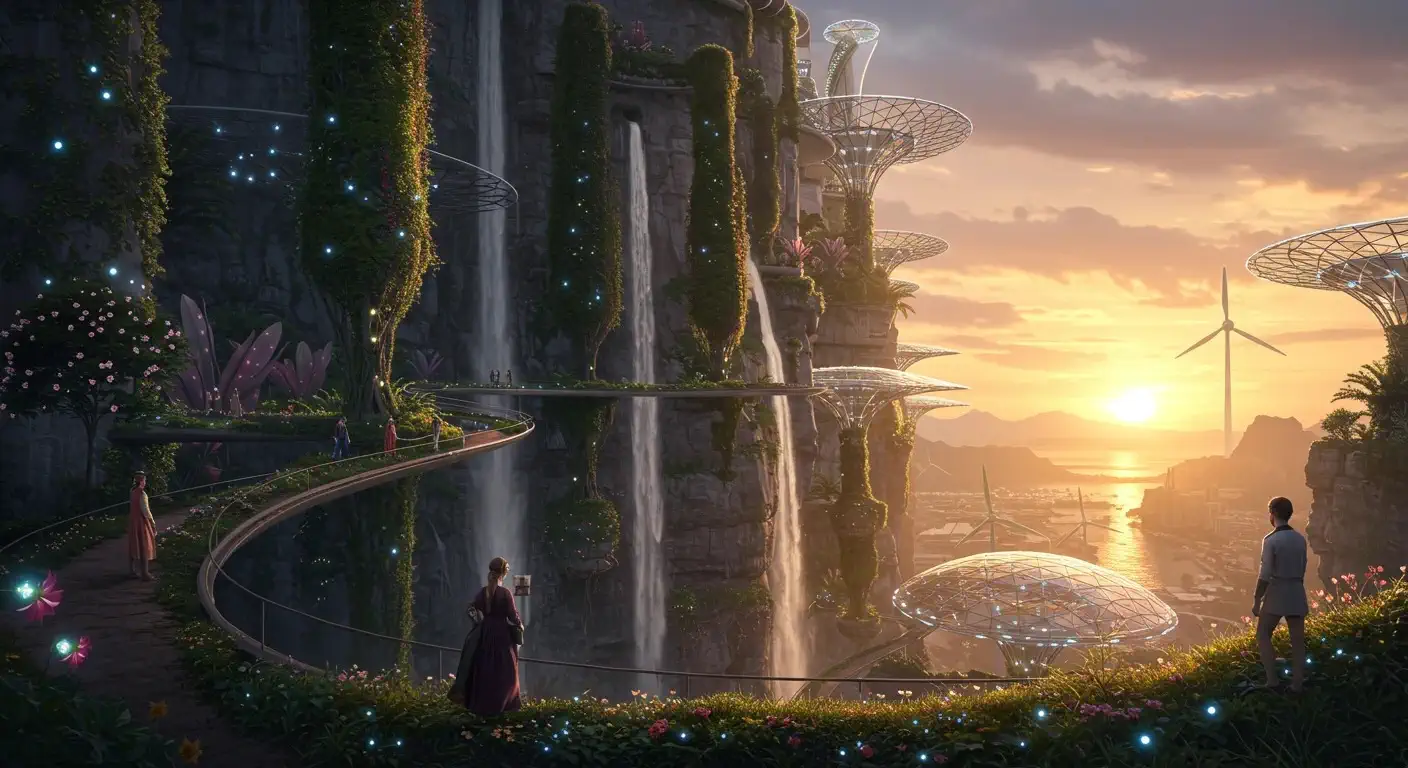
Prompt: A futuristic city built into a vertical cliffside covered with hanging gardens, cascading waterfalls, and solar glass domes. The city integrates nature and technology: skybridges made of transparent material, wind turbines shaped like flowers, bioluminescent plants glowing along the paths. Sunset lighting, warm and surreal. Style: hyper-detailed matte painting, cinematic. -ar 16:9
Imagen 3 Fast – A simplified, fast version
Imagen 3 Fast is built for situations where speed matters.
- Faster generation: This version runs noticeably faster than the standard Imagen 3.
- For quick iterations: Well suited for creating draft variants, quickly testing ideas and concepts when you don't need final high quality (though the generation quality is still high!).
Example generation:
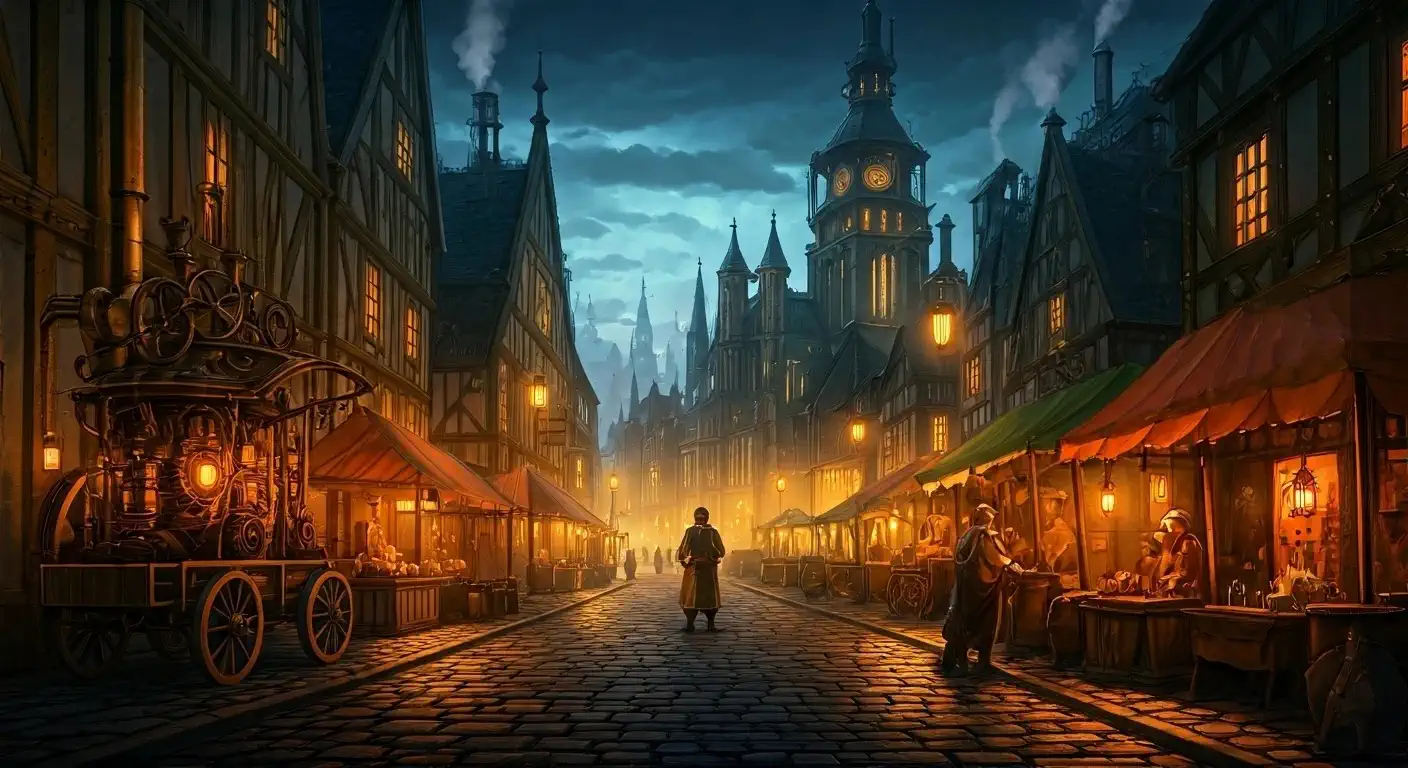
Prompt: A medieval steampunk market square at twilight, filled with brass machinery, gear-driven carts, and merchants in leather aprons. A towering cathedral with pipes and rotating clock mechanisms looms in the background. Steam rises from vents in the cobblestone streets. Atmosphere is dense with fog and warm lantern light. Style: painterly, richly textured, low saturation. -ar 16:9
Imagen 4 – The most powerful model
Imagen 4 is the most advanced model in the lineup, built for tasks that require very high image quality.
- Improved photorealism: Delivers a high level of realism, allowing you to create images close to photographs.
- Complex scenes and detail: Handles generating complex scenes with many objects and a high degree of detail well.
- Legible text: Has the ability to fit text into images cleanly and clearly.
- For production-ready graphics: Can be used to create covers, commercial visuals, portfolio elements, and other projects that require high image quality.
Example generation:
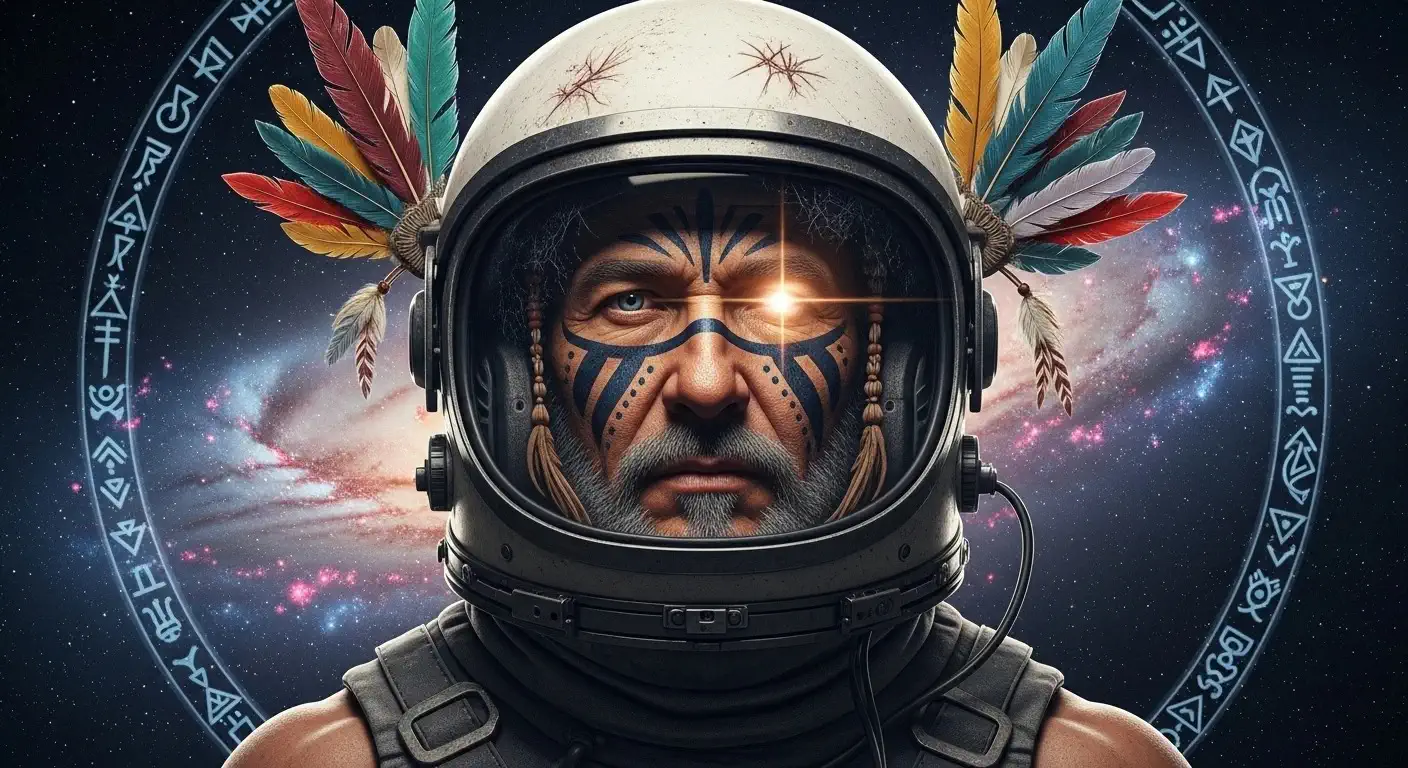
Prompt: A hyperrealistic portrait of a shaman-astronaut, blending tribal face paint and ceremonial feathers with a scratched, vintage space helmet. The background is a galaxy nebula with floating spirit animals and tribal symbols forming constellations. One eye glows with starlight. High detail, dramatic lighting from below, cinematic realism.
Where can you try the Imagen models?
All three versions – Imagen 3, Imagen 3 Fast, and Imagen 4 – are available in Creative Lab on the GPTunneL platform. You can test and compare the models to choose the best tool for your tasks.