
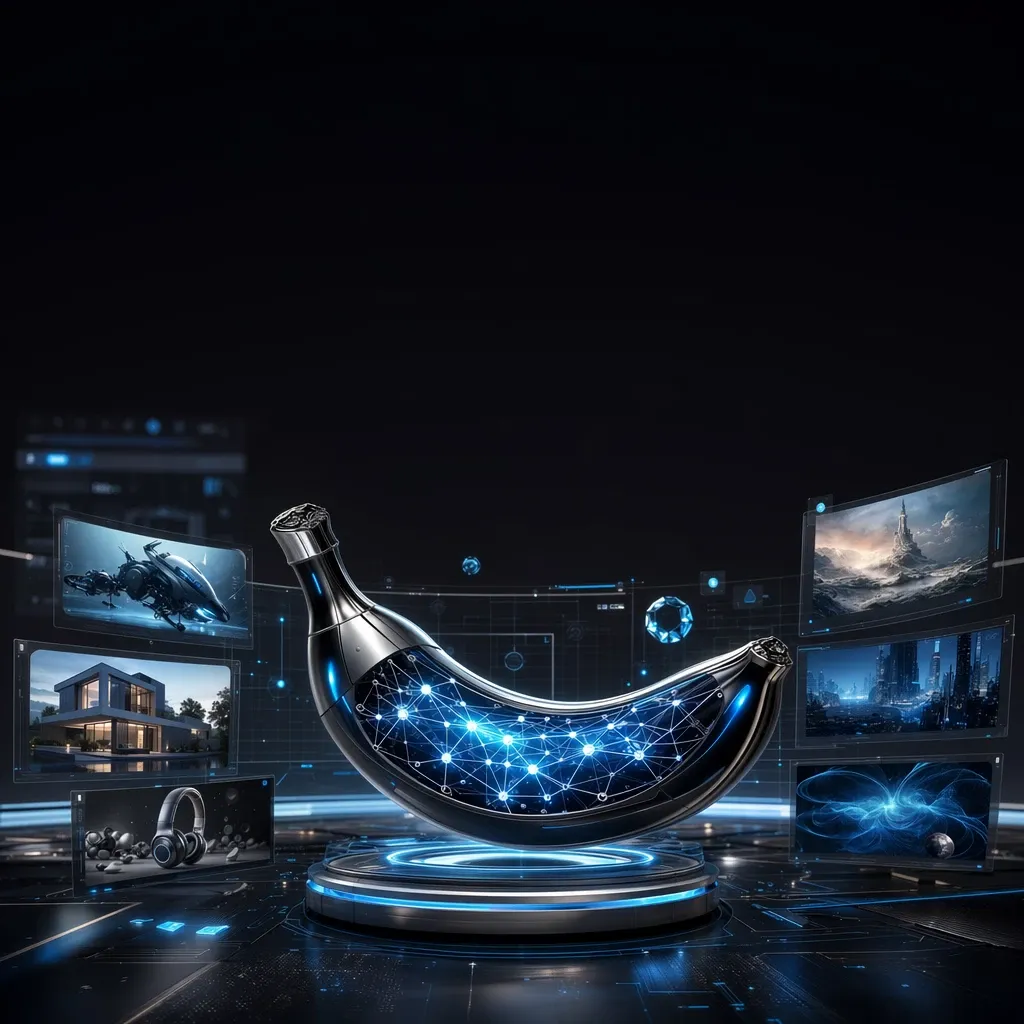
Over the past year, image generation tools have become noticeably more accurate. While older neural networks often got details wrong, struggled with text inside images, and required dozens of retries, newer models handle these tasks far better. One of the most talked-about releases is Google's Nano Banana Pro — an updated model focused on creating and editing highly detailed images.
Compared to earlier solutions, the model better understands long text prompts, preserves composition more carefully, processes photos more precisely, and delivers quality images for both commercial and creative projects. As a result, Nano Banana Pro is useful not only for designers but also for marketers, online store owners, game developers, content creators, and anyone who regularly works with graphics.
In this article we'll break down what Nano Banana Pro is, what new features it brings, how it differs from Nano Banana, where it performs best, and whether it's worth using in everyday work.
What Nano Banana Pro is
How the model got its name
The name Nano Banana quickly became popular among users, even though the model itself is built on Google's latest image generation technology and belongs to the Gemini family.
The unofficial name caught on thanks to the user community, who began actively sharing generation examples and comparing the model to other AI solutions.
While developing the new version, Google focused on image quality, understanding of long prompts, more precise editing, and better handling of text inside images. As a result, the model has become significantly more convenient both for everyday tasks and for professional use.
How Nano Banana Pro differs from Nano Banana
Despite the similar name, the differences between the models become obvious after the first few generations.
The regular Nano Banana is built for quick image creation and simple tasks. It works well for everyday use when speed matters most.
Nano Banana Pro focuses on quality. The model understands long prompts better, handles perspective more carefully, preserves fine details more reliably, and follows complex user instructions far more precisely. The difference is especially noticeable when creating ad creatives, concept art, product cards, and scenes with many objects.
Another advantage is higher-quality image editing. The model can modify individual elements of a scene without breaking the overall style and composition.
What tasks the model is built for
Nano Banana Pro is suited for practically any task involving image generation and editing.
It can be used to:
- create illustrations;
- design ad banners;
- build presentations;
- prepare product cards;
- create concept art;
- generate images for social media;
- edit photos;
- visualize ideas and prototypes.
One of the model's strengths is understanding complex text prompts. Users can describe a future scene in detail — style, lighting, materials, object placement, and other specifics — and the model will try to reproduce the description as accurately as possible.
New capabilities in Nano Banana Pro
This update can't be called a minor improvement over the previous version. Google reworked the model's core mechanisms, boosting generation quality, improving understanding of complex prompts, and adding new editing capabilities.
More precise text-to-image generation
One of the most noticeable improvements is how the model handles long prompts.
While earlier models could ignore certain details in a description or simplify the composition, Nano Banana Pro accounts for all elements of a request far more reliably.
For example, you can describe a modern apartment in detail, specifying the interior style, furniture materials, evening lighting, color palette, weather outside the window, and object placement. In most cases the model will preserve all the key details.
It also handles a wide range of artistic styles confidently: photorealism, digital painting, anime, watercolor, comics, pixel art, and 3D rendering.
Improved image editing
Another important change concerns working with existing images.
The model can now make targeted edits to individual elements without rebuilding the entire scene.
For example, you can:
- replace the background;
- remove unwanted objects;
- change a person's clothing;
- add new objects;
- change a car's color;
- adjust the lighting;
- extend the image boundaries;
- change the mood of a scene or simulate a different time of day.
Throughout all this, Nano Banana Pro tries to preserve the overall image style, perspective, and natural lighting.
Handling complex prompts
Until recently, long prompts were a weak point for most image generators.
In Nano Banana Pro, this problem is much less noticeable.
Users can now describe composition, style, materials, lighting, object placement, camera type, artistic direction, and additional effects all at once. The more detailed the prompt, the higher the chance of getting a quality result on the very first generation.
Higher level of detail
The quality of fine details deserves special attention.
The model does a noticeably better job with:
- faces;
- hands;
- architecture;
- vehicles;
- clothing;
- material textures;
- natural objects;
- product photography.
There are fewer artifacts, and images look more realistic even with complex compositions.
Nano Banana Pro also supports high-resolution image generation.
Depending on the service used, generation up to 4K is available, which lets you use the result not only online but also for presentations, print materials, and advertising.
What Nano Banana Pro can do in practice
Technical specs help outline the model's capabilities, but they really shine on real tasks. Nano Banana Pro is suited not just for experiments but for daily work. Thanks to higher-quality generation and precise editing, the model reduces the time needed to create graphics and cuts down on manual processing.
Creating illustrations
One of the most popular use cases is creating unique images for websites, blogs, presentations, and social media.
For example, you could use a prompt like this:
Create a futuristic city at night in a digital painting style with neon signs, rain, reflections on wet asphalt, and soft cinematic lighting.
Within seconds the model will offer finished image options. If you need to change specific details, simply adjust the prompt or use the built-in editing features.
Generating logos and brand identity
AI can't yet fully replace a professional designer, but Nano Banana Pro is great for exploring ideas.
The model helps quickly create several logo concepts, pick a color palette, fonts, design style, and various composition options. This approach is especially convenient for startups, small businesses, and solo entrepreneurs who need to quickly evaluate different ideas before starting full brand identity development.
Preparing product cards
Another popular use case involves e-commerce.
For example, a seller can upload a product photo and ask the model to replace the background, add nice lighting, or place the object in a realistic scene.
This makes it possible to prepare:
- product cards;
- promotional images;
- seasonal banners;
- images for marketplaces;
- graphics for online stores.
This approach helps make a product more appealing without an expensive photoshoot.
Creating ad materials
Marketers can use Nano Banana Pro to prepare large volumes of visual content.
The model is suited for creating:
- banners;
- article covers;
- ad creatives;
- images for social media;
- presentations;
- illustrations for landing pages.
One advantage is better handling of short text elements inside images. While final proofreading of layouts is still worth doing manually, the number of errors has dropped significantly.
Concept art and character design
Game developers, artists, and 3D specialists can use Nano Banana Pro to explore visual ideas.
For example, you could describe a character like this:
A young space explorer in a dark blue spacesuit, silver backpack, expedition emblem on the chest, cinematic lighting, sci-fi style.
The model will create several concept variations that can be used as a foundation for further work.
Editing photos
Smart image editing remains one of Nano Banana Pro's strengths.
The model can:
- remove unwanted objects;
- change the background;
- adjust the lighting;
- add new elements;
- extend the image boundaries;
- change the color of individual objects;
- improve photo quality.
For example, if a photo has too many passersby in it, the model can remove them and restore the background so the image looks as natural as possible.
Nano Banana Pro versus other Google models
After the new version launched, users began actively comparing Nano Banana Pro with other Google tools for working with images and text.
Nano Banana vs Nano Banana Pro
The main difference between the models lies in output quality.
The regular Nano Banana works well for quick everyday tasks, when you need to create an image or make a simple edit fast.
Nano Banana Pro is built for more complex projects. It understands long instructions better, preserves details more carefully, handles complex compositions more confidently, and delivers more consistent generation quality.
If you need the highest possible quality with the fewest retries, the Pro version is the better choice.
Nano Banana Pro and Gemini
Even though both models belong to Google's ecosystem, they solve different problems.
Gemini is primarily built for working with text, coding, information analysis, data search, and general intelligent tasks. Image generation is part of a broader multimodal platform.
Nano Banana Pro specializes specifically in creating and editing images. It handles artistic styles, complex compositions, photo processing, and quality graphics generation from detailed descriptions better.
In practice, these models don't compete with each other — they complement each other. Gemini helps develop an idea, script, or text, while Nano Banana Pro turns a description into a finished image.
When to choose Nano Banana Pro
If you just need to quickly create a simple illustration, almost any modern image generator will do.
However, Nano Banana Pro really shines in situations where the following matter:
- high level of detail;
- precise prompt adherence;
- consistent style across images;
- quality photo editing;
- creating commercial images;
- working with complex scenes.
These are exactly the tasks where the new model's advantages stand out the most.
How to use Nano Banana Pro
Even though the interface is fairly simple, the quality of the result largely depends on how the prompt is written. Even small changes in the description can noticeably affect the final image.
Through Google's services
The main way to use Nano Banana Pro is through Google's services, which are gradually rolling out new image generation features. Depending on region, account type, and plan, users may have access to a different set of features.
Working with the model is straightforward. Users enter a text description of the desired image or upload a photo for editing, and the neural network generates the result. If needed, the result can be refined with additional prompts, gradually improving the image.
This approach lets you get the result you need without using complex graphic editors.
What limitations exist
Despite the notable progress, Nano Banana Pro has a number of limitations.
First, generation quality directly depends on the prompt. If the description is too short or ambiguous, the model may interpret it differently than the user expected.
Second, Google uses built-in safety mechanisms. Certain categories of requests may be restricted or blocked entirely if the system considers them a potential violation of the service's usage policy.
Additionally, the availability of certain features depends on region and expands gradually. New capabilities often roll out to users in stages.
Free access and paid features
You can try Nano Banana Pro for free, though the range of available features depends on the chosen service and plan.
For regular image work, especially with a high volume of generations, there may be limits on the number of requests, processing speed, or available features.
If you need to work with several modern AI models at once, GPTunneL can be a convenient solution. The service brings popular neural networks together in a single interface, so you can quickly switch between different models without setting up separate subscriptions. This option is especially convenient for people who use tools for image generation, text writing, coding, and other tasks at the same time.
Examples of effective prompts
Even the most powerful model performs best when the prompt is detailed. Instead of a few words, it's better to describe the composition, style, lighting, materials, and other details of the future image.
For designers
For example, you could use a prompt like this:
Create the interior of a modern living room in Scandinavian style with wooden furniture, panoramic windows, warm evening lighting, houseplants, and realistic material textures.
A prompt like this produces an image that closely matches the intended result.
For marketers
When creating ad materials, you could use a description like:
Create an ad banner for wireless headphones on a dark background with soft blue backlighting, a modern minimalist design, and space for ad copy.
Images like these work well for websites, online stores, and social media.
For online stores
Store owners can use the model to create appealing product cards.
For example:
Place a travel thermos against a backdrop of snow-capped mountains at sunrise, add warm sunlight, light fog, and realistic reflections on the metal surface.
Images like this look far more appealing than standard product photography.
For bloggers
Content creators can quickly generate unique covers for articles and posts.
For example:
Create a vivid illustration for an article about traveling in Japan featuring blooming cherry blossoms, a modern train, evening Tokyo, and cinematic lighting.
For game development
When working on game projects, Nano Banana Pro is convenient for generating concept art.
Example prompt:
Draw a sci-fi space station orbiting an unknown planet, featuring multiple landing platforms, a blue reactor glow, and a realistic space environment.
Images like these can serve as a foundation for further work on characters, locations, and in-game objects.
Advantages of Nano Banana Pro
The model's main advantage is the combination of high generation quality and ease of use. Even users with no experience in graphic editors can produce images suited for publishing, presentations, or commercial projects.
Key strengths include:
- quality generation from long text prompts;
- precise editing of individual image elements;
- good detail on objects;
- natural rendering of light, materials, and textures;
- support for high-resolution images;
- consistent style across sequential edits;
- convenient handling of various artistic styles.
Another advantage is the model's versatility. It works equally well for designers, marketers, developers, business owners, and everyday users who need to quickly produce quality graphics.
Limitations of Nano Banana Pro
Despite a large number of improvements, Nano Banana Pro still can't be called a universal solution for every task.
First, it's worth keeping in mind that result quality directly depends on the prompt. The more detailed the description of the future scene, the higher the chance of getting the desired image on the first try. Short or overly general prompts can lead to unexpected results.
Another limitation relates to Google's safety policy. The model automatically filters certain categories of requests, so some images simply can't be created. This applies to specific topics, copyrighted content, and other scenarios that violate the service's usage policy.
Additionally, even the new version sometimes makes small mistakes when generating complex scenes. If an image contains a large number of people, small objects, or unusual structures, certain details may look less refined. In such cases, regenerating the image or slightly adjusting the prompt usually helps.
Regional factors are also worth considering. Some features roll out gradually, so users in different countries may see a different set of capabilities. Free access is also usually accompanied by limits on the number of generations or processing speed.
Practical recommendations
To get the best possible result, don't limit yourself to just a few words in the prompt. The more detail you provide about composition, style, lighting, materials, and object placement, the more precisely Nano Banana Pro understands the task.
If you're just getting started with the model, first test simple scenarios: creating illustrations, replacing a background, or making small photo edits. After that, you can move on to more complex tasks, such as designing ad banners, product cards, or concept art.
When working on commercial projects, it helps to follow a few recommendations:
- describe the future scene in detail;
- specify the artistic style;
- define the type of lighting;
- clarify the color palette;
- describe object placement;
- edit the image step by step when needed.
This approach leads to more consistent results and reduces the number of repeat generations.
Another useful tip — save successful prompts. If a certain style or composition worked well, you can reuse it as a foundation for future projects, changing only specific details.
Where to try Nano Banana Pro
Official access to Nano Banana Pro is provided through Google's services, which are gradually integrating new image generation capabilities. Depending on region and account type, users may have access to a different set of features, and some capabilities roll out in stages.
If you regularly work with AI, it's more convenient to use a platform that brings several modern models together in one place. GPTunneL is one such solution. The service lets you work with popular AI tools through a single interface, so there's no need to sign up for multiple services or manage separate subscriptions.
This is especially convenient for people who use neural networks for image generation, writing, coding, document processing, and other tasks at the same time. Instead of constantly switching between different platforms, all the tools you need are available in one place.
Conclusion
Nano Banana Pro marks a major step forward for Google's image generation and editing tools. The new model understands long text prompts better, preserves composition more carefully, handles details with higher quality, and delivers images faster — suitable for both personal and commercial projects.
The most notable advantages show up when creating ad materials, product cards, illustrations, concept art, and other complex images where precision, detail, and the ability to make further edits matter most. Thanks to improved prompt understanding, users need less time to find the right wording, and the result becomes more predictable.
That said, it's important to remember that even the most advanced neural network remains a tool whose effectiveness largely depends on the quality of the prompt. The more precisely the task is described, the higher the chance of getting the desired image on the very first generation.
If you plan to use AI regularly for work or creative projects, it's worth testing Nano Banana Pro on your own projects and comparing it with other modern models. This will help you find the tool best suited to your needs. And if you need access to several popular neural networks at once without setting up separate subscriptions, GPTunneL is a convenient solution that brings different AI models together in one service.