
Midjourney is a flagship among AI models that create images from text. It's been trained on a huge number of images and has more advanced models than its competitors DALLE-2, Stable Diffusion, and others.
A model is a set of mathematical data collected during the neural network's training stage. Midjourney doesn't create images by collaging others together — it generates them using these models built during training.
In this first part, we'll break down how a prompt is formed, try creating something, and then look at a selection of cheat codes that might come in handy.
Where to start?
Here are 3 steps to start creating images with Midjourney v5.2:
- Sign up on the website, where we'll be creating our masterpieces
- Select Midjourney at the very top of the screen
- Read the article and try it yourself!
How do beginners act?
Beginners usually use short and unthought-out prompts, like: "Cowboy in a tuxedo on the moon." Here's what comes out:
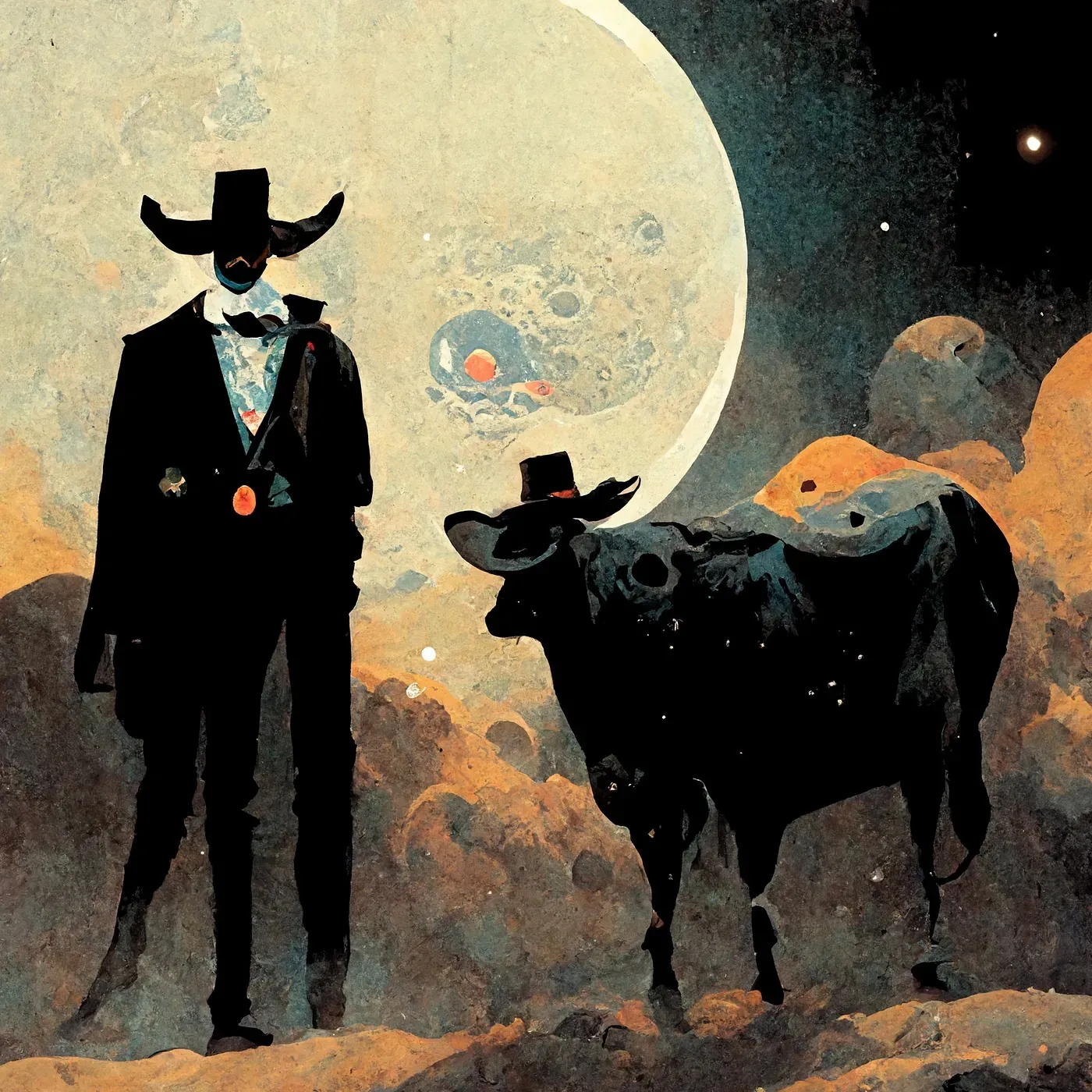
A beginner's generation for the prompt "Cowboy in a tuxedo on the moon"
Not bad already. You could even think it's a painting by a famous artist, but it's unlikely the user wanted the cowboy to have a third leg and everything done in watercolor.
Many beginners also think Midjourney can touch up their crisp iPhone photos, enlarge a bust, or give someone a nice hairstyle, but unfortunately it can't do that. Let's move on.
You've probably already heard that to create quality images, you need to describe what you want as precisely as possible. However, it's not that simple — some words in the text can only confuse Midjourney, while others are essential to include in the prompt. That's exactly what we'll talk about today.
We'll write all prompts in English, since Midjourney only understands that language. Though on gptunnel.ru you can write in your own language too — ChatGPT will translate your prompt on the fly and pass it to Midjourney.
What a prompt consists of
- Concept
- Keywords
- Parameters
The first thing you need is to write a description of what we want to see. Here's an example: "Girl taking a bath in a cap of ice cream."
Then, separated by commas, we add keywords: "milk style, cute, ultra realistic, pink colors, 8K"
milk style — adds a milky style (we'll cover different styles later) cute — adds cuteness ultra realistic — adds realism pink colors — tells it pink tones should dominate the photo 8K — magic letters meant to improve the result (this keyword has nothing to do with actual photo resolution)
At the end of the prompt we add parameters "--ar 7:4 --v 5.2" to set the aspect ratio to 7:4 and use version 5.2. Here's what we got:
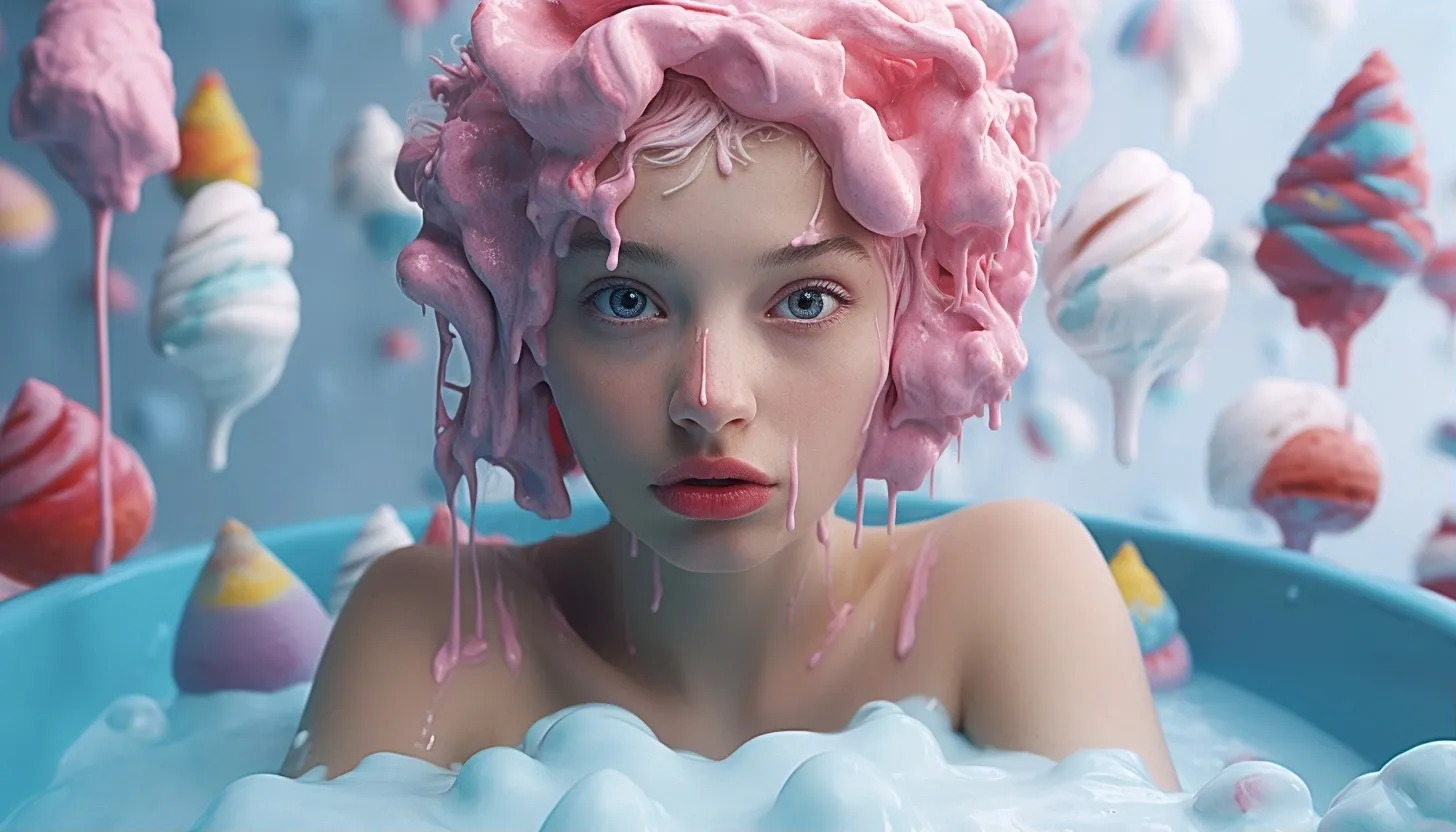
Girl taking a bath in a cap of ice cream, milk ice cream style, ultra realistic, bright colors, 8K --ar 7:4 --v 5.2
Oops — we forgot to specify a mood, alright, next time we'll ask for the girl to look happy :)
Style
To achieve the best results, we can use various styles by specifying keywords such as:
vibrance colors — powerful keywords to make the image vibrant and colorful ultra realistic — makes the photo realistic cinematic lighting — gives it cinematic lighting cyberpunk styles — makes the photo look cyberpunk golden sunlight — gives the photo soft, warm sunlight draw — makes the photo look hand-drawn cartoon — makes the image cartoonish pixar style — makes the image look like _Pixar _no background — makes the background uniform (you can set a color, e.g. black background) neon — creates a photo where object outlines are highlighted with neon, producing a glow effect
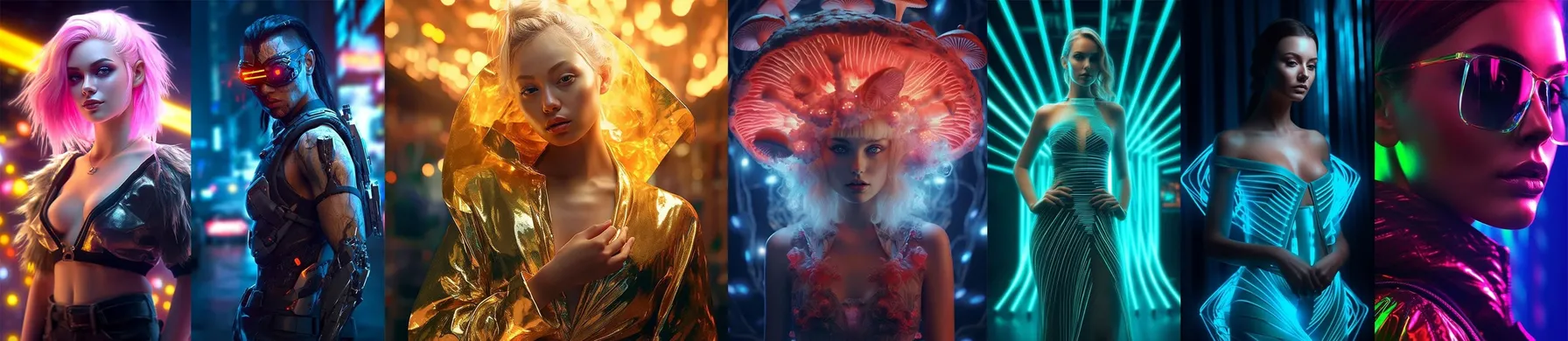
A series of photos created by Midjourney V5.1 using the styles neon, cyberpunk, sunlight, blur
Useful "cheat codes"
Da Vinci: Specify an author or photographer in the prompt
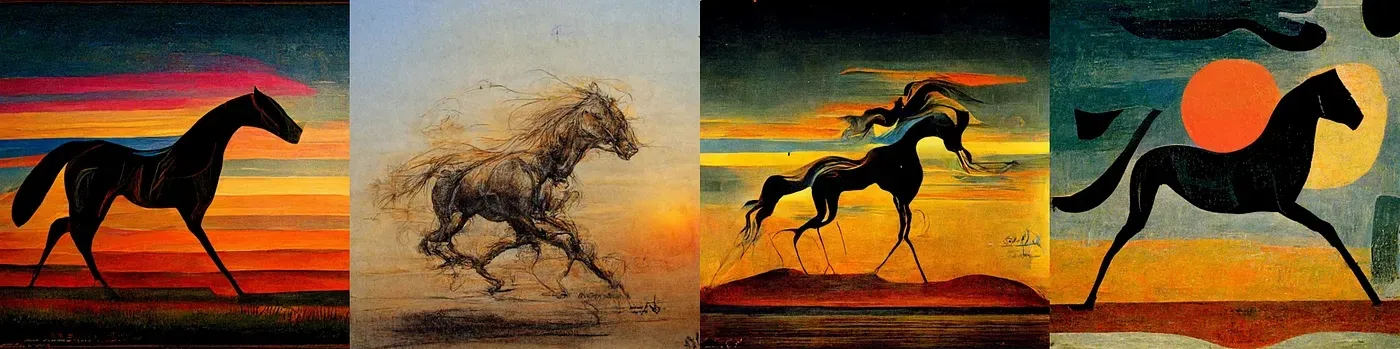
(1) Andy Warhol (2) Da Vinci (3) Salvador Dali (4) Picasso
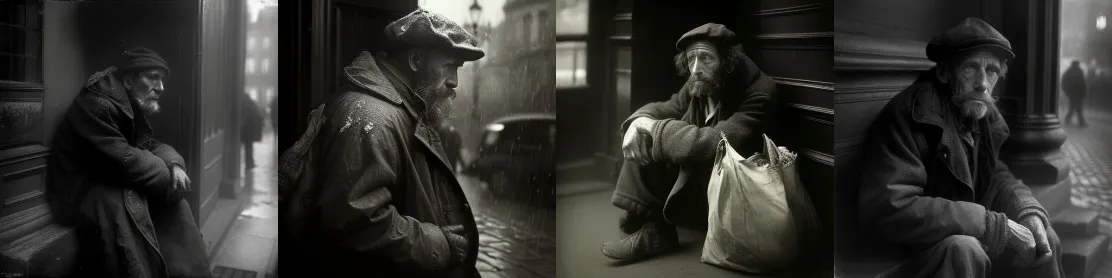
A homeless man in gloomy London by Josef Sudek
Camera and lens: Specify a lens to get a photo effect
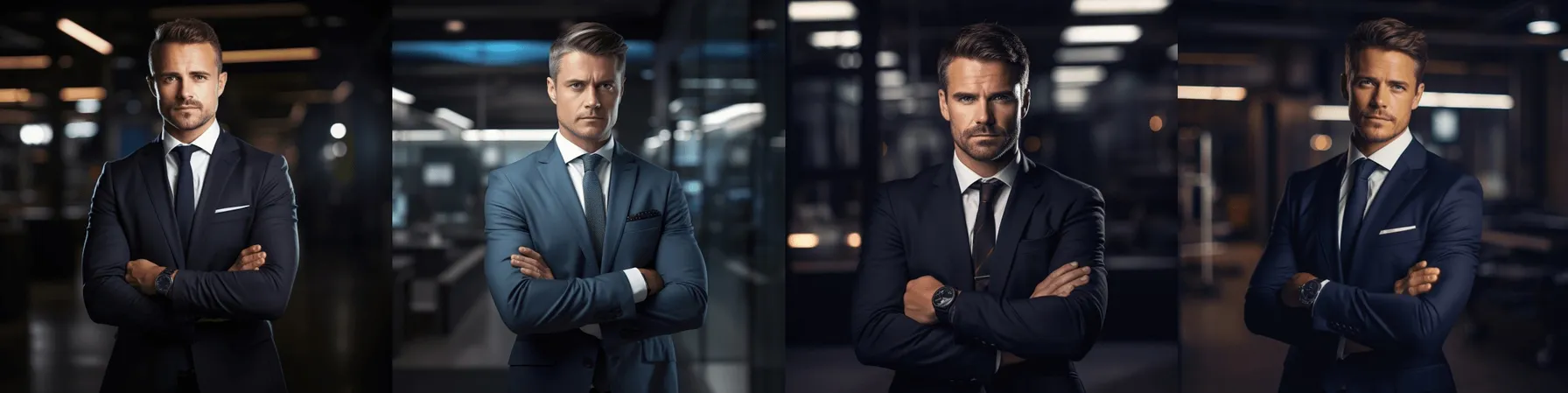
successful man in suit with arms crossed, business environment real photography style, Nikon D850 and 35mm f/1.8 lens, accent lighting, global illumination
Retrowave OR Synthwave: Retro or synth wave
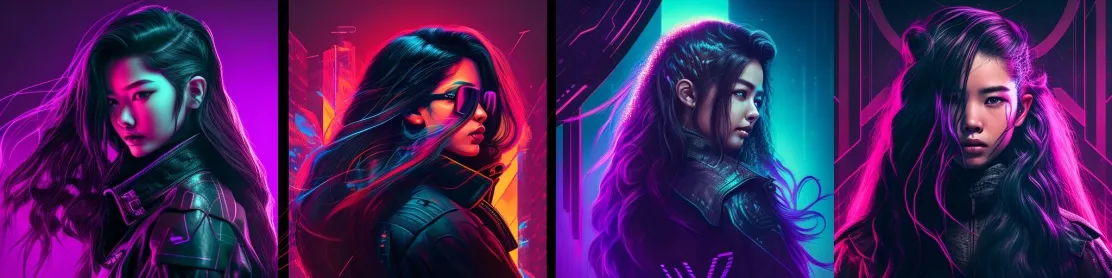
Prompt: An Asian woman with long hair, synthwave, — ar 1:1
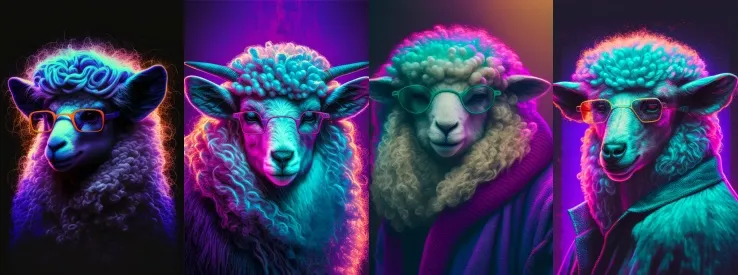
Prompt: A retrowave portrait of a sheep with glasses, — ar 2:3

Prompt: An ape wearing a hoodie, looking into the camera, city in flame behind him, retrowave, — ar 3:2
Watercolor sketch: Creates a watercolor sketch
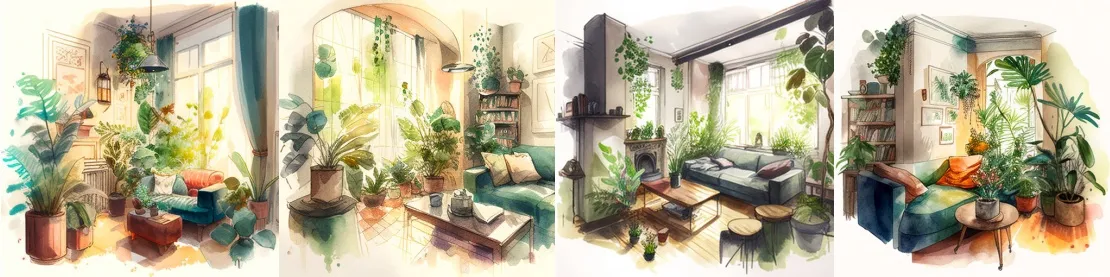
Prompt: Watercolor sketch of a living room with lots of plants
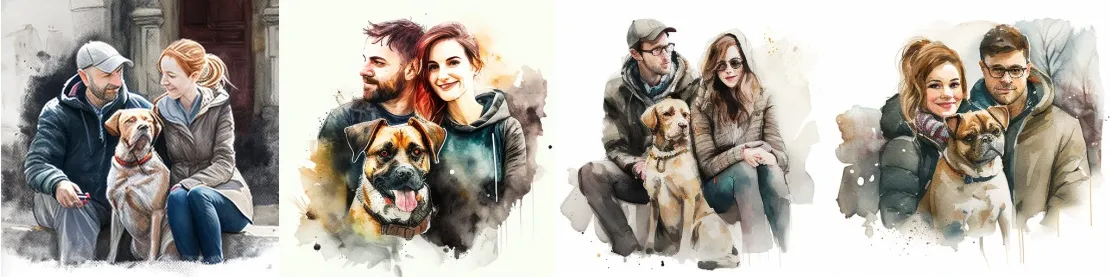
Prompt: A couple with a dog in watercolor sketch
Paper quilling: Creates a paper craft image
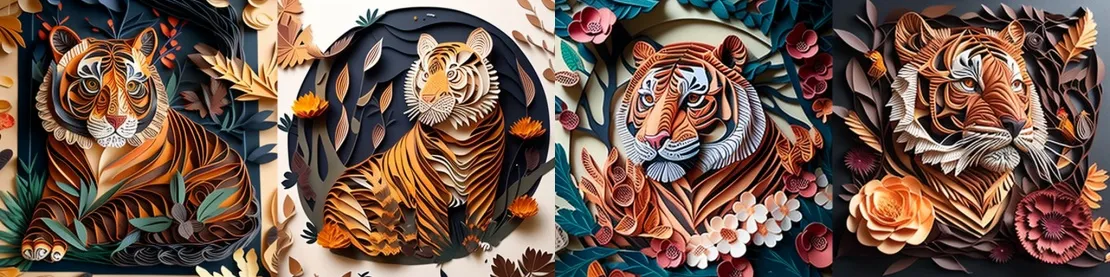
Prompt: Tiger with leaves and flowers, paper quilling
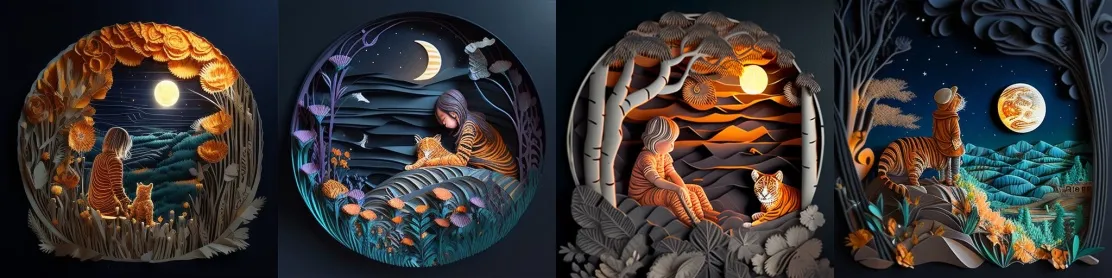
Prompt: Paper quilling, a tiger and a little girl, night mountains, very detailed
In the style of Charley Harper: In the style of Charley Harper
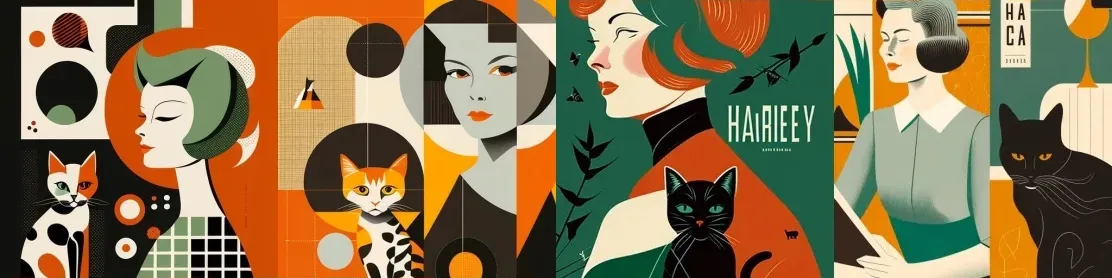
Prompt: An old poster with a woman and a cat, in the style of Charley Harper
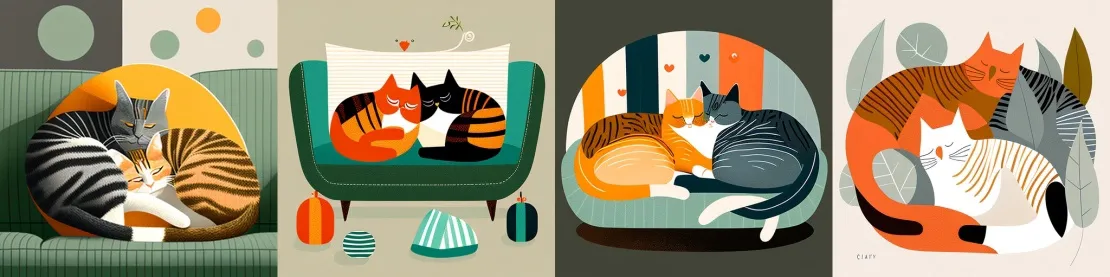
Prompt: 2 cats snuggling with each other on the sofa, in the style of Charley Harper
DuoTone: Creates images from 2 colors
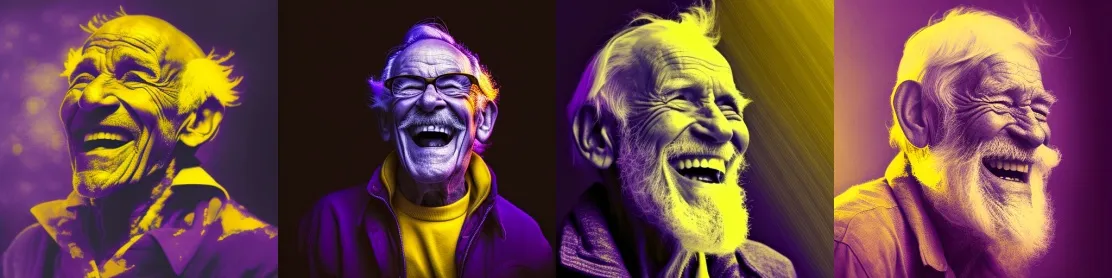
Prompt: Duotone portrait of a laughing old man, purple and yellow
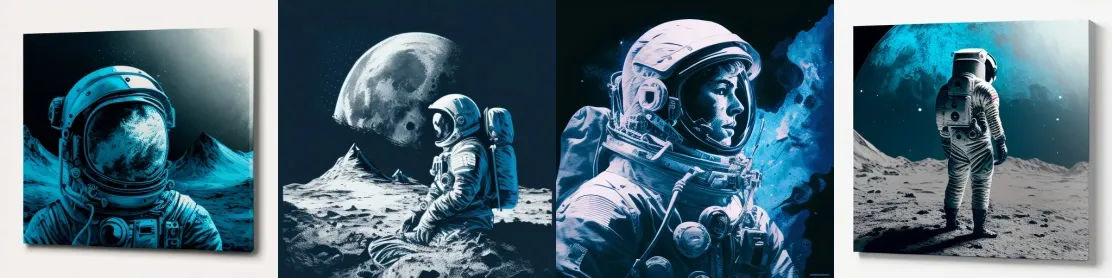
Prompt: First man on the moon, duotone, blue and grey
Diagramatic drawing: A mix of blueprints and diagrams
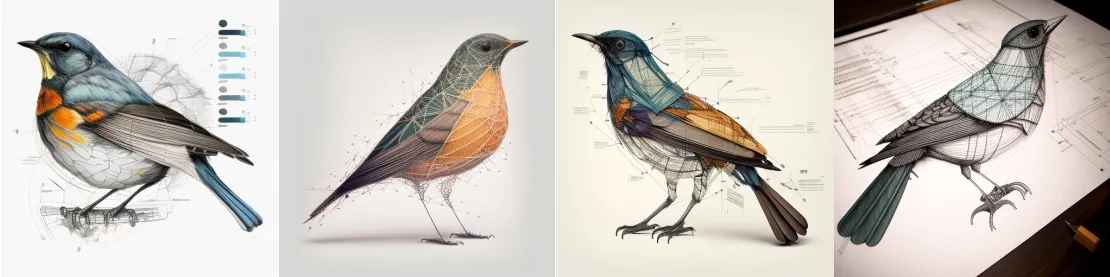
Prompt: A diagramatic drawing of a bird
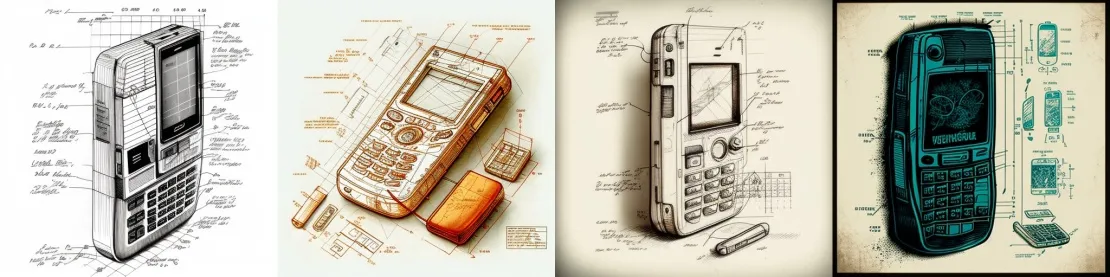
Prompt: A old cell phone, diagramatic drawing
Double exposure_:_ Specifying double exposure can give an interesting result
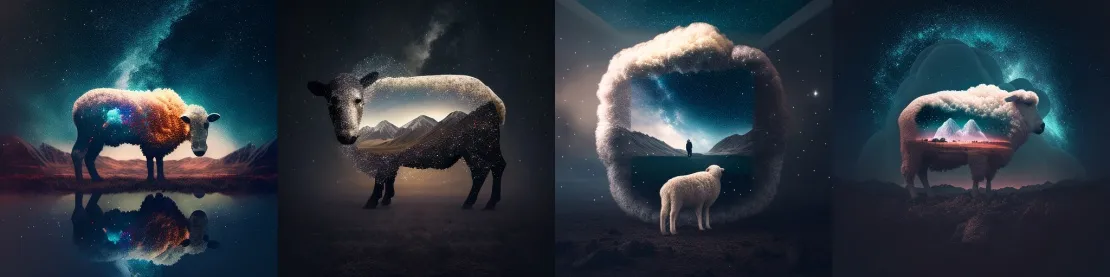
Prompt: Double exposure of landscape and a sheep
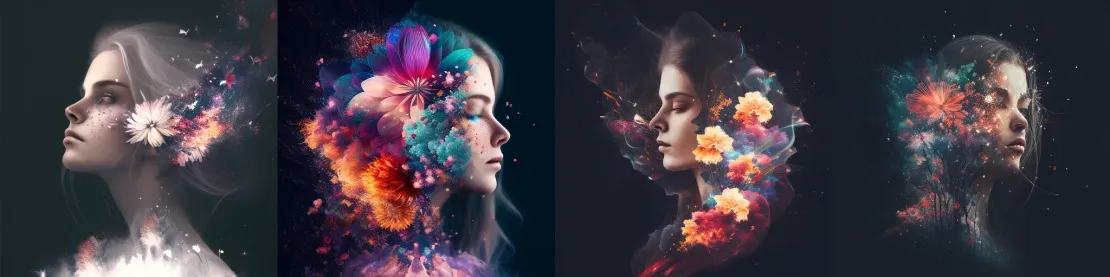
Prompt: A beautiful woman, flowers and firework, double exposure
Typography art: Art built from typography
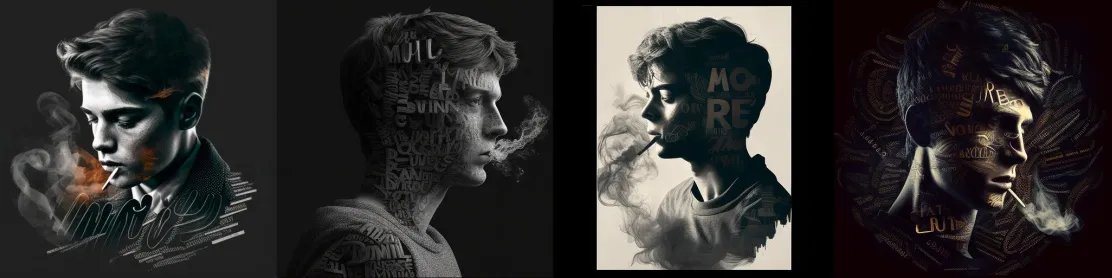
Prompt: A smoking young man, typography art
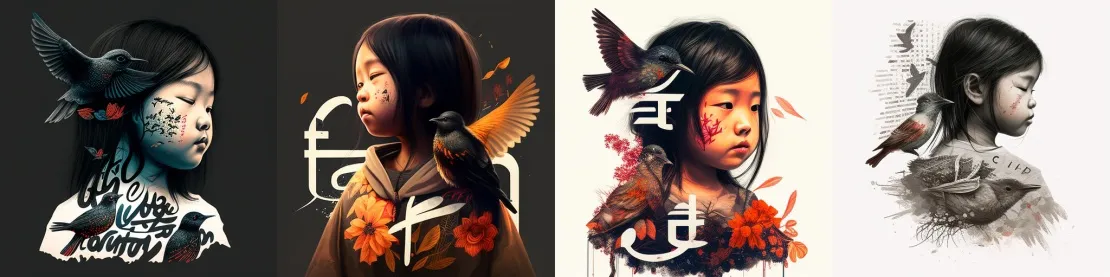
Prompt: Typography art of an asian young girl with birds
😎**:** Emoji in a prompt can give a relevant result
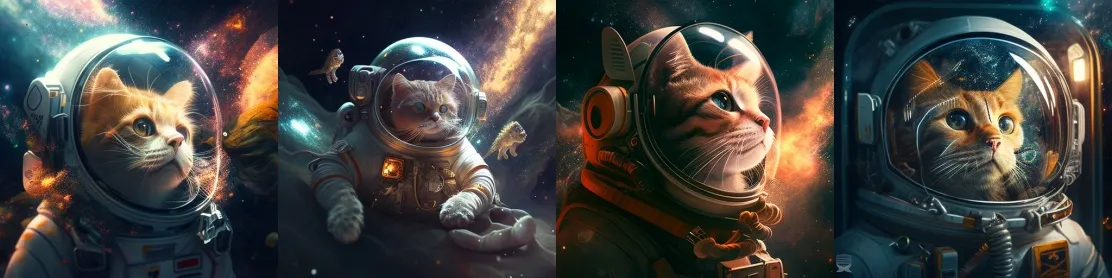
Prompt: 🚀😻
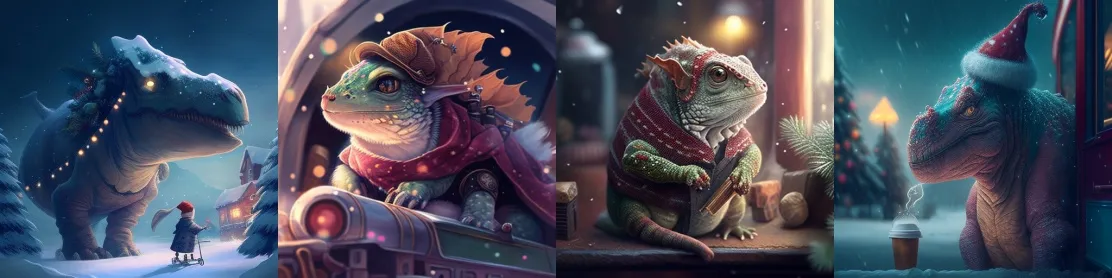
Prompt: 🐲🧑🏻🎄❄️
Plasticine: A claymation-style image
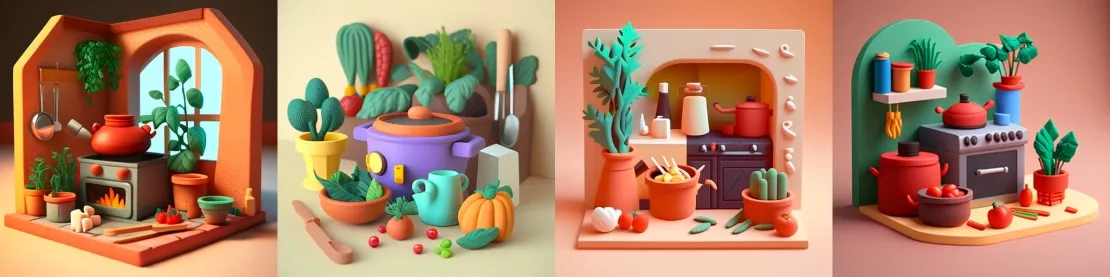
Prompt: Plasticine kitchen with plants, cooking pots and vegetables
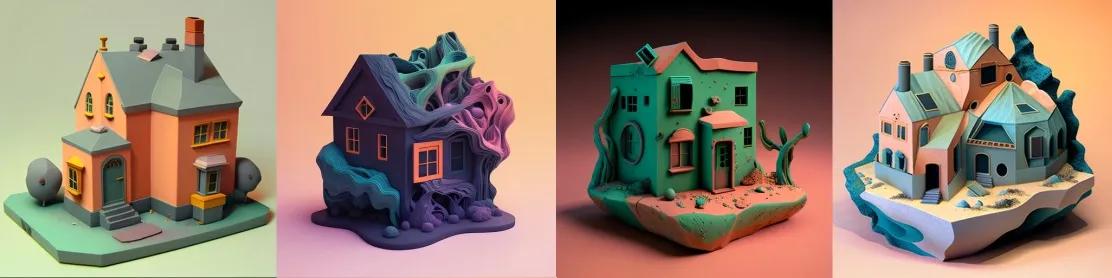
Prompt: A house, plasticine
ASCII art: An image made of ASCII characters
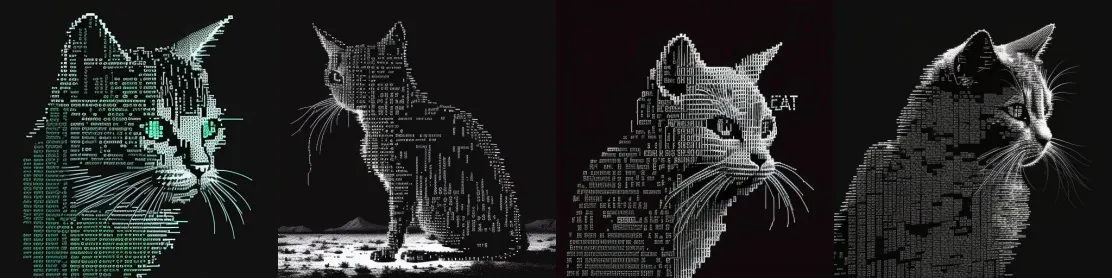
Prompt: A cat, ASCII art
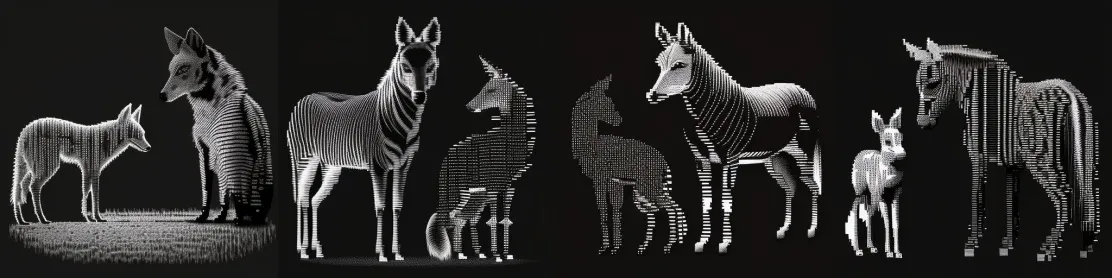
Prompt: A zebra and a fox, ASCII art
Isometric illustration: Isometric illustrations
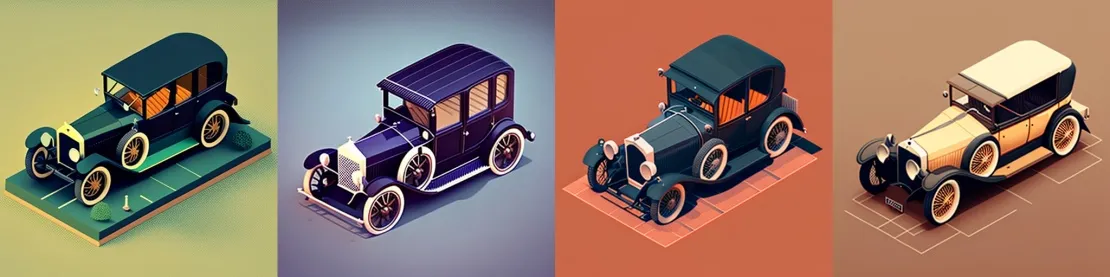
Prompt: Isometric illustration of a car from 1920s
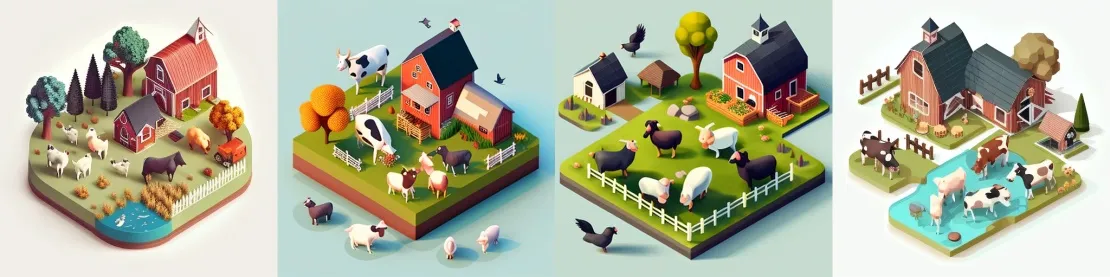
Prompt: A beautiful farm with cows, pigs and chickens, isometric illustration
1990s point and click 16bit adventure game: In the style of an old video game
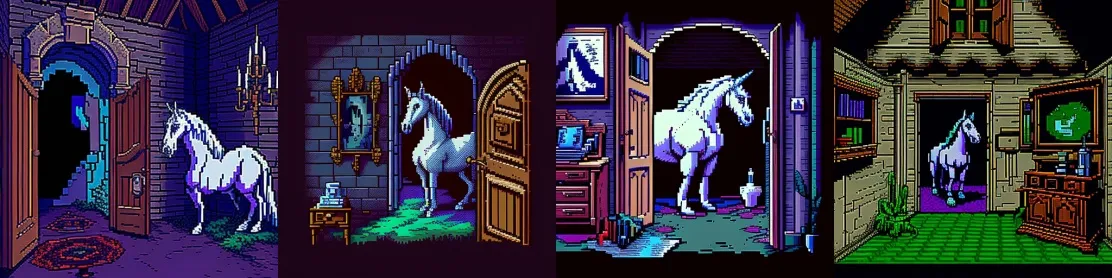
Prompt: A unicorn in a haunted house, 1990s point and click 16bit adventure game, — ar 1:1

Prompt: A tabby cat in the space, 1990s point and click 16bit adventure game, — ar 3:2
32 bit isometric: In 32-bit isometric style
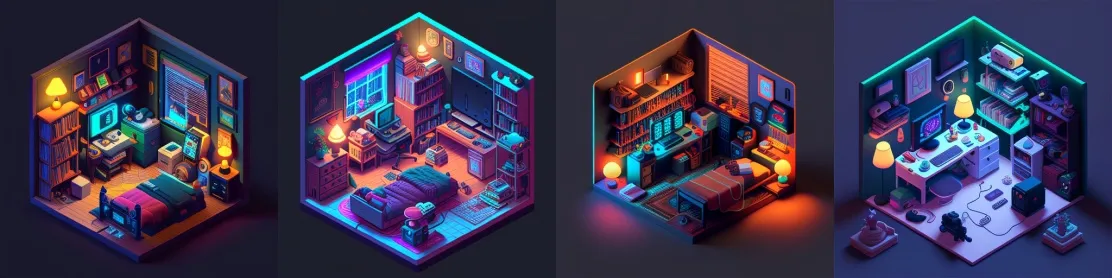
Prompt: A gamer's room with neon lightings, 32 bit isometric
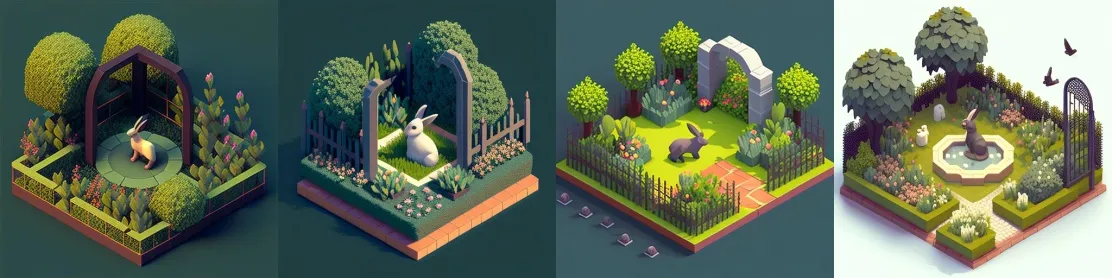
Prompt: a rabbit inside a beautiful garden, 32 bit isometric
Op art: Optical art
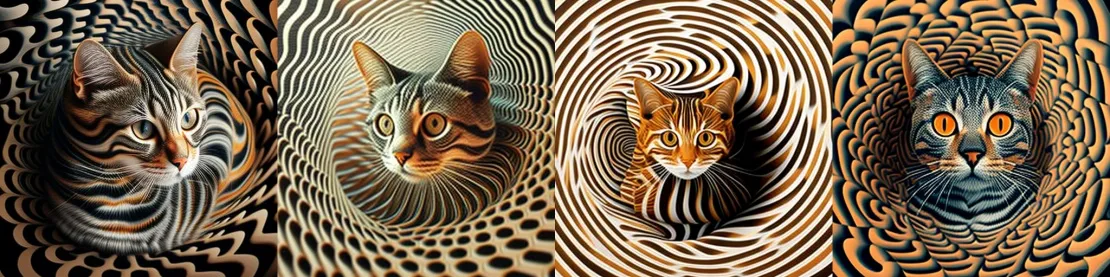
Prompt: Op art portrait of a tabby cat
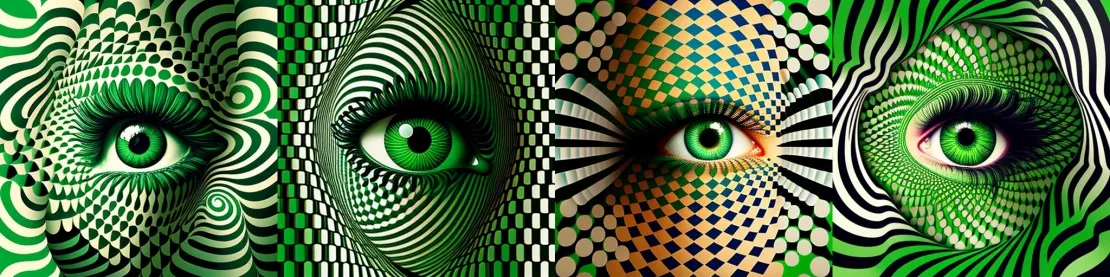
Prompt: Green eye, op art
In this part, we explored various tricks and looked at examples of how to achieve good results. In the next part, we'll discuss the various parameters that can be used in a prompt, along with other important information needed to create real masterpieces.
The second part of the article is > here <
Subscribe so you don't miss our exciting articles!