
Creating a logo with AI takes a couple of minutes today: describe your brand in words — and get dozens of mark variations, plus banners and ad creatives in the same style. An AI logo generator won't replace an experienced brand designer, but it solves the biggest pain of any launch: testing ideas fast and getting working visuals while there's no budget for a studio yet. In this article — a step-by-step process, ready-made prompts, honest generation examples and a breakdown of which AI model is best for logos and which for ad creatives.
How to create a logo with AI: step by step
A logo from a text description isn't "press a button and done". The working process looks like this:
- Define the brand basics. Name, industry, character (strict / friendly / premium), 2–3 colors. Out of ideas? Discuss them with a text model: ask it to suggest visual metaphors and color palettes for your niche.
- Pick the mark type. Abstract minimalism, a letter monogram, a badge emblem or a mascot character — the prompt depends on it (templates below).
- Generate a series of options. One prompt — 4–8 generations: the model draws differently every time, and the best option is usually not the first one.
- Refine the chosen mark. Editing models can change colors, remove extra details and simplify shapes from a text command — no Photoshop needed.
- Convert to vector and build the kit. You'll need the logo in SVG for print and scaling, plus versions for avatars, social media headers and the favicon.
Ready-made logo prompts
A logo prompt follows a formula: mark type + object/metaphor + style + colors + background + no-text rule. Models often garble text inside images, so it's better to add the brand name later in an editor — and write no text, no letters in the prompt. The exception is a monogram: modern models draw a single letter confidently.
Minimalism
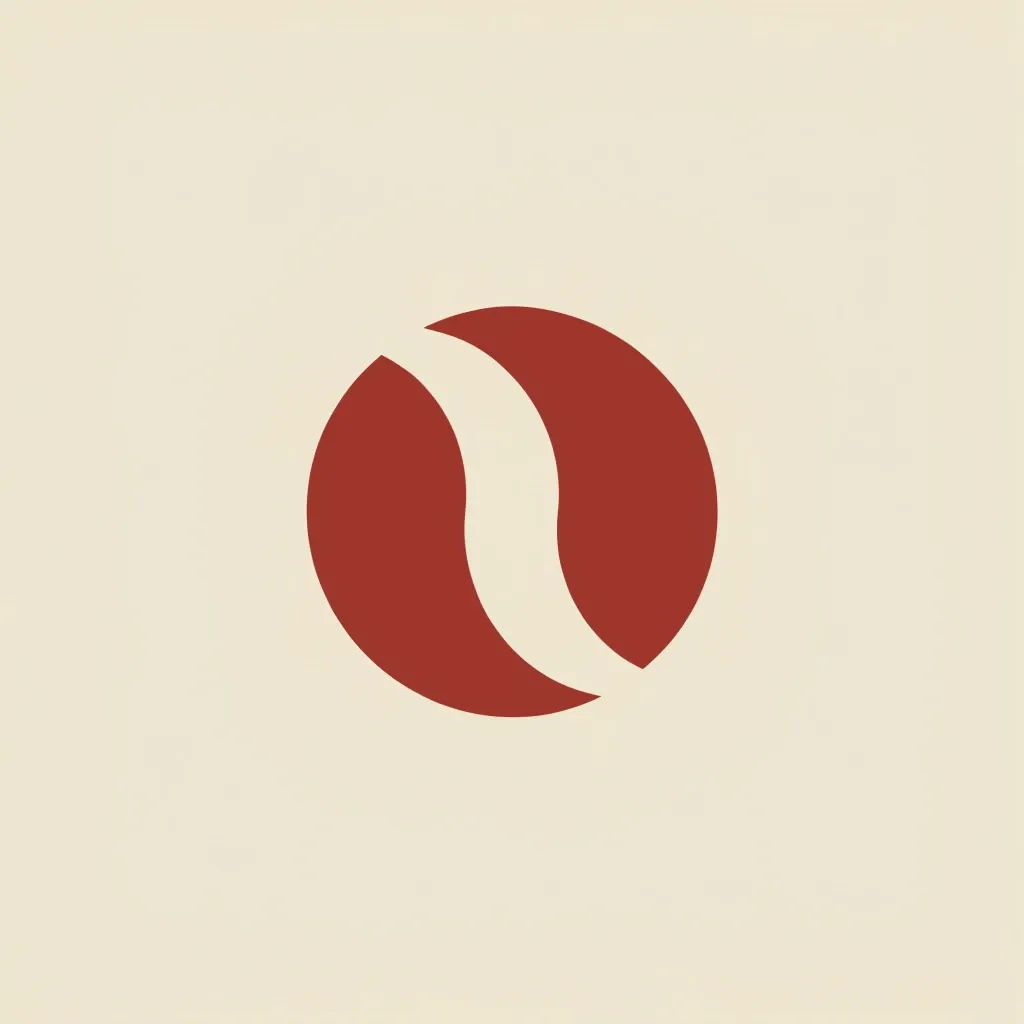
Minimalist geometric logo mark for a specialty coffee brand: abstract coffee bean formed by two interlocking crescent shapes, flat vector style, two colors — deep terracotta mark on cream background, centered, generous negative space, no text, no lettersHere's what Recraft 4.1 produced from this prompt on the first try — no retouching:
Monogram (lettering style)
Elegant letter "M" monogram logo, single letter formed by a continuous ribbon line, luxury serif style, gold gradient on deep charcoal background, centered, minimal, no other text, no wordsEmblem
Round badge emblem logo for a craft bakery: wheat ears and a rolling pin inside a double circle border, vintage stamp style, flat vector, two colors — warm brown on ivory, symmetrical composition, no text, no lettersMascot
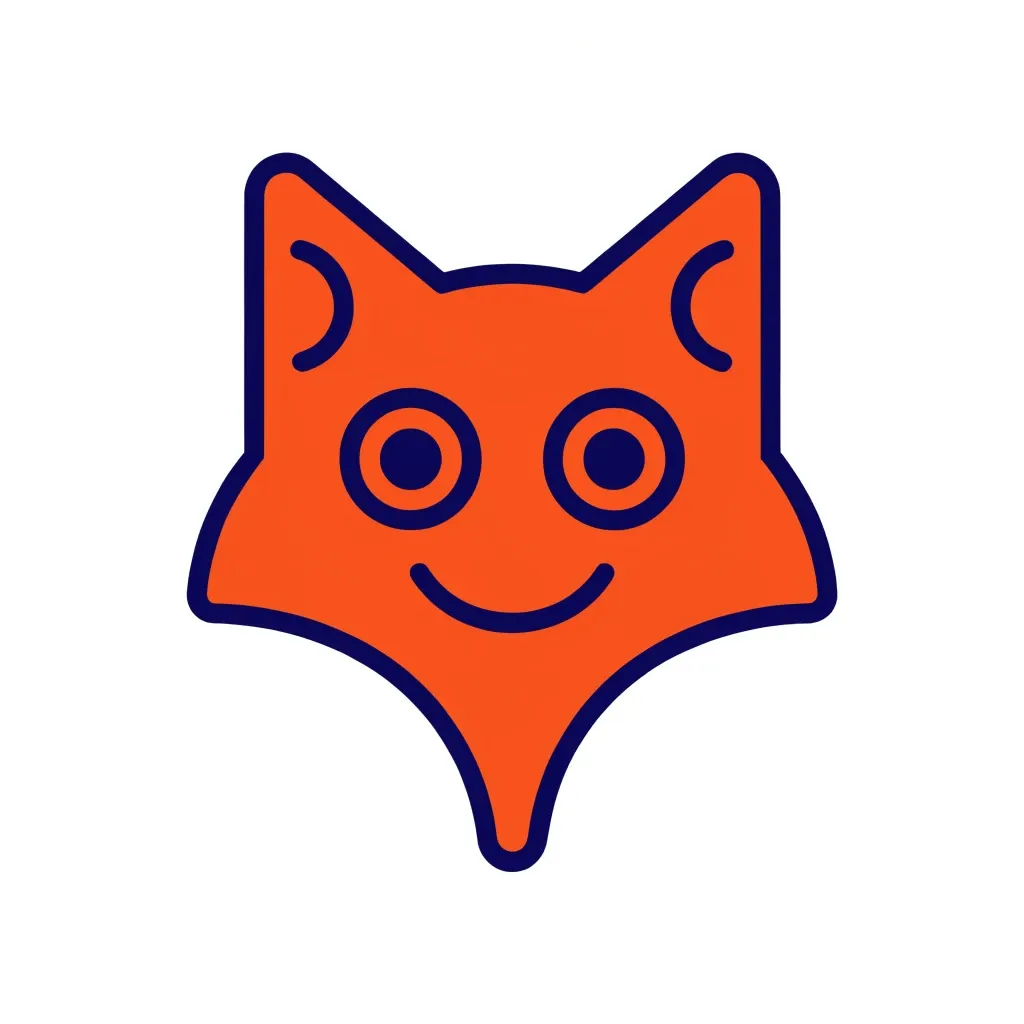
Friendly fox mascot logo for a kids coding school: fox head with pointed ears and sharp snout, flat vector illustration, simple rounded shapes, orange fox with navy blue outlines, centered on white background, cheerful smile, no text, no lettersAnd the result from the same Recraft 4.1 with this prompt:
You can write prompts in your own language — models understand it. But design terms (flat vector, negative space, badge) work more reliably in English.
Which AI model is best for logos and creatives
There's no universal answer: a mark and an ad banner need different models. Here's who handles what best — all of them are available in the GPTunneL image model catalog:
- Recraft — the only model on this list that generates directly in vector (SVG). Built for logos, icons and brand graphics: clean shapes, crisp lines, predictable style. The first choice for a mark.
- GPT Image — the best at rendering text inside images: if you need a banner with a slogan or a creative with the brand name, start here. Handles long, detailed prompts well.
- Nano Banana — a strong editor: upload a finished logo or creative and edit it with words — "make the background darker", "remove that element", "place the product on a table". Great for creative series in a consistent style.
- Seedream — photorealistic ad creatives: product shots, lifestyle scenes, images for marketplace listings.
- FLUX — a high-detail all-rounder, good for illustrations and covers.
- Midjourney — the most "artistic" results: concepts, brand mood, moodboards. For a final mark the output usually needs refinement.
A practical route: discuss the concept and name with a text model, generate the mark in Recraft, make text-heavy creatives in GPT Image, and do edits with Nano Banana. In GPTunneL all of this lives in one interface with one balance, so switching between models is one click.
Ad creatives and banners with AI
A logo is only the start of a brand identity. The same models cover everyday marketing tasks: banners for paid ads, social media covers, product card images, illustrations for articles and newsletters.
Two techniques work well for creatives:
- Series. Generate one strong creative, then ask for variations: "same composition, different product", "same style, vertical format for stories". Editing models like Nano Banana keep a series consistent better than generating from scratch.
- A/B tests without a designer. Ten banner variations cost less than an hour of freelance work — test hypotheses in your ad account and come to a designer with a proven "image + offer" combo.
Finishing touches: vector, animation, brand kit
A raster PNG from a neural network is not a finished logo yet. What to complete:
- Vector. Print, signage and scaling need SVG. Recraft generates vector directly, and the Vector tool in GPTunneL converts any finished image to SVG — upload a raster, download a vector.
- Logo animation. Video models can bring a mark to life for video intros or stories: upload the logo as a reference and describe the motion — "the emblem assembles from particles", "the mark rotates smoothly". Suitable models are in the video generation catalog.
- Brand kit. Avatars, social headers, favicon, email signature — build them right away while the style is fresh: recreating it later from memory is harder.
FAQ
Who owns the rights to an AI-generated logo? You use generated images under the terms of the generation service — in GPTunneL results can be used commercially. But the important part is different: before a serious launch, check the mark against registered trademarks in your niche, and to protect the brand register it as a trademark — that's a separate legal procedure no AI can replace.
Which formats does a logo need? At minimum — a PNG with a transparent background for the web and an SVG for print and scaling. It's also useful to make a monochrome version and a simplified mark for small sizes (favicon, avatar).
How much does an AI logo cost? GPTunneL charges per generation, with no subscriptions: you only pay for the variants you actually generate. Even with dozens of iterations it's far cheaper than studio work. Current prices for all models are on the pricing page.
Can I write the description in my own language? Yes: write the prompt in your language — the model will understand. For nuanced style terms English phrasing is more reliable; see the templates above.
Can AI remove someone else's logo from an image? Editing models can remove objects, but someone else's logo is protected by its owner's rights — you can't use such an image in your own ads. Generate your own creatives: it's both safer and cheaper than legal risks.
Bottom line
Neural networks removed the main barrier in design — the cost of iteration. A logo, a banner series and product card images are now an hour of work and pocket change, not weeks of approvals. AI doesn't replace brand strategy, but it lets you test visual hypotheses fast — and come to a designer already knowing what works.
Try it right now: open the GPTunneL image model catalog, grab a prompt from this article and generate your first mark variations in Recraft. All the top models in one chat — no subscriptions, one balance, pay per use.