
Nano Banana from Google, available in GPTunneL's Creative Lab, shrinks the gap between an idea and a finished image down to a few clicks. It lets you do more than just generate pictures — you can hold a conversation with them: change the background, redress characters, and rewrite text while keeping the frame intact.
This article is a detailed guide to the new Nano Banana neural network. We'll cover:
- How it works;
- Why it became the top talking point for marketers and designers;
- How to bring it into your workflows.
You'll learn how to write prompts for Nano Banana to get predictable results, whether that's a series of ad banners with a single character or a complex infographic with text. Our goal is to give you practical techniques for working with the Nano Banana AI so you can create visual content faster, cheaper, and better.
Key takeaways
Nano Banana is a multimodal tool for iterative visual work. The model supports multi-step edits while preserving conversation context, transfers objects and textures between shots with correct perspective and shadows, and generates and edits text on images without artifacts. Its main advantage is keeping faces, poses, and style recognizable across a series of frames — solving one of the biggest problems in AI generation.
How does Nano Banana work? A short overview and its capabilities in the Creative Lab
At its core, Nano Banana is an update to the Gemini 2.0 Flash Image Generation model for image generation and editing. It's built to understand not just keywords, but the context and intent behind your requests. Where changing one detail in a picture used to mean redoing everything from scratch, now a natural-language instruction is enough — as if you were talking to a designer. This makes Nano Banana AI a powerful tool for fast iteration.
A key feature is multimodality. The model works equally well with text prompts (text-to-image) and a combination of image and text (image-to-image). This opens up new horizons for content creation — from generating unique illustrations to fine retouching of finished photos. All generated images carry SynthID watermarks for responsible use.
Let's break down the main modes and advantages the Nano Banana neural network offers:
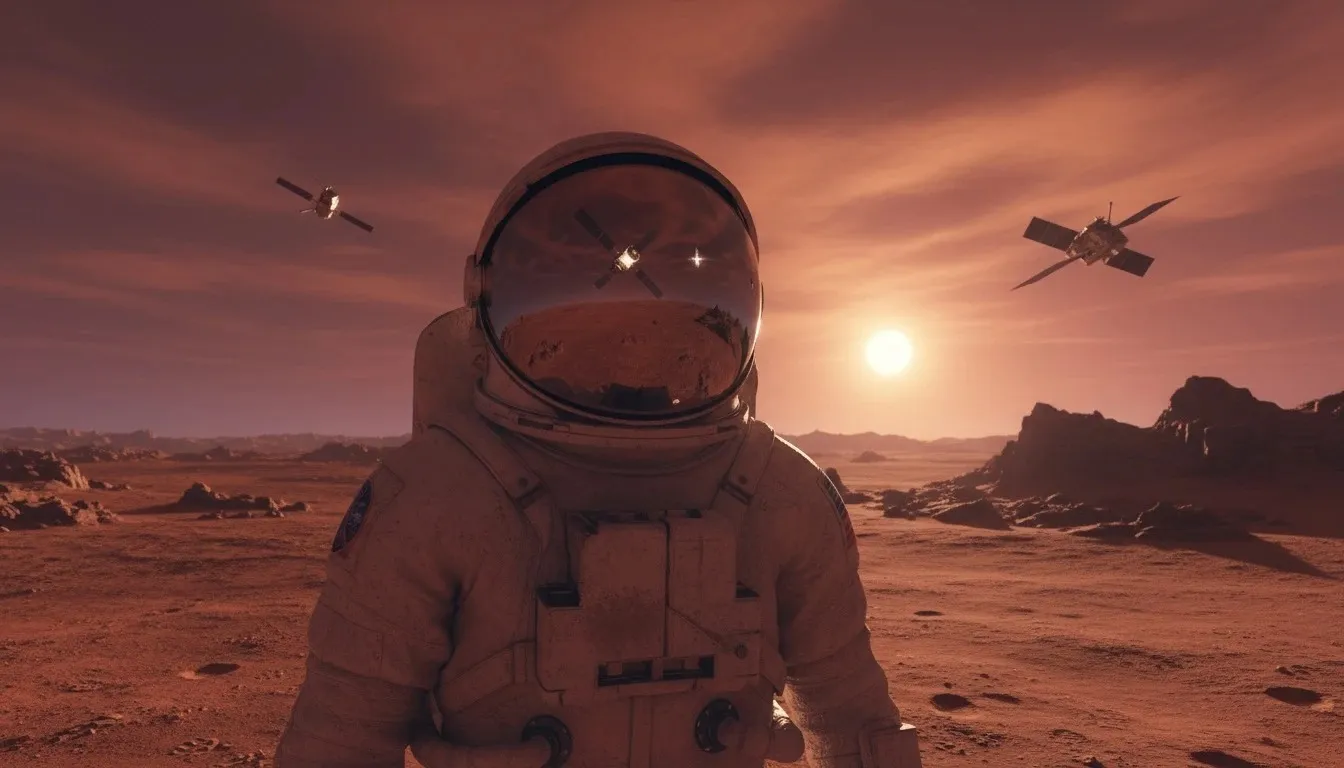
- Text-to-image generation. You describe a scene, and the model builds it from scratch. The more detailed and narrative the prompt, the more accurate the result. Instead of "an astronaut on Mars," try "a photorealistic shot of an astronaut standing on Mars's red dusty surface at sunset, two moons reflected in the helmet." Customize this image in GPTunneL!
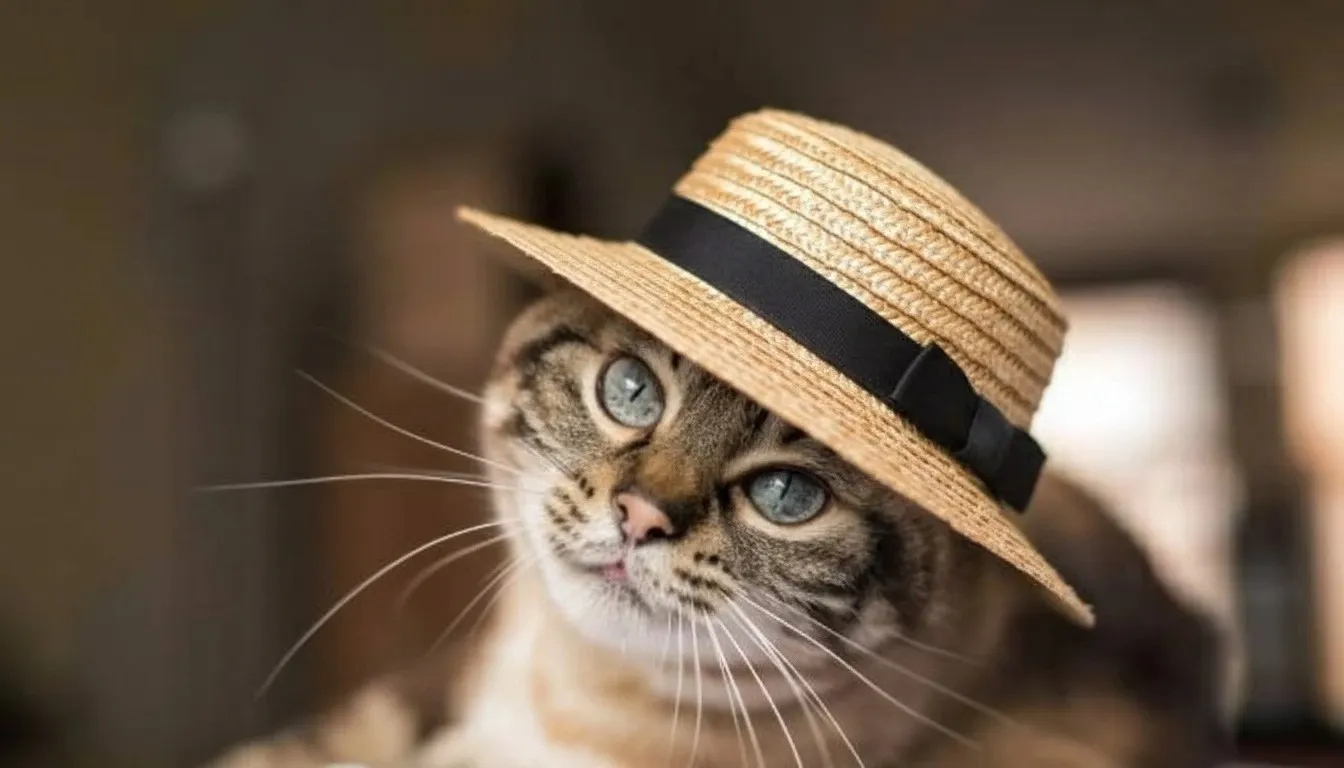
- Instruction-based editing. Upload an image and ask, in text, to add, remove, or change an element. For example, "Put a straw hat on the cat in this image" or "change the color of this car to bright yellow." The model preserves the original's style, lighting, and shadows. Customize this image in GPTunneL!
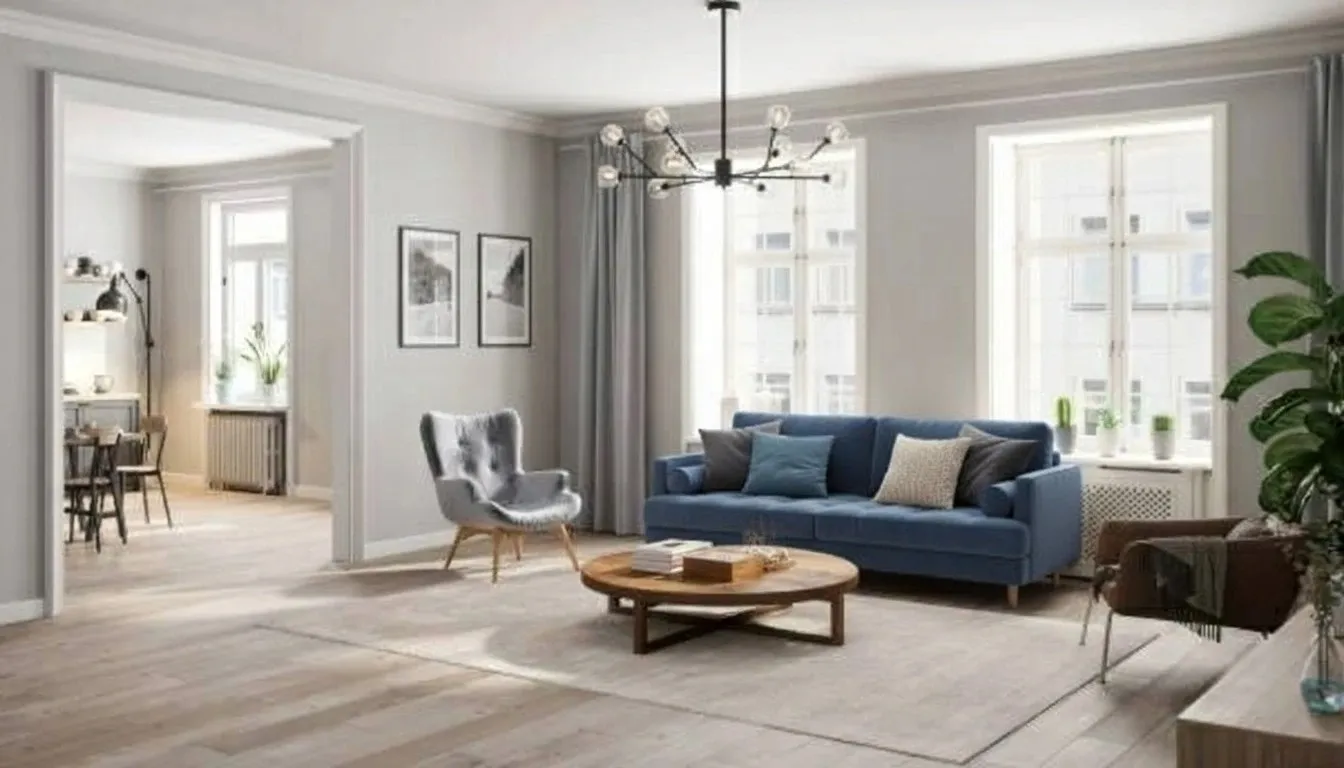
- Multi-image composition. Nano Banana can take elements from several photos and assemble them into a new scene. This is perfect for collages or mockups — for example, "Take this sofa from the first photo and place it in this living room from the second photo, replacing the sofa already there." Customize this image in GPTunneL:
- Style transfer. You can apply the artistic style of one image to the content of another. For example, "draw this urban landscape in the style of Van Gogh." Customize this image in GPTunneL:
- Character consistency. One of the most in-demand features. The model can generate a series of images featuring the same character in different poses and settings while keeping their appearance consistent. This is invaluable for storytelling, comics, and ad campaigns. For example, you could use the prompt: "Place the person from the first photo into the room from the second photo so they're sitting on the sofa reading a book." Customize this prompt in GPTunneL:
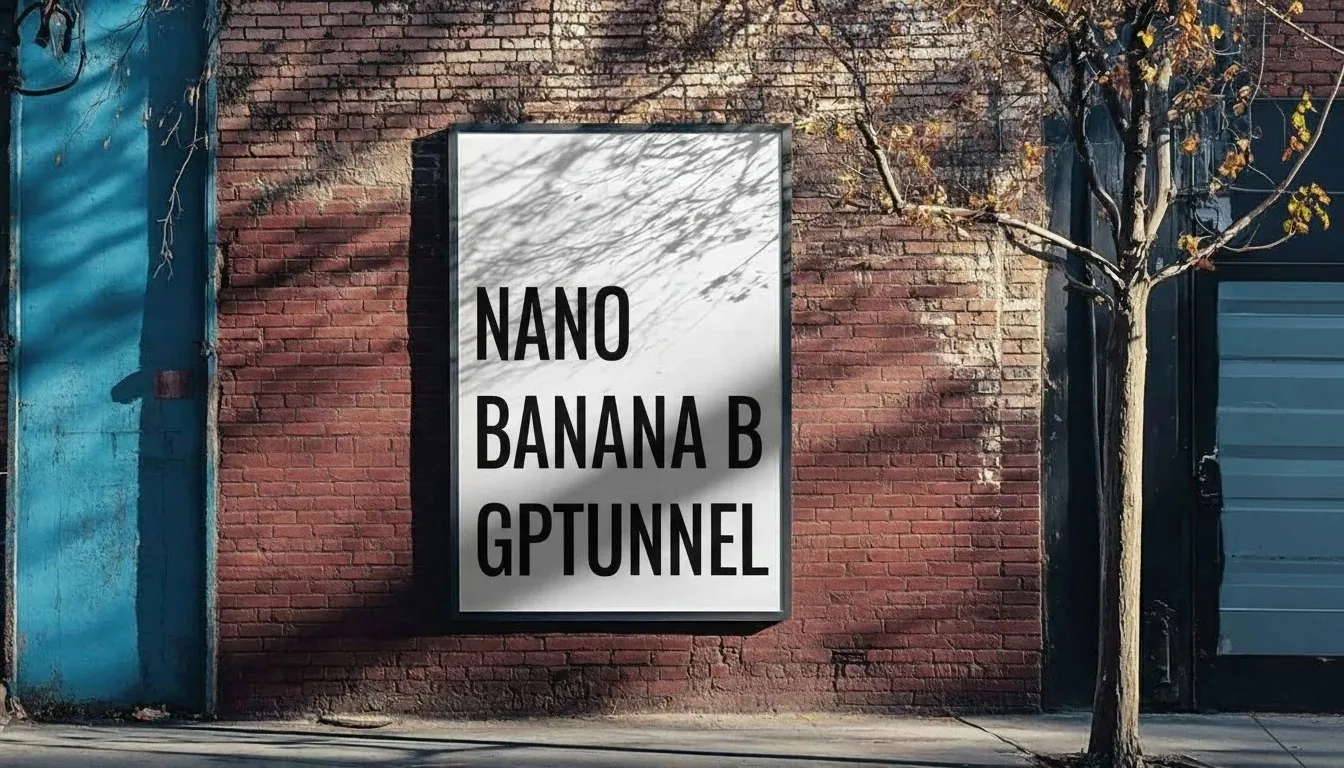
- Working with text. Unlike many other models, Nano Banana AI excels at generating and editing readable text on images, which is useful for logos, posters, and infographics. For example, you could ask the model to add the caption "NANO BANANA ON GPTUNNEL" to an existing image. Customize this prompt in GPTunneL!
These capabilities dramatically simplify production cycles. Designers and marketers can run A/B tests faster, build content plans with recurring characters, and adapt visuals for different channels without needing retouchers or new photo shoots. Nano Banana generation is a new standard for flexibility and control.
Prompting techniques for Nano Banana
How well Nano Banana works for you depends on the quality of your prompts. A descriptive, narrative approach almost always beats a simple list of keywords. To master Nano Banana prompts, it's important to understand how to structure a request and which details matter to the model.
The main principle: hold a dialogue with the AI. Use step-by-step instructions for complex scenes. For example, instead of describing the whole composition in one prompt, try this: "First, create the background: a foggy forest at dawn. Now add a moss-covered stone altar in the foreground. Finally, place a glowing sword on the altar." This chain-of-thought-like approach helps the model better understand the scene's structure and avoid artifacts.
Here are the key techniques for writing precise prompts:
- Structure the request. Use a logical sequence: Subject → Action → Details → Style → Constraints. This helps the model place emphasis correctly.
- Control the edits. For editing, clearly state what should change and what should stay untouched. For example: "using this photo, add sunglasses to the man, leave the background as is." This minimizes changes to the rest of the image.
- Add detail. Focus on textures and lighting. Instead of "beautiful sunset," write "soft shadows, golden hour, warm light." This is especially important for realistic e-commerce product images.
- Use style references. To nail a specific artistic style, you can not only describe it in words ("in the style of Van Gogh") but also upload sample images. This improves accuracy for creative tasks.
The right prompting turns image generation from a lottery into a manageable creative process. Experiment with wording, break complex tasks into steps, and don't be afraid to add as much specificity as possible.
Sample prompts for image generation
Theory matters, but the best way to learn is by practice. We've prepared four example prompts for Nano Banana illustrating different use cases — from photorealism to stylization and editing. Use these Nano Banana prompts as is or adapt them to your own tasks.
Prompt #1 — Photorealistic portrait editing
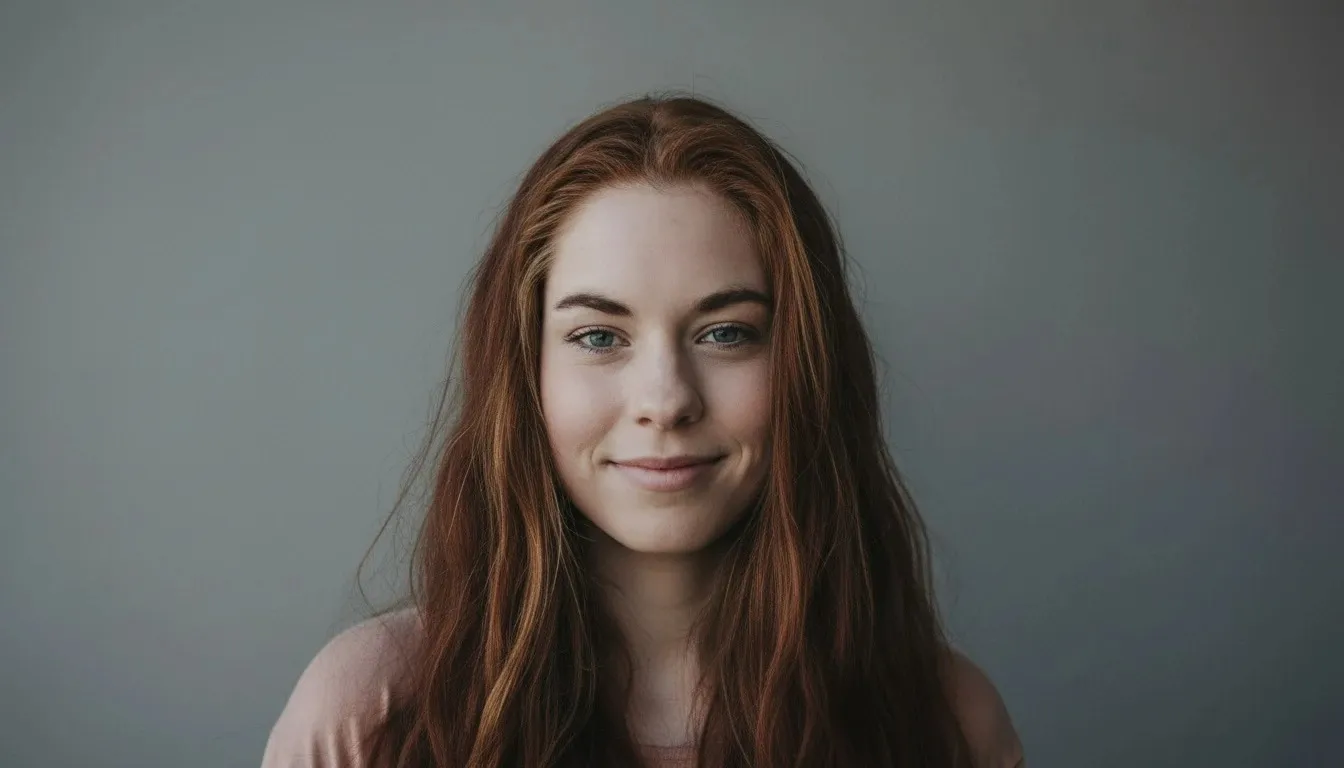
"Edit the portrait of a young woman: add a light, natural closed-mouth smile (a subtle lift of the mouth corners and cheeks, no visible teeth), switch the lighting to soft studio light with even shadows, replace the background with a neutral medium gray with no texture, do not smooth or alter facial anatomy, eye shape, or hairstyle."
- Why it works: The prompt gives clear, step-by-step instructions for local edits, specifying what to change and what to preserve (skin texture). This allows for fine-tuning emotion and mood without regenerating the whole image.
- How to adapt it: Change the emotion by adding "a surprised expression" or "a more serious look." Experiment with the background, swapping it for "blurred city lights at night." Customize this image in GPTunneL!
Prompt #2 — Artistic style (landscape)
"A mountain lake at dawn in Japanese watercolor style. Thick fog drifts over the water. The color palette is pastel, muted shades of pink and blue. The composition follows the rule of thirds, with mountains in the background on the right."
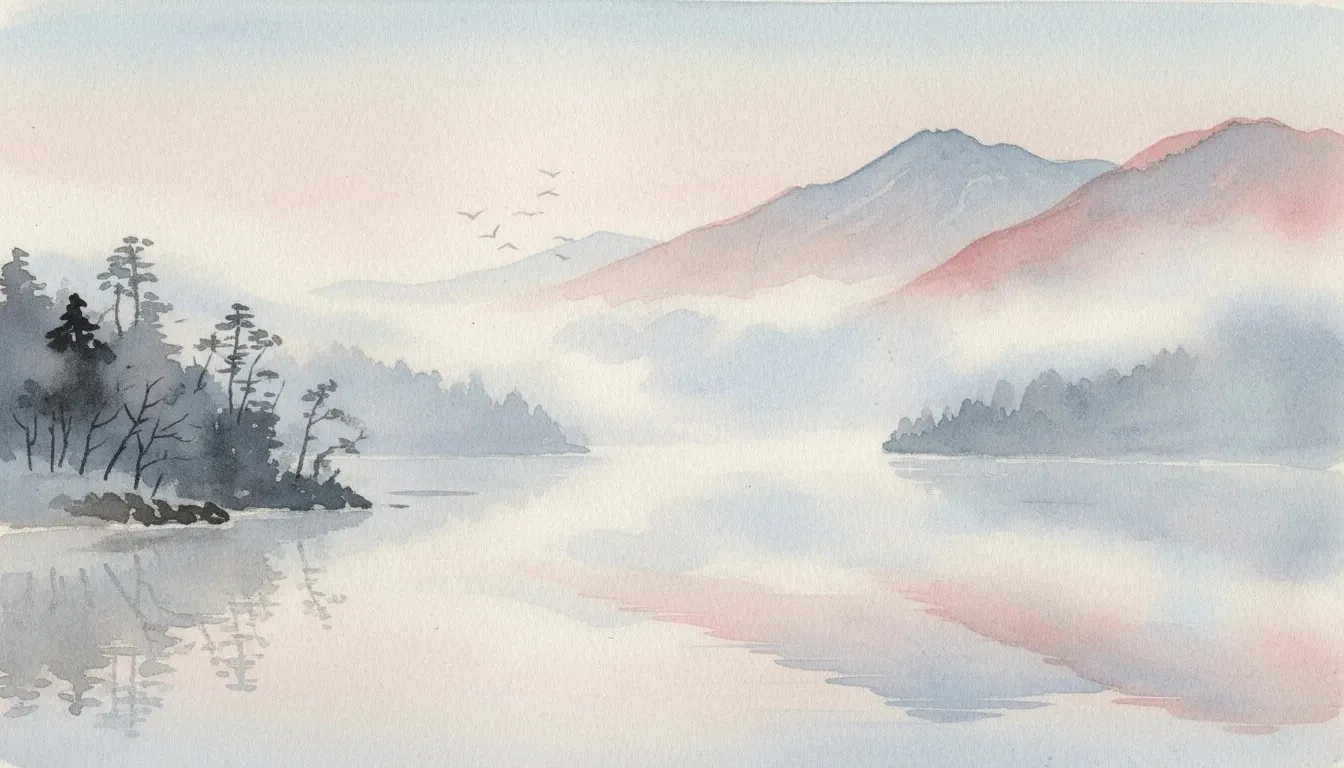
- Why it works: The request focuses on mood, style, and composition. Words like "foggy" and "pastel" help the model build a cohesive, atmospheric scene. Specifying the rule of thirds gives extra control over composition.
- How to adapt it: Use it for blog or social media illustrations. Change the style ("in impressionist style") and color palette ("bright autumn colors") to create seasonal content. Customize this image in GPTunneL!
Prompt #3 — Product visualization
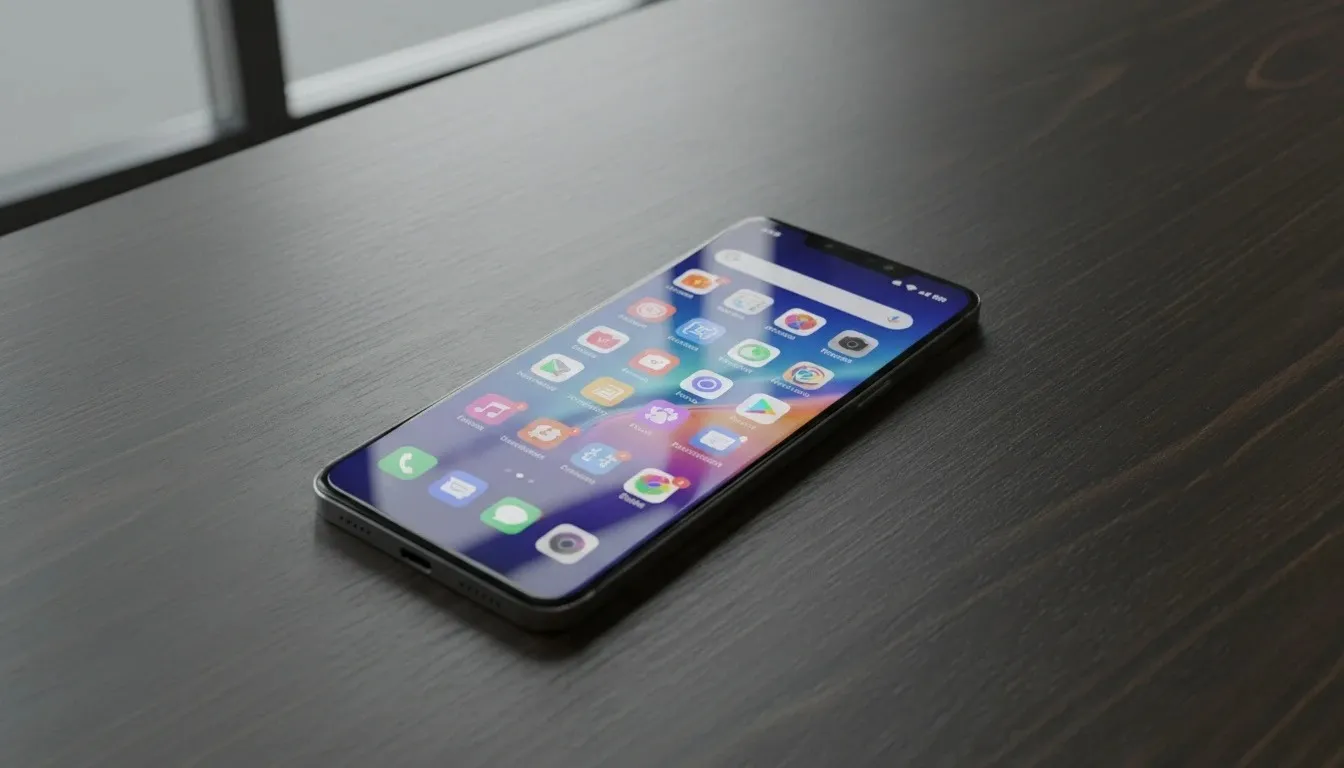
"A photorealistic shot of a new smartphone lying on a dark wood table. A slim, bezel-less body in matte graphite aluminum, with a dual selfie-camera module. The screen is lit, showing the home screen with apps. Light comes from a window on the left, casting long, soft shadows. The camera is at a 45-degree angle, focused on the smartphone's screen. High resolution, 4K."
- Why it works: The prompt gives precise instructions on subject, environment, lighting, camera angle, and resolution, producing predictable commercial visuals.
- How to adapt it: Swap the smartphone for any other product (watch, headphones, book) to create a consistent series of images for a catalog or ad campaign. Customize this image in GPTunneL!
Prompt #4 — Editing a complex scene
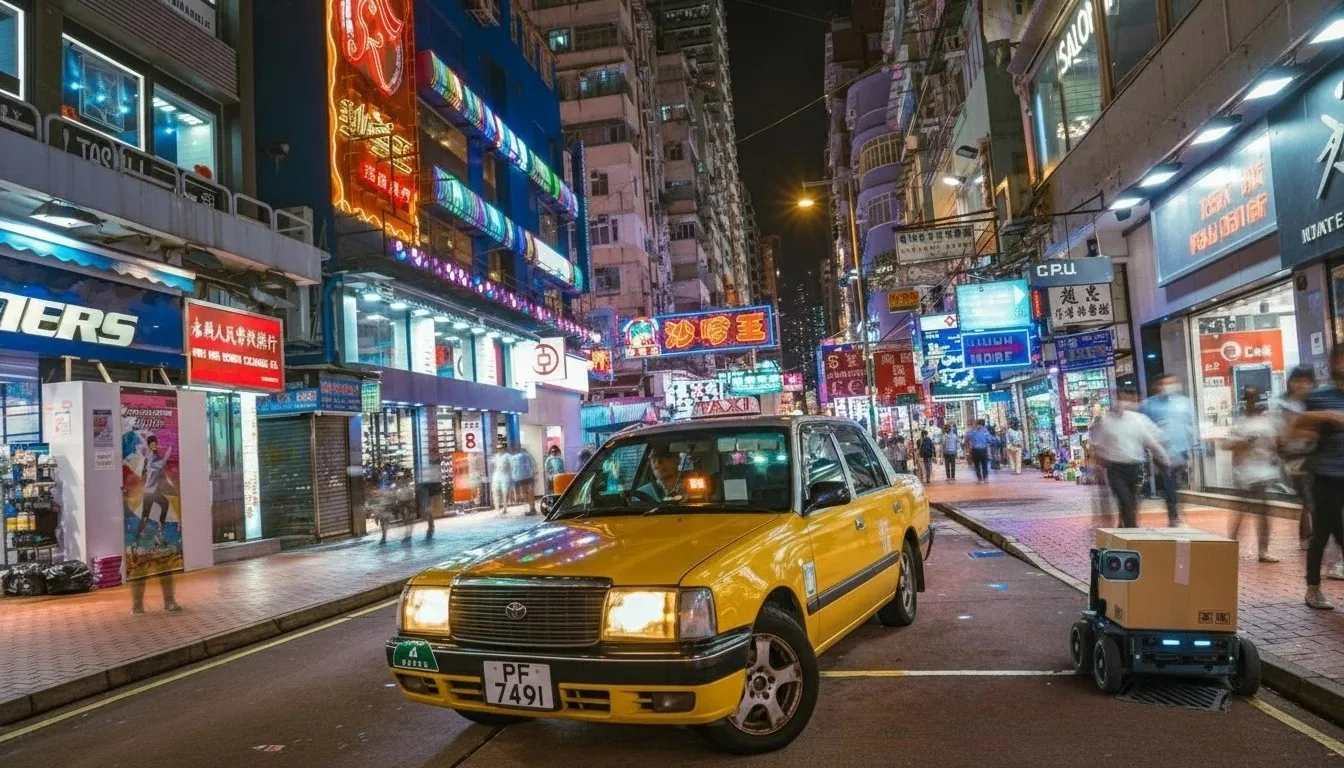
"Edit the photo: change the color of the red car to yellow. Recompose to a low angle with a slight dutch tilt: the taxi closer to the bottom third, the street receding into the distance. Add a delivery robot on the sidewalk with a box, looking at the taxi. Leave the lighting and neon signs untouched."
- Why it works: This prompt combines several edits at once: a color change, a new camera angle, and a new detail added (the delivery robot). It shows how you can iteratively build up and enhance an existing image.
- How to adapt it: Use it to create atmospheric visuals. Change the weather ("add falling snow") or the time of day ("change night to dusk"). Customize this image in GPTunneL!
3 common prompting mistakes and how to fix them
Even with a powerful tool like Nano Banana AI, first results aren't always perfect. The cause is often common mistakes in prompt writing. Understanding these pitfalls will save time and help you get the result you want faster.
Mistake 1: Vague, unclear prompts.
Prompts like "make a nice picture" or "a fun photo" are too subjective and lead to random results. The model doesn't know what exactly you consider nice or fun.
Fix: Be extremely specific. Instead of "a beautiful beach," write "a white-sand beach with turquoise water in the Maldives, at sunset, with two palm trees in the foreground." Add details about lighting, composition, colors, and style.
Mistake 2: Overloading a single request with details.
Trying to describe a complex scene with many objects and interactions in one prompt often leads to artifacts, distorted proportions, or ignored instructions.
Fix: Break the task into iterations. Start with a simple prototype (for example, the background), then add objects and details step by step in separate requests. For example: "Create the background: an empty room with a wooden floor." Next prompt: "Now add a red sofa in the middle of the room." And so on.
Mistake 3: Ignoring negative prompts.
Sometimes the model adds unwanted elements (like text, watermarks, or extra objects) or generates an image in the wrong style.
Fix: Use negative prompts. These are instructions that tell the model what not to do. Add phrases like "negative prompt: no text, no people, no cartoon style, no distorted proportions" at the end of your request.
Avoiding these mistakes will significantly improve the accuracy and predictability of generation, turning Nano Banana AI into a reliable tool for everyday tasks.
How to use Nano Banana? Use cases
Nano Banana's flexibility opens up broad possibilities across many industries. It's not just a tool for designers — it's a solution that can streamline workflows in marketing, e-commerce, media, and many other fields. Here are a few practical examples of how to bring Nano Banana image editing into your business.
- Marketing and advertising. A marketer's main job is to test hypotheses. Nano Banana lets you do this quickly and cheaply. Use the model to create dozens of variants of a single ad creative — with different characters, backgrounds, calls to action, or color schemes. Place your product in different scenes to show it in action without expensive photo shoots.
- E-commerce. Quality product cards are key to strong sales. With Nano Banana, you can turn a single product photo into a full gallery: show the product in different colors, remove the background for marketplace uploads, add infographics with key benefits, or create lifestyle photos showing the product in real-life use.
- Design agencies and startups. Speed is the key edge in these fields. Nano Banana is perfect for rapid prototyping — you can mock up websites, UI elements, icons, or logos in minutes. For budget-constrained startups, it's a great way to produce quality content for social media and blogs while experimenting with styles to find a unique brand identity.
- Media and education. Creating illustrations for articles, learning materials, or social posts becomes much easier. Need a diagram explaining a complex process? Just describe it in text. Want a series of posts featuring the same mascot character? Nano Banana will keep its appearance consistent. You can combine image generation with text for captions and infographics.
- Large brands. Consistency and top-tier quality matter most for big companies. Nano Banana enables editing for large ad campaigns: fine-tuning facial expressions on models, adapting the same visual for different themes, and ensuring full compliance with brand guidelines.
Integrating Nano Banana into your workflows lowers the cost of experimentation and speeds up content production, letting teams focus on strategy and creativity instead of routine technical tasks.
Wrapping up
The real value of Nano Banana isn't in its ability to generate pictures at the snap of a finger — it's in making that process manageable, iterative, and predictable. It lowers the cost of experimentation, improves brand consistency, and frees up designers' time for more complex creative work.
That said, like any powerful tool, it carries risks:
- Copyright questions around source and generated images;
- Ethical dilemmas around editing photos of real people;
- The possibility of generation errors requires companies to adopt clear internal policies;
- Mandatory labeling of AI content and result validation should become the norm.
The best way to evaluate what Nano Banana can do is to start with a pilot project. Pick one specific business task, put together a team, and start building your own prompt library. Measure success with real metrics: time saved creating a single asset, the percentage of images accepted without edits, and, ultimately, how the new creatives affect conversion. Try Nano Banana and open up new horizons for your content!
FAQ
What image formats does the model support?
Nano Banana works with standard image formats such as JPG, PNG, and WebP. For the best editing results, we recommend uploading high-quality files. Specific file size limits depend on the platform you're using to access the model.
Do I keep copyright over generated images?
Copyright for AI-generated content is a complex issue governed by the laws of a given country and the platform's terms of use. On GPTunneL, content you create belongs to you, but you're responsible for how you use the source material.
How long does it take to process one image?
Processing time depends on the complexity of your request and current server load. Simple edits, such as changing an object's color, typically take under a minute. Building a complex scene from scratch may take a bit longer, but the model is optimized for fast, iterative work.
Can I edit images of people without their consent?
Technically, the model can perform such tasks, but legally and ethically it's not acceptable. Using and altering images of people without their explicit consent violates personal data protection laws. Only use Nano Banana on photos you have full rights to, or to create fictional AI characters.