
Image generation in GPT means you describe a picture in words and OpenAI's neural network draws it. It all started with GPT-4o: it was the first model to turn text into photorealistic landscapes, Ghibli-style art, and layouts with legible lettering. The lineup has come a long way since then — today GPTunneL runs GPT Image 2, the new generation of that same generator. In this guide we'll walk through the whole chain: how text-to-image generation works, which model to pick, what prompts to write, and what it costs.
Chat GPT with image generation: how it works
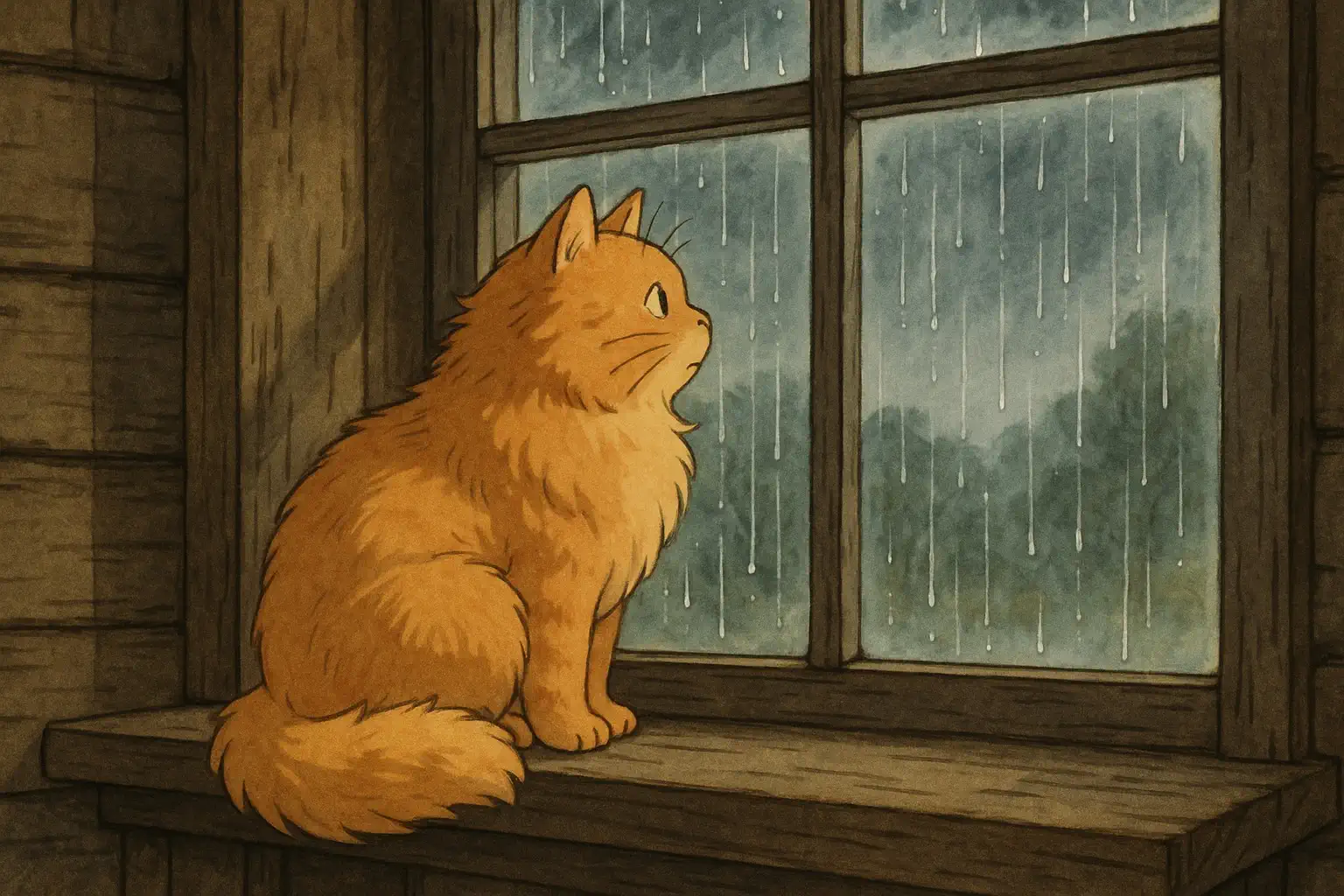
GPT-4o is a multimodal model: it understands both text and images, so image generation is built right into it rather than bolted on. You write a request in plain language — the model works out what goes where, what the lighting and style should be, and draws it. That's the key advantage of GPT generation: the model understands long, detailed descriptions instead of grabbing a couple of keywords out of them.
In GPTunneL there are two ways to get images through GPT:
- Right in the chat. GPT models in the GPTunneL chat can trigger image generation mid-conversation: discuss an idea, ask it to "draw this," and get a picture without leaving the thread.
- In Creative Lab. A dedicated section of the platform for image and video generators. Here you pick a specific model from the GPT Image lineup and set size and quality — handier when the image is the goal itself, not a side effect of a conversation.
What this is useful for in practice:
- illustrations for a blog post, social media, or a newsletter;
- design concepts, covers, presentation slides;
- layouts with lettering — GPT models are among the few that render readable text on an image;
- quickly visualizing an idea that would take ages to explain in words;
- editing existing photos: upload, describe the change, get the result.
From GPT-4o to GPT Image 2: which model to choose
GPT-4o set the standard, but generation in the GPTunneL catalog is now handled by the dedicated GPT Image lineup from OpenAI:
- GPT Image 1 — the model that grew out of GPT-4o's generation. Three quality tiers (Low, Medium, High): Low for fast, cheap drafts, High for maximum detail in final work. Medium and High support transparent backgrounds.
- GPT Image 1 Mini — a lightweight version for high-volume tasks: when you need lots of images, fast.
- GPT Image 1.5 — an interim generation with improved detail.
- GPT Image 2 — the current flagship. Renders at up to 4K, follows prompts even more precisely, and handles on-image text and reference-based edits better. If you're not sure where to start — start here.
All the models share one GPTunneL balance: you don't have to commit to a single generator — run drafts on Mini and render the final in GPT Image 2. The full catalog of image generators is on the image models page.
How to generate an image from text: step by step
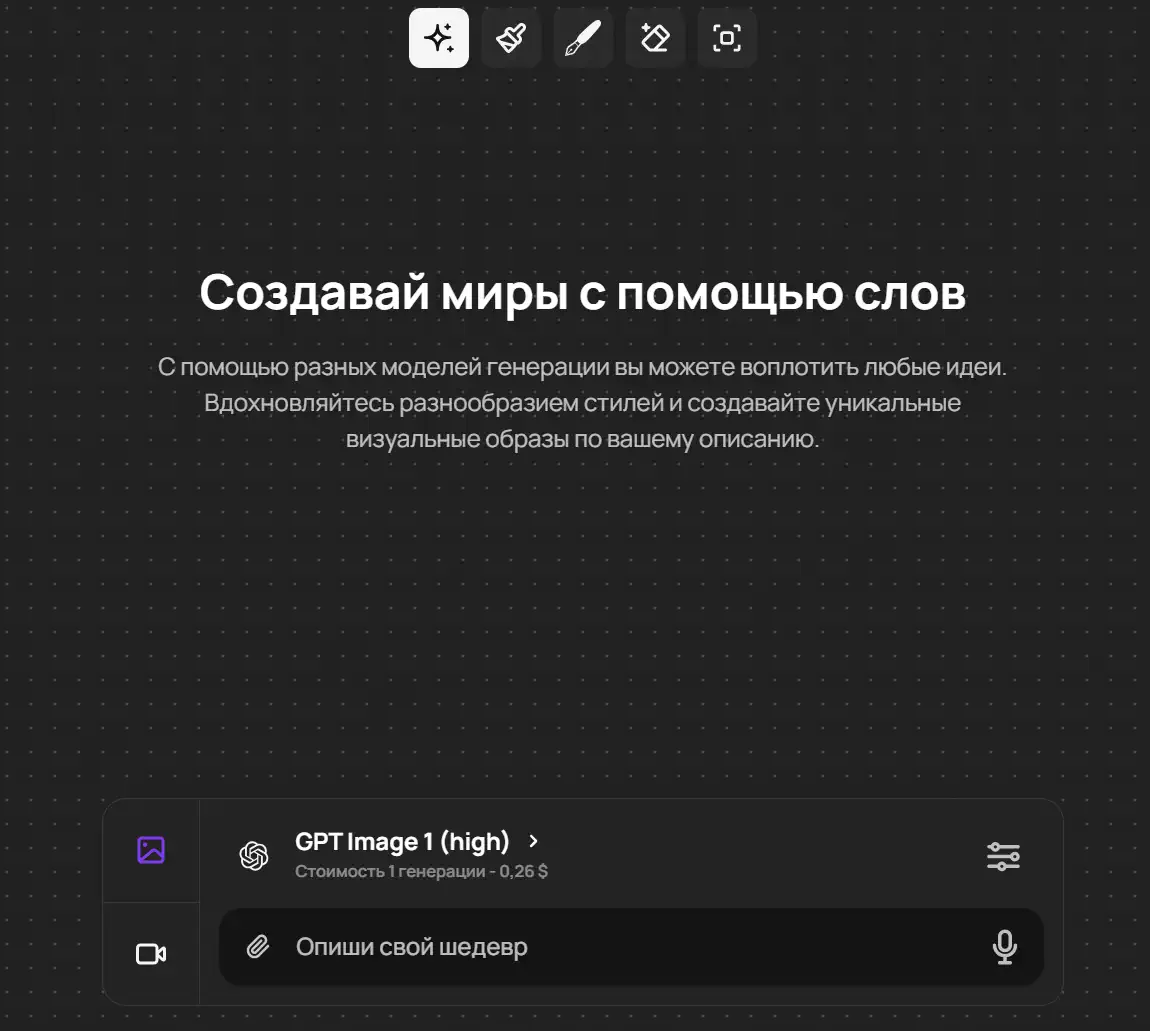
- Open Creative Lab in GPTunneL — it works online, in the browser, on desktop and mobile.
- Pick a model: for the best result, GPT Image 2.
- Describe what you want to see. The more specific the prompt, the closer the result: subject, style, lighting, angle, background, mood.
- Hit "Send" — you'll get an image in seconds. Not quite right? Refine the prompt and regenerate.
Prompts for image generation in GPT: examples
GPT models love detailed requests. The formula is simple: what's in the image → in what style → lighting and angle → background and details. Here are ready-made prompts — copy them and swap in your own details:
Photorealistic landscape:
Photorealistic mountain landscape at dawn: mist in the valley, first rays of
sunlight catching the snowy peaks, a lake with a mirror reflection in the
foreground. Wide-angle lens, soft warm light, high detail.
Product shot with lettering:
Product photo of a craft lemonade can on a light gray background, soft studio
lighting, condensation drops on the glass. Large "CITRUS" lettering on the
label, sans-serif font. Minimalist composition, space for text on the left.
Blog illustration:
Flat vector illustration: a person at a laptop, colorful polaroid pictures
flying out of the screen. Pastel palette, soft rounded shapes, clean white
background, no text.
Sticker with a transparent background:
Cartoon ginger cat in a spacesuit giving a thumbs up, thick white sticker-style
outline, bright colors, transparent background.
Anime aesthetics deserve their own deep dive: we have a detailed guide on how to create Ghibli-style images.
A couple of tips. If the result is "not it" — don't rewrite the prompt from scratch, refine it: "same frame, but lower camera angle," "make the light cooler." An overloaded request can confuse the model: three clear requirements beat ten contradictory ones.
Image generation from a photo: editing pictures
A standout skill of GPT generation is working with references. You upload your own image (PNG, JPEG, WEBP) and describe in the prompt what to do with it: change the background or style, add or remove an object, redraw a photo as an illustration. The model uses the uploaded picture as a base and changes only what you asked for.
Here's an example request with a reference:
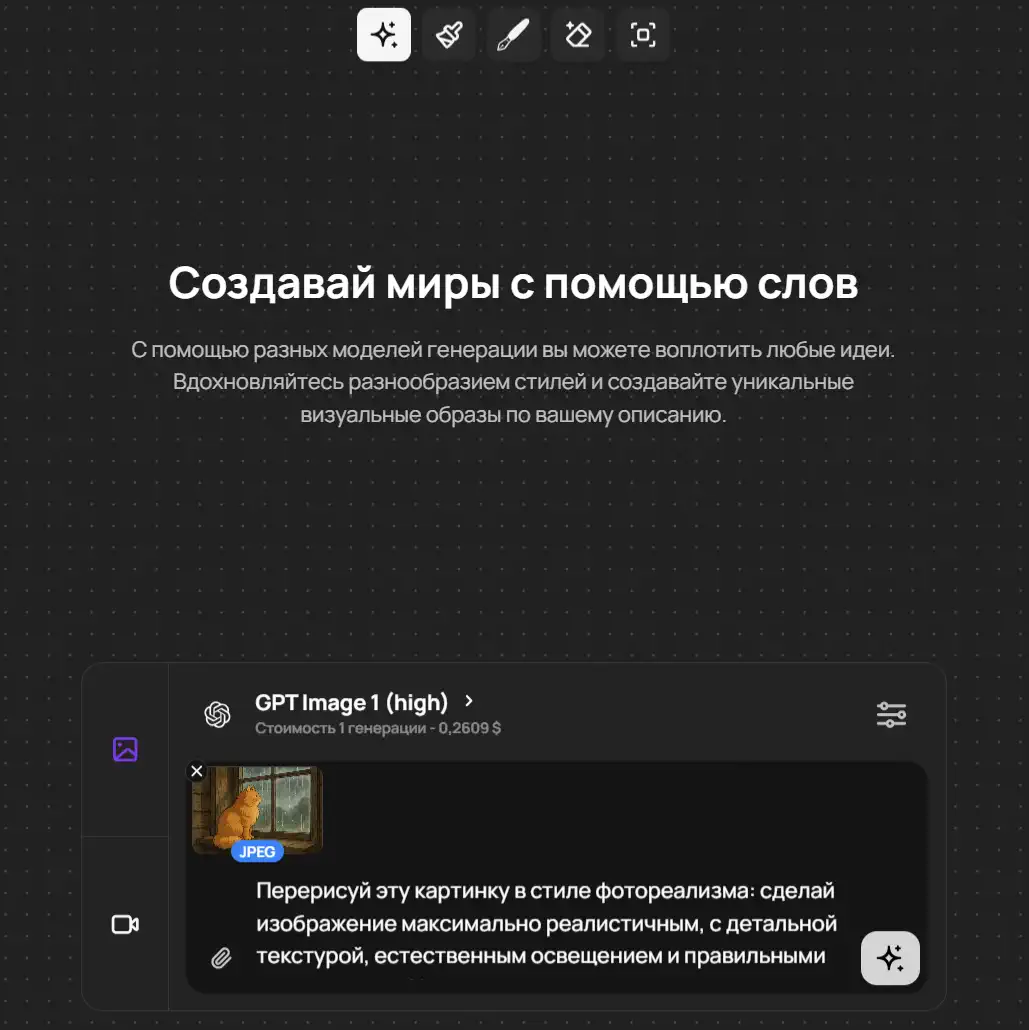
And the resulting modification:
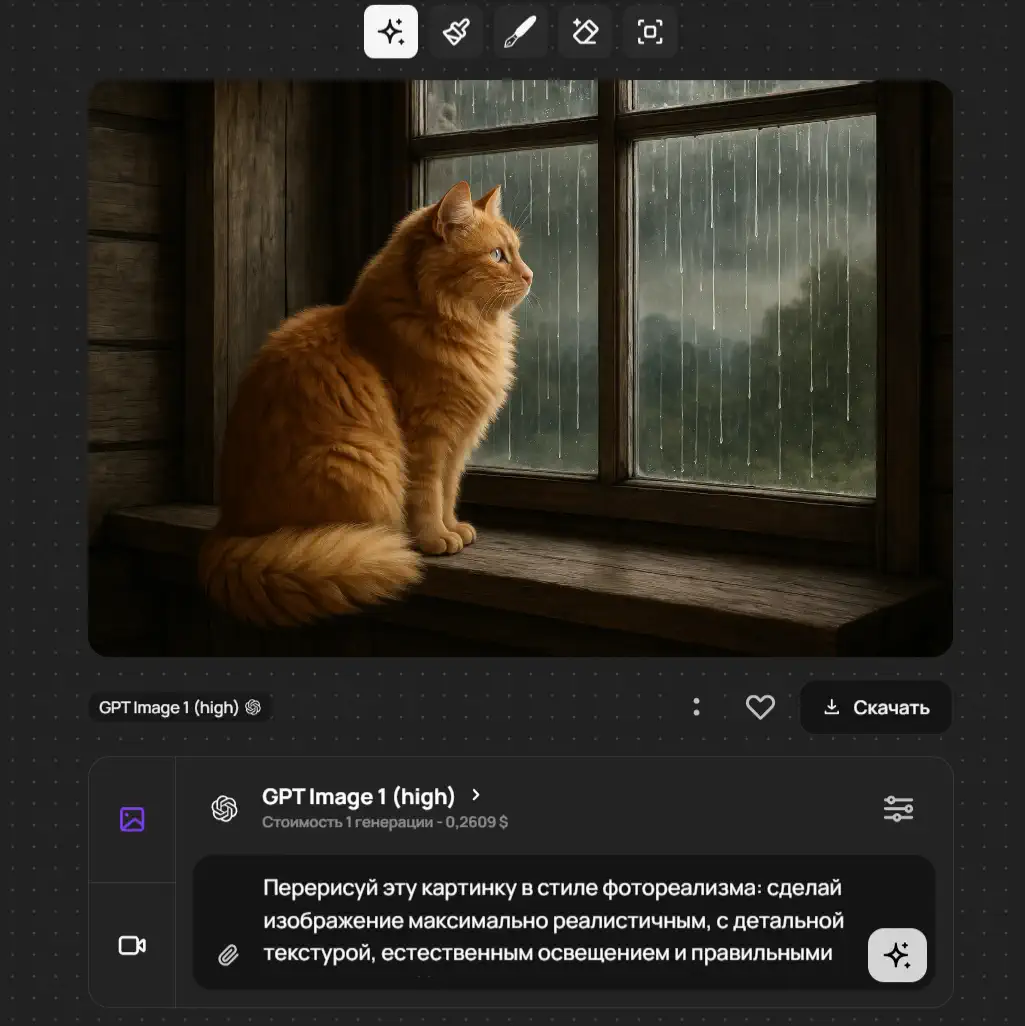
"Generation from a photo" in the everyday sense works the same way: an anime-style portrait, yourself as a movie character, a product on a new background — it's all the same reference mechanism.
How much image generation in GPT costs
There's no subscription in GPTunneL — you top up a single balance and pay only for the generations you actually run. The price depends on the model and resolution: lightweight options like GPT Image 1 Mini or the Low quality tier cost noticeably less, while the flagship GPT Image 2 at 4K costs more. Current prices are shown on the model card next to this article and on the GPTunneL pricing page.
This format beats a subscription if you don't need a daily stream of images: you don't pay for a month "just in case," and your balance never expires.
How GPT generation differs from Midjourney
A common question: why GPT Image when there's Midjourney? They're different tools for different jobs:
- Prompt adherence. GPT models execute long instructions more precisely: "this on the left, that on the right, this exact caption" — and that's what you get. Midjourney is stronger at artistic interpretation: it delivers a striking image, but on its own terms.
- Text on the image. Readable lettering on a layout is GPT Image's signature strength. Midjourney handles text worse.
- Editing. GPT Image edits uploaded photos from a text description — that's its native scenario.
- Out-of-the-box aesthetics. When you want "wow" art with no tuning — Midjourney often wins.
The good news: you don't have to choose. In GPTunneL both models are available from one balance — compare them on your task and keep the one that hits closer. All the generators are in the image models catalog.
FAQ
Which GPT model is best for image generation? Right now — GPT Image 2: top quality, up to 4K resolution, the best handling of text and references. For drafts and bulk tasks, take GPT Image 1 Mini — cheaper and faster.
Do I need a subscription to generate images? No. GPTunneL works on a pay-per-use model: one balance, and you're charged only for the generations you run.
Can I edit an image that's already been generated? Yes: download the result, upload it back as a reference, and describe the change. Or refine the prompt in the same conversation — "same thing, but…".
Why does text on the image sometimes come out with mistakes? Small lettering and rare languages are still a weak spot for every generator. What helps: put the exact wording in quotes in the prompt, ask for large type, and regenerate the failed attempt.
Are there content restrictions? Yes, the standard OpenAI rules: no prohibited content and no images of real people without their consent.
Time to create
Text-to-image generation has gone from an experiment in GPT-4o to a working tool: today GPT Image 2 renders layouts with lettering, edits photos from a description, and delivers 4K quality. Try GPT Image 2 in GPTunneL — no subscriptions, pay per use, only for what you actually generate.