
AI image generation has outgrown the toy stage: mockups, banners, concept art and product shots are now faster to build with a prompt than with a photo shoot. The real problem is choice — there are dozens of models, and no single "best" one: one nails lighting physics, another renders text without typos, a third cranks out drafts for pennies. This comparison covers every current image model in the GPTunneL catalog: a "model → best at → price" table, task-by-task recommendations, and a hands-on test across six business scenarios.
AI image generators compared: models and prices
Every model below runs in one GPTunneL window — one balance, no subscriptions. Prices are per image at base quality.
| Model | Best at | Price* |
|---|---|---|
| GPT Image 2 | precise prompt following, text on image, infographics | from $0.32 |
| GPT Image 1.5 | fast drafts in the OpenAI style | from $0.02 |
| Seedream 5 Pro | photorealism, reference-based generation | from $0.09 |
| Seedream 5 Lite | cheap 2K–4K for high-volume work | from $0.08 |
| Nano Banana Pro | photo editing by prompt, 4K | from $0.15 |
| Nano Banana 2 | reasoning logic, diagrams, 4K print | from $0.16 |
| FLUX.2 Pro | light and material physics, product shots | from $0.06 |
| Midjourney | artistic styles, concept art | $0.18 |
| Recraft 4.1 | vector, logos, brand identity | from $0.07 (vector — from $0.16) |
| Imagen 4 | Google-grade photorealism, portraits | $0.10 |
| Qwen Image 3 | text rendering in 12 languages | from $0.064 |
| Grok Imagine | fast creatives from xAI | $0.06 |
| Grom Art | editing images with words | from $0.04 |
| Grom Nova | the cheapest generation in the catalog | from $0.005 |
| Grom Pixel | upscaling to print resolution | from $0.005/MP |
* Prices are approximate and depend on resolution and settings. The live catalog with a calculator is on the pricing page.
Which AI draws best: picking a model per task
The short answer to "which AI image generator is the best" — the one that solves your task at the lowest cost with acceptable quality. Here's the breakdown:
Photorealism and product photography
FLUX.2 Pro is the most physically accurate generator: glass reads as glass, light falls where it should. Seedream 5 Pro adds a premium, ad-style look and works from references; Imagen 4 is consistently strong on portraits. More on the ByteDance lineup in the Seedream overview.
Art, stylization, concepts
Midjourney remains the benchmark for artistic imagery: concept art, covers, moodboards. A cheap alternative for sketches and style tests is Grom Nova: at $0.005–0.05 per image you can iterate through ideas in batches before spending on a flagship.
Text on image
The weak spot of most generators. The most reliable is GPT Image 2: it builds a layout from the prompt and makes the fewest spelling mistakes, including non-Latin scripts. Qwen Image 3 renders text in 12 languages at a much lower price. The history of OpenAI's image models is in the GPT Image overview.
Vector, logos, identity
Recraft 4.1 is the only model in the catalog that outputs real SVG: logos, icons, on-brand illustrations. A raster draft starts at $0.07, vector at $0.16. More in the Recraft overview.
Generating and editing from a photo
If you need to change an existing photo rather than draw from scratch — remove an object, swap the background, add a detail — look at Nano Banana Pro and Grom Art: both edit an image from a text command. Seedream 5 Pro accepts several references at once — handy for product cards "in one style". For the Google lineup, see the Nano Banana overview.
Speed and low cost
Drafts and high-volume work: Grom Nova (from $0.005), GPT Image 1.5 (from $0.02), Seedream 5 Lite (2K from $0.08). For print-ready finals, Grom Pixel upscales from $0.005 per megapixel.
The 6-scenario test: Nano Banana 2 vs FLUX.2 vs Seedream
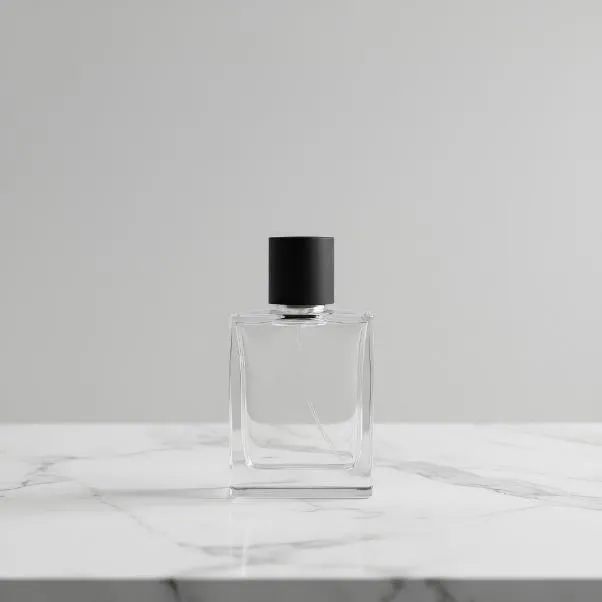
To keep this comparison practical, we ran three models through six typical commercial design tasks: packaging mockups, pseudo-3D renders, blueprints, concept art, banners with text, and precise edits (inpainting). All prompts ran in a single GPTunneL window, each tuned to the model's strengths.
What the scenarios showed:
- Packaging mockups. FLUX.2 — best photorealism and controllable light; Nano Banana 2 — neutral studio look for approvals; Seedream — warm "luxury" imagery for branding.
- Pseudo-3D renders. FLUX.2 renders materials most accurately, Nano Banana 2 holds geometry best. Seedream is striking but added a caption to the product despite an explicit "no text" instruction.
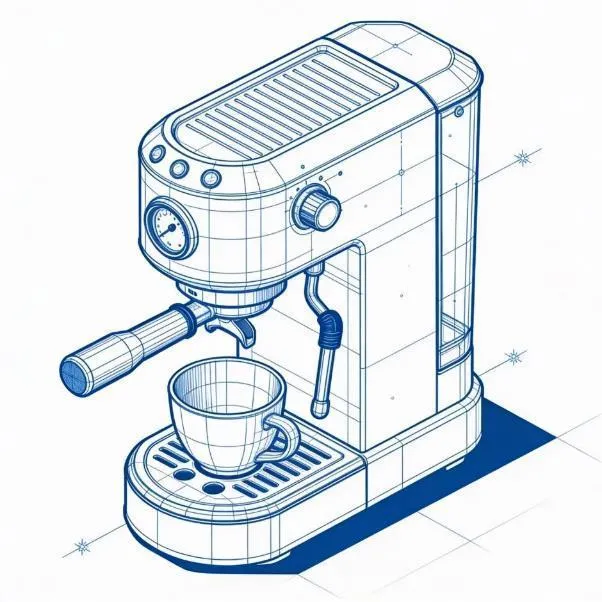
- Blueprints and schematics. Best result — Seedream with no labels: clean isometrics, even lines. All three models garble captions on diagrams — safer to add labels in a vector editor.
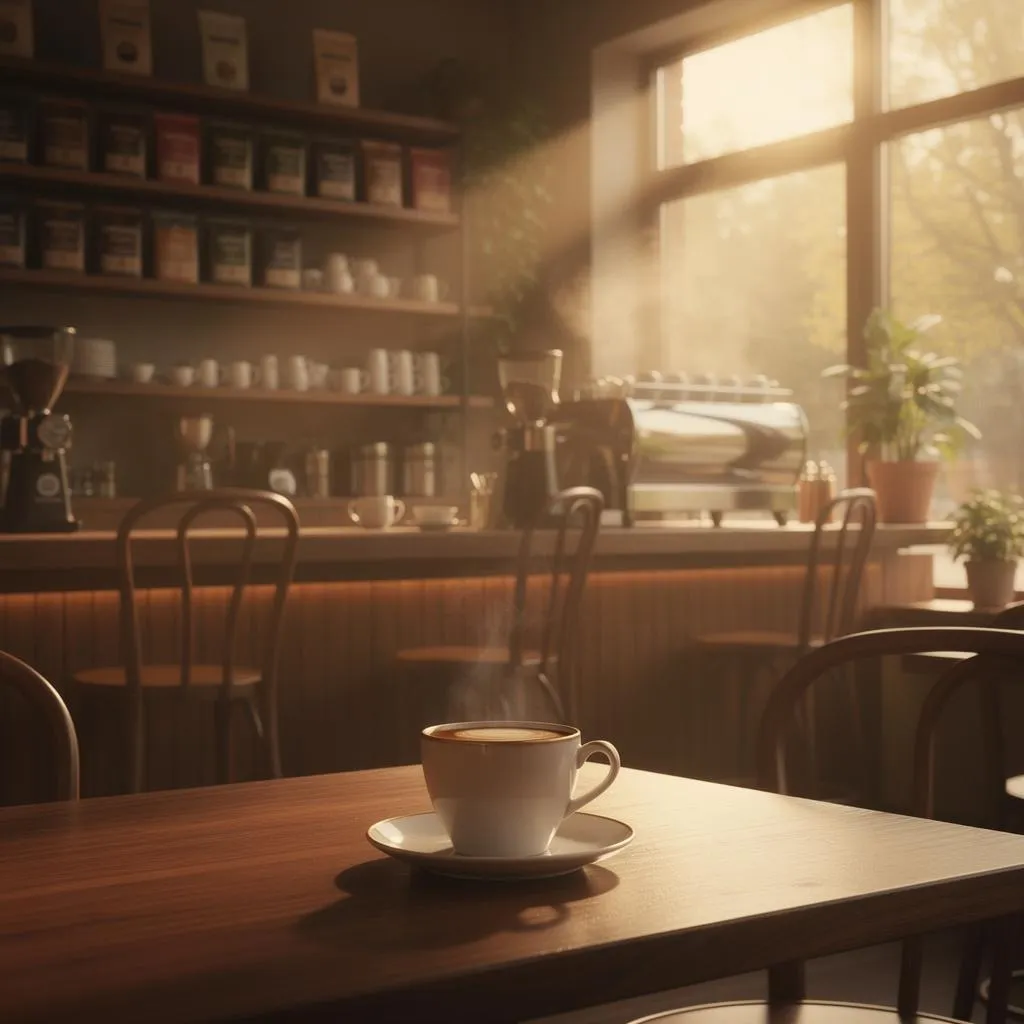
- Concept art. FLUX.2 delivered the most cinematic frame: light, haze, depth of field straight out of a film. Nano Banana 2 — a tidy, controllable atmosphere without extra drama.
- Banners with text. Nobody aced it: Nano Banana 2 made a typo in the subheading, FLUX.2 got the text right but broke the offer layout, Seedream buried the product under the typography. Verdict: generate the background and product with AI, add final copy in Figma.
- Precise edits. FLUX.2 — disciplined inpainting with no side effects; Seedream edits cleanly but quietly shifts colors; Nano Banana 2 once deleted the whole object instead of the logo on it.
The takeaway: there is no universal model. Pick FLUX.2 for photorealism and edits, Nano Banana 2 for shape control and diagrams, Seedream for atmosphere and reference work. That's exactly why a platform helps: run one prompt through three models side by side and compare the results in one window.
Generating online, in your language and from a photo
The three most common questions:
- In your language. Every model in the catalog accepts prompts in your native language — no need to translate to English first. For text rendered on the image itself, GPT Image 2 handles non-Latin scripts best.
- Online, no installs. Generation runs in the browser, on desktop and mobile: nothing to download, no GPU required — the cloud does the math.
- From a photo. Upload a shot and describe the edit in words: Nano Banana Pro and Grom Art edit photos on command, Seedream 5 Pro builds new frames from references.
FAQ: common questions about AI image generators
Which AI draws pictures best?
Depends on what you draw. Photorealism — FLUX.2 Pro and Seedream 5 Pro, art and concepts — Midjourney, text on layouts — GPT Image 2, vector — Recraft 4.1, cheap and fast — Grom Nova. No single model wins every test — which is why a service that switches models in one click pays off.
Is there a free AI image generator?
Fully free generators usually cut quality and put you in a queue. GPTunneL has no subscription: you top up your balance from $5 and pay only for actual generations — a draft in Grom Nova costs from $0.005, so a dozen tries costs less than a coffee.
Can it understand prompts in my language?
Yes — every model in the GPTunneL catalog takes prompts in your language directly. Text rendered on the image itself is a separate matter: GPT Image 2 is the most reliable there, but always proofread critical copy.
Can I generate an image from a photo?
Yes. Nano Banana Pro and Grom Art edit an uploaded photo from a text command (remove the background, swap an object, add a detail), while Seedream 5 Pro composes new scenes from several references.
How much does an AI image cost?
From $0.005 for a Grom Nova draft to $0.64 for a 4K image in GPT Image 2. Pay per result: you generate, it's charged — no subscriptions or expiring limits. Run your own numbers on the pricing page.
Try every model in one window
All the generators from this comparison live in GPTunneL: one balance for everything, no subscriptions — pay per use. Open the AI image models catalog, run your prompt through two or three models and compare the results on your own task — faster than any third-party ranking.