
Studio Ghibli built a unique visual universe with instantly recognizable traits. Its films stand out for soft pastel tones and a masterful sense of atmosphere. Hayao Miyazaki's characters — Totoro or the heroes of "Spirited Away" — combine childlike wonder with real depth of character.
Our guide to the Studio Ghibli style
This particular aesthetic became popular with neural networks because it's both emotionally rich and technically easy to reproduce. Algorithms pick up on smooth lines and watercolor textures with ease. The nostalgia for Japanese animation resonates with generations of viewers.
Key components of the Ghibli style include:
- Airy backgrounds with tiny light flares
- Rounded character shapes without sharp edges
- Natural landscapes dominating the frame
- Emotional warmth in the color palette
Converting a photo with GPT Image 1
GPTunneL gives you access to powerful algorithms for anime-style processing. GPT Image 1, a generative model from OpenAI, redraws your source images based on your prompts. Start by uploading an image to the chat and use a structured prompt to guide the process.
Here's the step-by-step process:
- Open GPT Image 1 on the GPTunneL platform and select the upload option
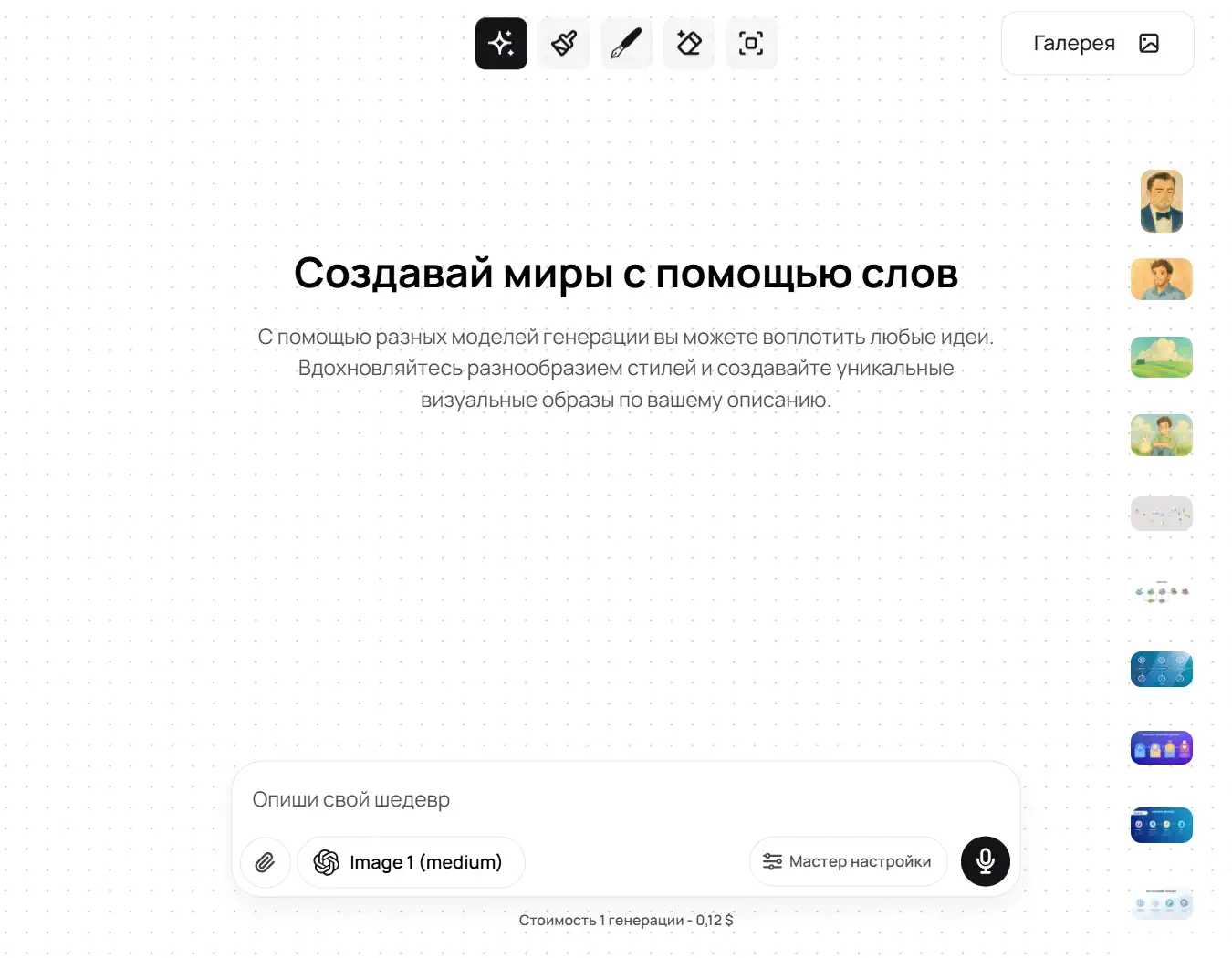
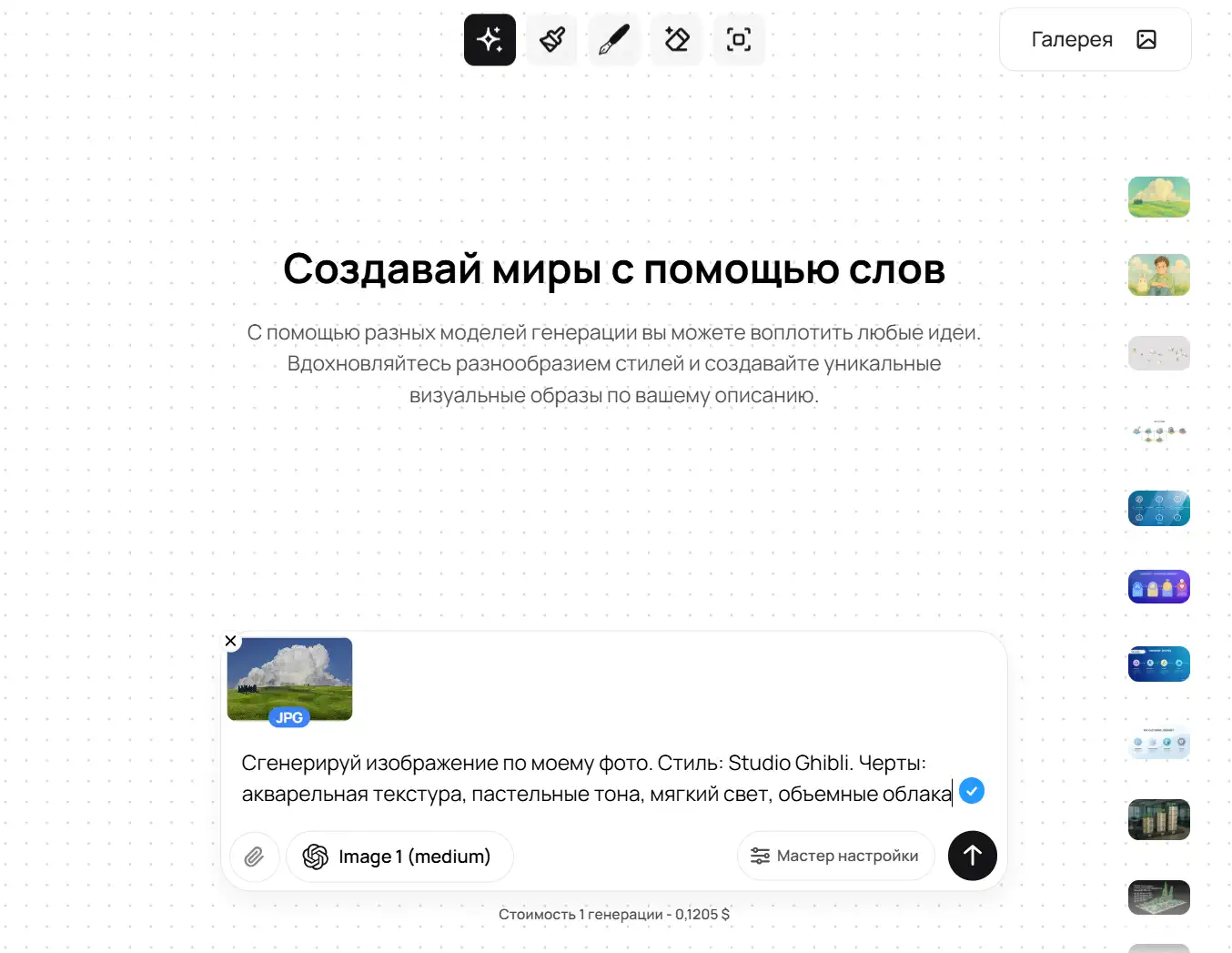
- Clearly state what you want. For example, if you want to generate an anime photo online in the Ghibli style, you'll build your prompt from these instructions.
- Attach any photo (a portrait of yourself or a landscape).
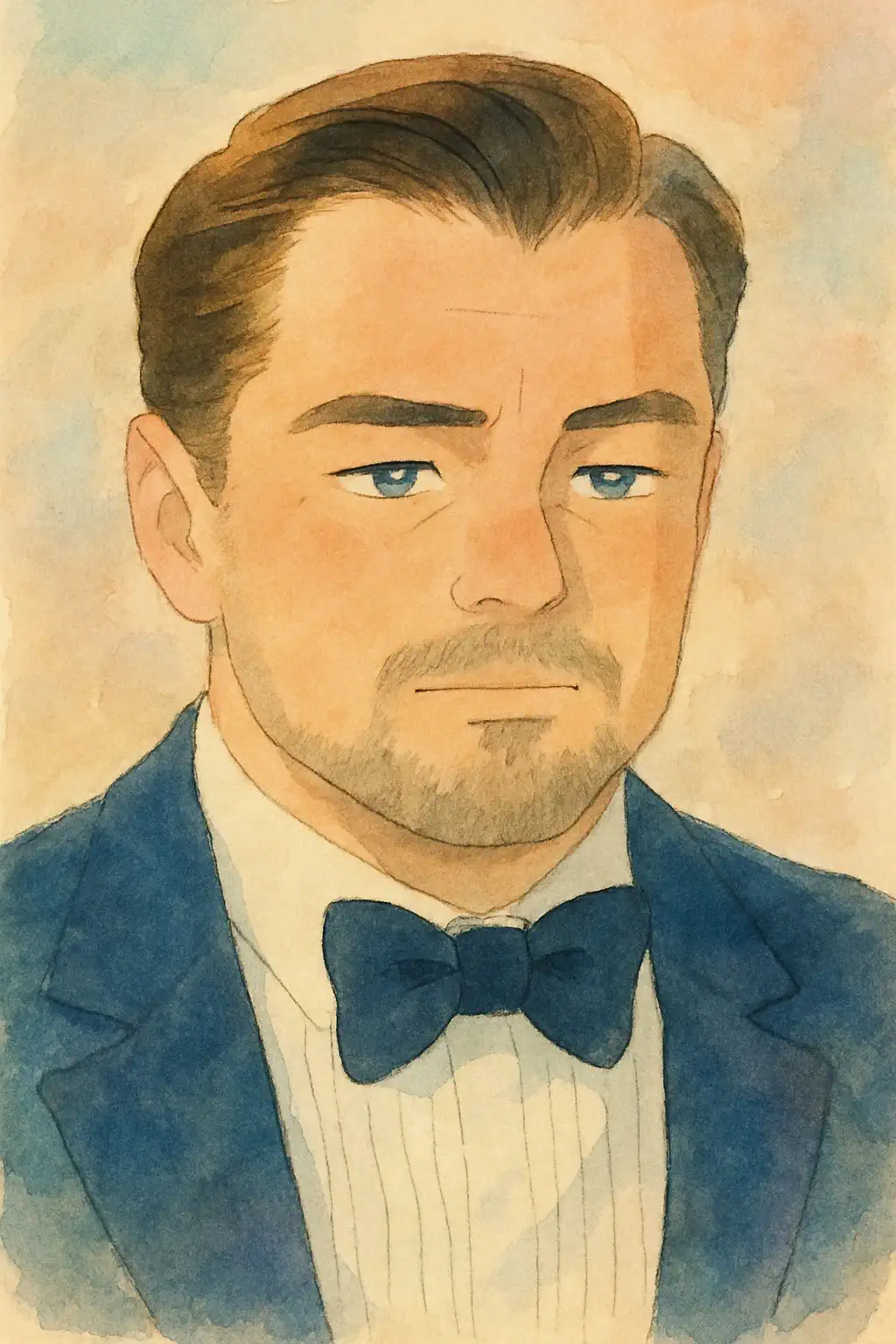
- Use this prompt: "Generate an image based on my photo. Style: Studio Ghibli. Features: watercolor texture, pastel tones, soft light, cute characters. Add nature — grass or clouds." As a reference, we used a publicly available photo from Freepik.
- Review the result and refine the details if needed
Why GPT Image 1? The model has an advanced grasp of context. It understands nuances like "Totoro style" or "the atmosphere of Spirited Away" without extra explanation. Writing prompts for this model is much easier than, say, for Midjourney V6. And OpenAI's model still remains one of the best in terms of generation quality.
The result
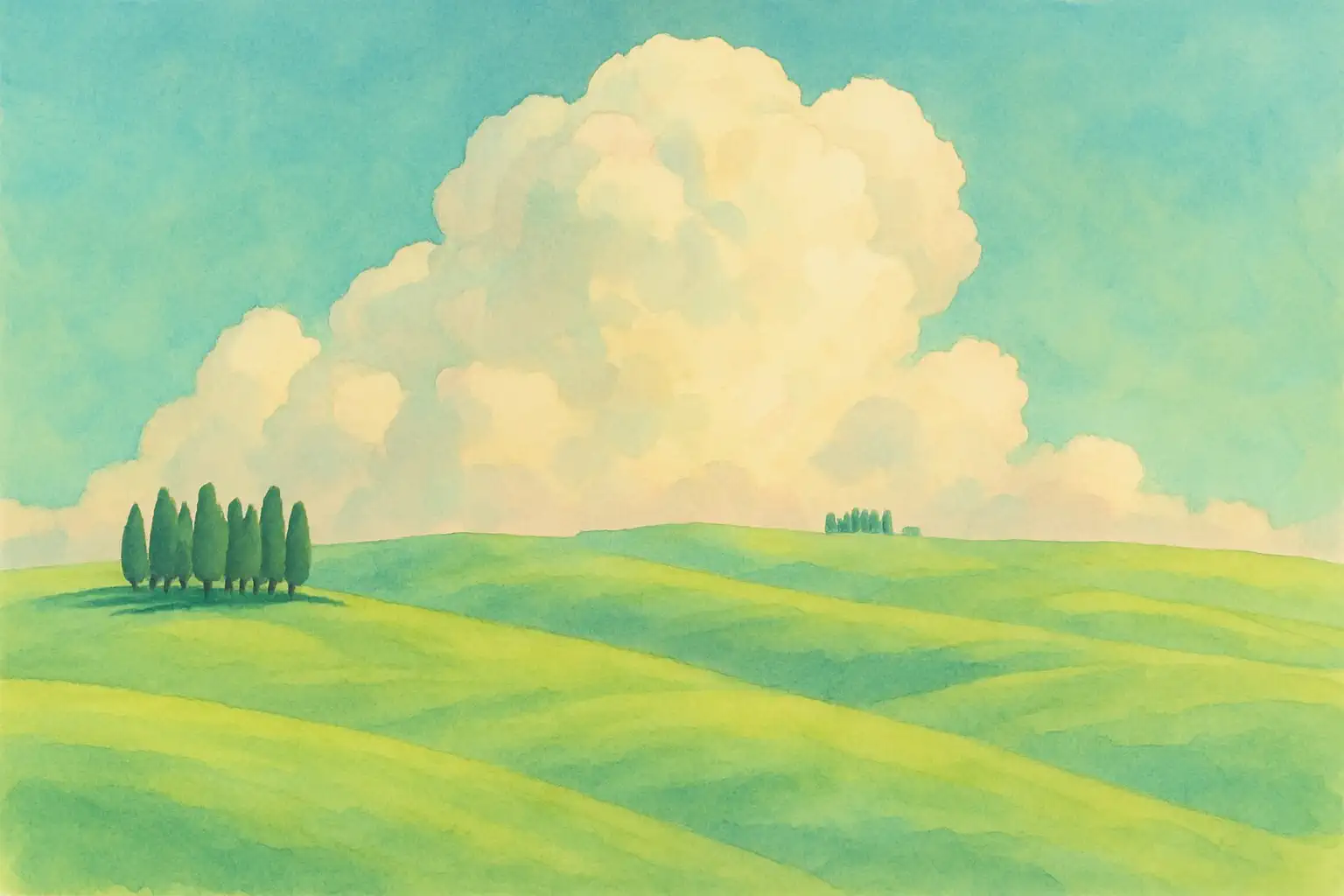
Let's look at a real photo conversion. The original landscape with green hills, after neural network processing, took on the signature look of Ghibli films. Swirling clouds appeared, along with a richer palette and fantastical elements. The result looks like a scene straight out of Nausicaä of the Valley of the Wind.
Portrait photos show a similar style transfer effect. We gave the AI a photo of Leonardo DiCaprio from Wikipedia and asked it to process it in the Ghibli style. The result: the algorithm rounds out facial features, adds a touch of blush, and applies the characteristic technique of emphasizing the eyes. It looks like a still from a full-length film.
Where to create Ghibli-style photos online
GPTunneL gives you access to the top AI tools for anime-style processing:
- GPT Image 1 — the best neural network for generating anime photos online in the Ghibli style and others.
- Midjourney v6.1 — the highest image quality, though it also requires detailed prompts.
- Imagen 4, Flux-kontext-max, Recraft v3, and Stable Diffusion — excellent neural networks for generating images in various styles, including anime.
You can even request anime video with Veo 3, Kling V2.0, and other video generation models! They produce competitive results when transforming photos into a Ghibli-style look. GPTunneL brings all of these tools together in one AI superapp with a single balance, so switching between models never means opening another account.
In short
Creating Ghibli-inspired images is now just a matter of picking the right algorithm. GPTunneL gives artists and hobbyists working tools, removing the need for manual photo editing. So nothing stops you from creating something worth sharing with the people you love.