
On October 22, Canva released Craft - its first in-house image generation model, one that plans the layout first and only then draws the image. Until now Canva relied on other companies' models; now it says it can go head to head with models from Google, OpenAI and ByteDance. Craft is already available to all Canva users.
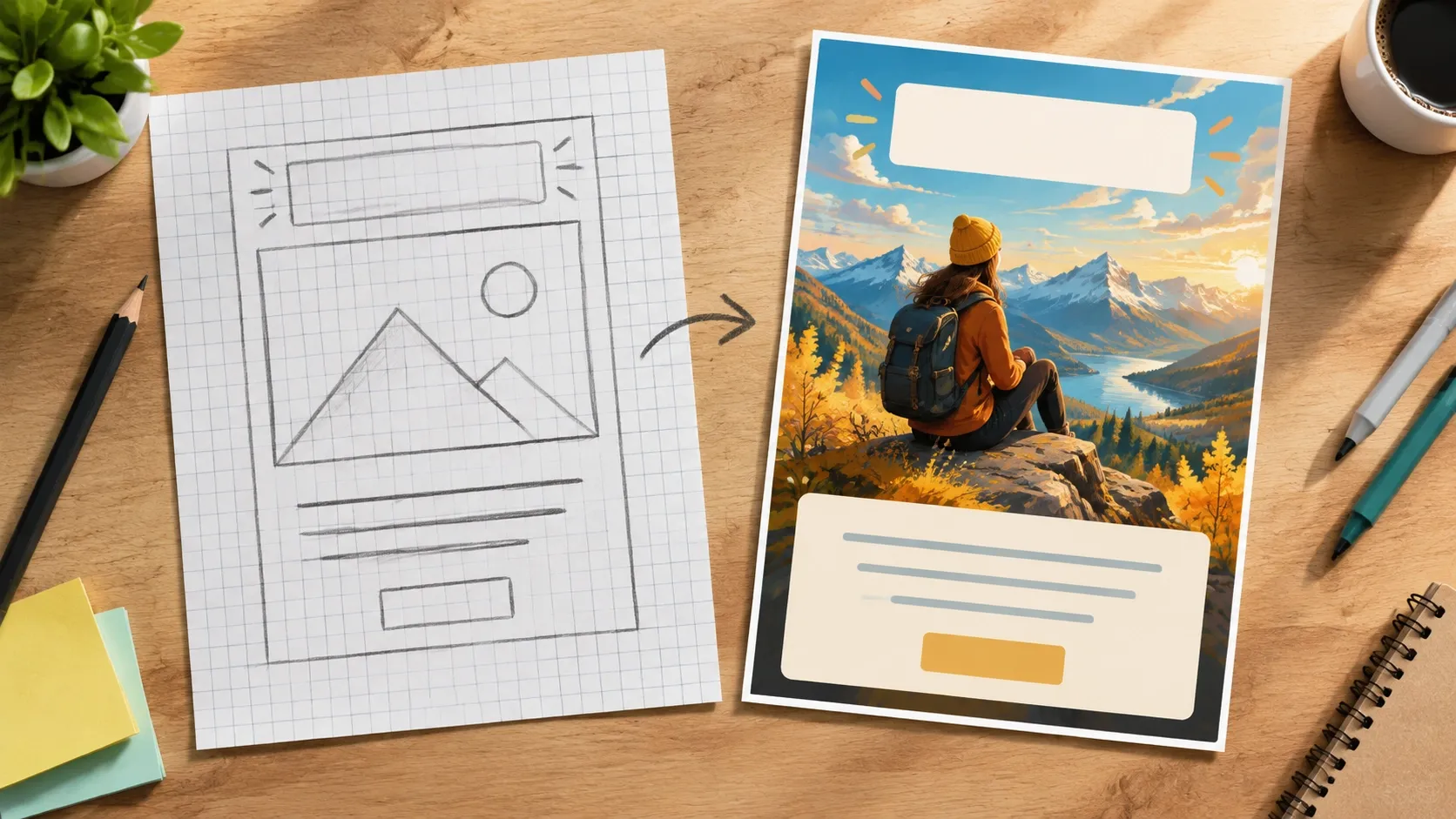
How Craft works
A typical model takes a prompt and starts drawing right away. Craft does it in two steps, like a designer:
- Plan. The model parses the request and decides where each element goes, how big it is, what the focal point is and where each piece of text will sit.
- Image. Following that plan, it draws an image up to 2K in one of more than 30 formats - from stories to banners.
Canva says this produces accurate details and legible text, and lets you fix one part without touching the rest. According to the company, the model renders text in 55 languages.
Craft was trained from scratch, and not on photos but on millions of templates from Canva's library: posters, social posts, presentations, infographics, menus. A finished image can be split into editable layers right away with Magic Layers and then edited like a regular design.
Where to try it and what it costs
Craft is open to all users in the Dream Lab tab and available to developers through the Canva API. Later, the model is supposed to come to ChatGPT and Gemini via MCP, so you can generate designs straight from a chatbot. Two more versions are coming soon - Craft-fast and Craft-ultrafast, faster and cheaper than the main one.
Canva hasn't said how much a generation costs or how it's billed on the free and paid plans.
Ranking
On the DesignArena leaderboard, Craft launched in 4th place overall and 1st in the "portraits" and "landscapes" categories. These are figures Canva itself cites: there are no independent tests of the model yet.
Why Canva wants its own model
There are three reasons. The first is money: every generation on someone else's model costs Canva an API fee, and its own model cuts that cost. The second is control: quality and speed now depend only on Canva. The third is market pressure: according to TechCrunch, Canva lowered its growth forecast for 2026, and outside analysts cut its valuation from $42 billion to $35 billion.
The team had generation experience: researchers from Leonardo.ai, which Canva bought in 2024, worked on Craft. And a year earlier, in October 2025, Canva had already released its own model that understands designs and layers - Craft continues that line.
Bottom line
The "plan first, then draw" idea itself is a good one. The main pain of generating posters isn't beauty, it's layout: the headline runs over a face, the text spills out, small letters turn into mush. A model that decides in advance where everything goes hits exactly that problem.
But training on templates has a flip side. A model raised on posters and menus will most likely be strong at design and weaker at photorealism. So Craft is a candidate for covers, flyers and posts, not a replacement for photo models.
If you already make covers and posts in Canva, Craft is right at hand: an image with text comes out inside the editor and splits into layers. If you don't use Canva, it's too early to switch for one model - better to wait for independent comparisons and pricing.
As a reminder, you can make posters and images with text in Nano Banana and GPT Image - both handle lettering well. We covered how to write prompts for them in our Nano Banana guide, and all image models are in the catalog.
Sources
- Canva releases its first image generation model - TechCrunch on the Craft launch, October 22, 2026
- Canva launches Craft, its first in-house image model - The Decoder: text languages and DesignArena ranking, October 23, 2026